Page 71
8.2 Printer Handling
Maintenance
Wipe off the soiling on the printer surface with a dry soft cloth with a weak
neutral detergent. After that, wipe the printer with a dry cloth.
Setting paper
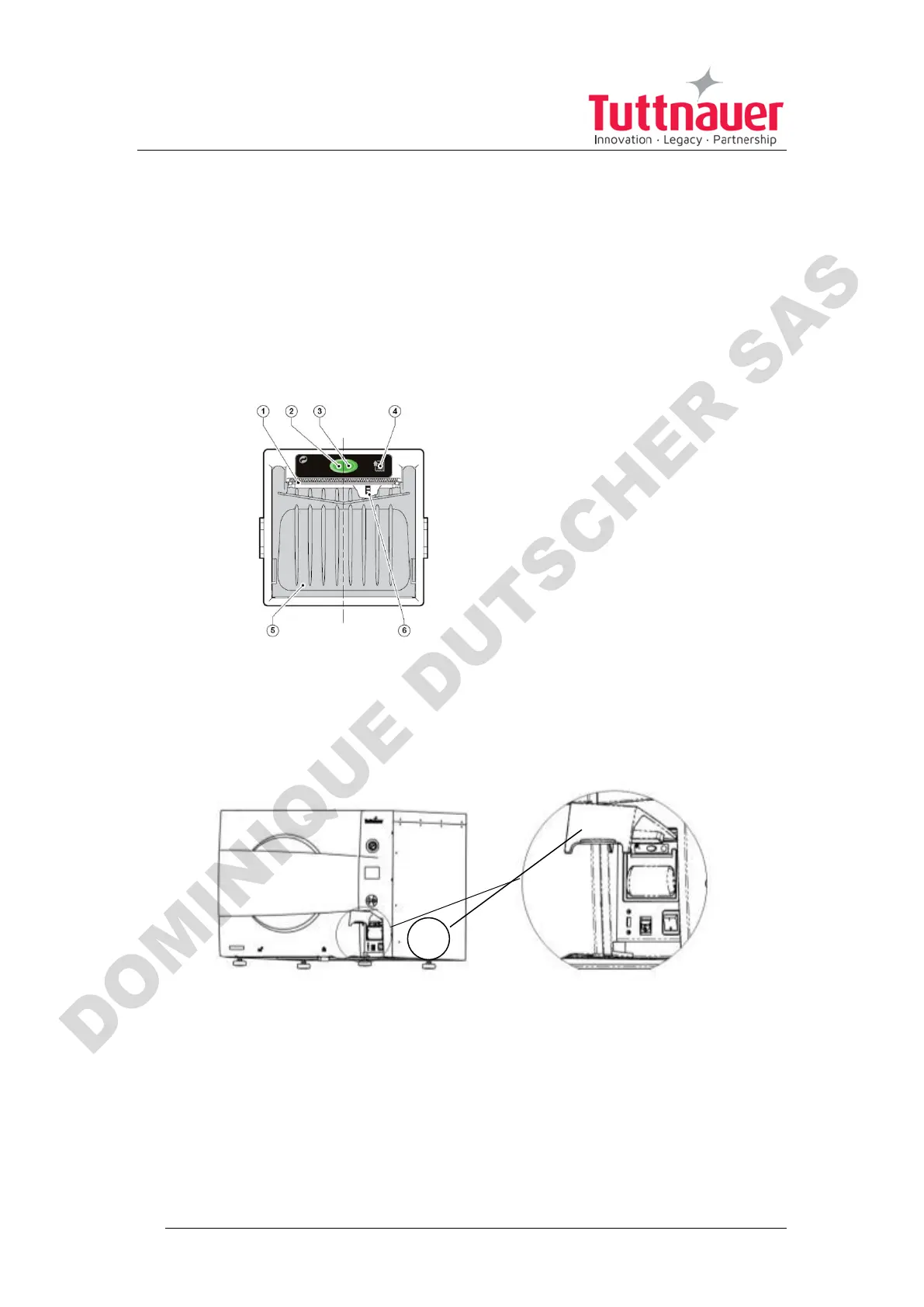
Printer model PLUS II Front
view
1-Paper mouth
2-STATUS Led (blinking – no
paper, steady – status is OK)
3-OPEN key (for paper roll
compartment opening)
4-FEED key
5-Paper roll compartment
6-Paper end sensor
Fig. 1
1. Open the printer's cover door (1) by pulling it up (see Fig. 2).
Fig. 2
2. Press the OPEN key to open the printer cover as shown (see Fig. 3/1).
Handle the paper cutter carefully not to cut your hand.
3. Place the paper roll making sure it unrolls in the proper direction as
shown (see Fig. 3/2).
4. Take out the paper and re-close the cover as shown (see Fig. 3/3) the
printer cover is locked.












 To Next Page