UniPOS Fire Extinguishing Control Panel FS5200Е
Instruction Manual Page 38
Revision 7/06.12 of 63
button – to change the calendar date;
button – to move to the next character;
button – to confirm the entered or set calendar date;
button - to exit.
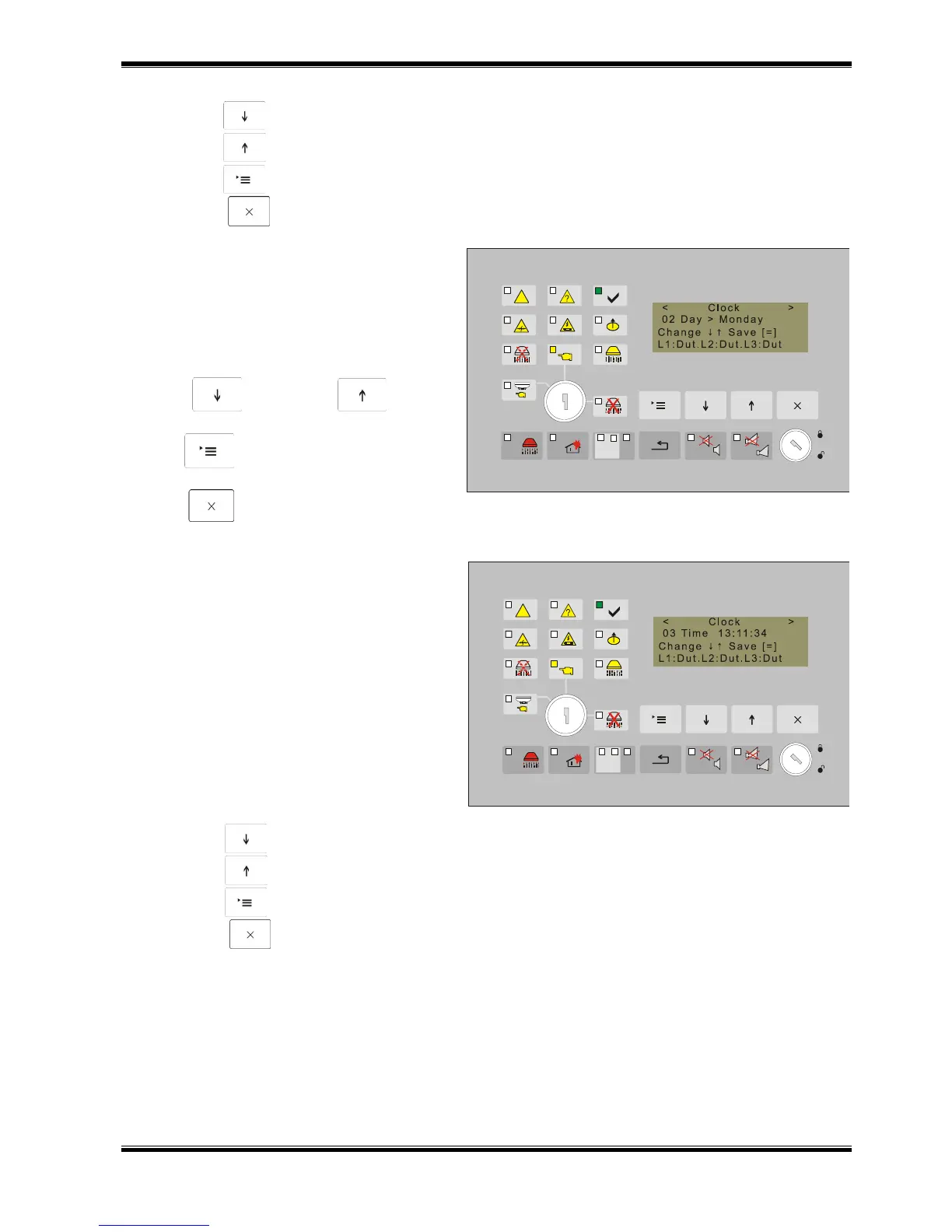
Use Function Day to adjust the
current day of the week. The field contains
the current day.
Upon activation a screen appears with the
entered current day of the week.
To change, save the data and to exit
the function, use:
buttons (Down) and (Up) for
selecting the day (Monday, Tuesday, etc.);
button (Menu) – to confirm the
entered day;
button (Exit).
Use Function Time to set or adjust the
current time.
Upon activation of the function the
factory set time appears and the cursor
flashes on the first left digit of the hour.
Admissible values are:
- for hour (two characters, 0023);
- for minutes (two characters, 0059);
- for seconds (two characters, 0059).
Use:
button (Down) – to change the value of the hour;
button (Up) – to move to the next character;
button (Menu) - to confirm the entered or adjusted date;
button (Exit).



 To Next Page