UniPOS Fire Extinguishing Control Panel FS5200Е
Instruction Manual Page 49
Revision 7/06.12 of 63
• Fire Extinguishing Control Panel 5200Е receives and uniquely distinguishes data
from activated inputs of up to 5 manual call points (FD7150), up to 8 automatic fire
detectors (FD71xx) and inputs of devices FD7203 within the systems series 7000.
Inputs can be configured to all of the Control Panels of type 7000 included into the
network.
• Fire Extinguishing Control panel 5200E receives and single-distinguishes data
from activated inputs of device FD7203. Inputs could be configured to all Control
Panels of series 7000, connected in the network.
• 4 inputs can be configured in the 5200E Control Panel, these inputs affect the
functions of the extinguishing algorithm.
Inputs are for the following functions :
- Manual Extingushing Activation (by means of a manual call point) or
automatic (by means of an automatic fire detector);
- Disable Extinguishing;
- Switches to Manual / Manual Automatic Mode;
- Hold Extinguishing.
• In 5200E Fire condition can be reset from the display of panels series 7000. The
reset Panel transmitts information to all the panels of (7000 series) for resetting of Fire
Condition.
• Sound indicator can be suppressed from the IFS7002 display in case of Fire or
Fault Condition in the Extinguishing panel.
• In case of disconnected communication, the Control Panel FS5200Е registers
fault condition „Fault CAN” („Fault RS485”).
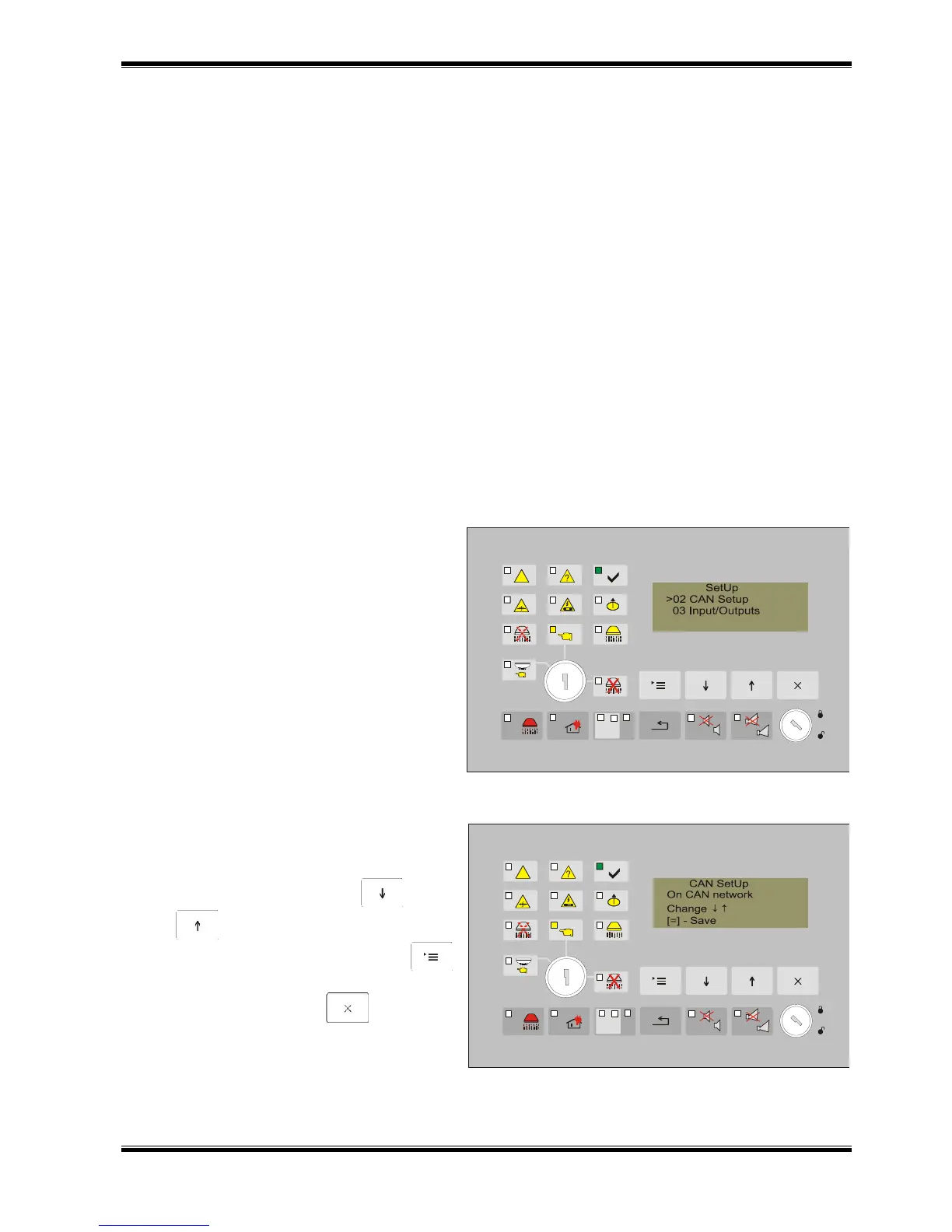
In the menu “CAN Parameters” set the
parameters for operating on CAN network,
together with 7000 serie (the programable
softwear of the panel should be 13.10 version
or higher).
Menu contains the following positions:
01. CAN On/Off
02. Text message
03. CAN speed
04. CAN Address
05. CAN AddressRem.Panel
06. CAN Rem.Inputs
07. Numb FD FuncAnd
13.4.2.1. To set ON or OFF CAN Network
Parameter permits values ON of OFF
Active buttons :
to change - buttons and
;
to save the change - button
(„Menu”);
to exit press - button („Exit”).



 To Next Page