UniPOS Fire Extinguishing Control Panel FS5200Е
Instruction Manual Page 50
Revision 7/06.12 of 63
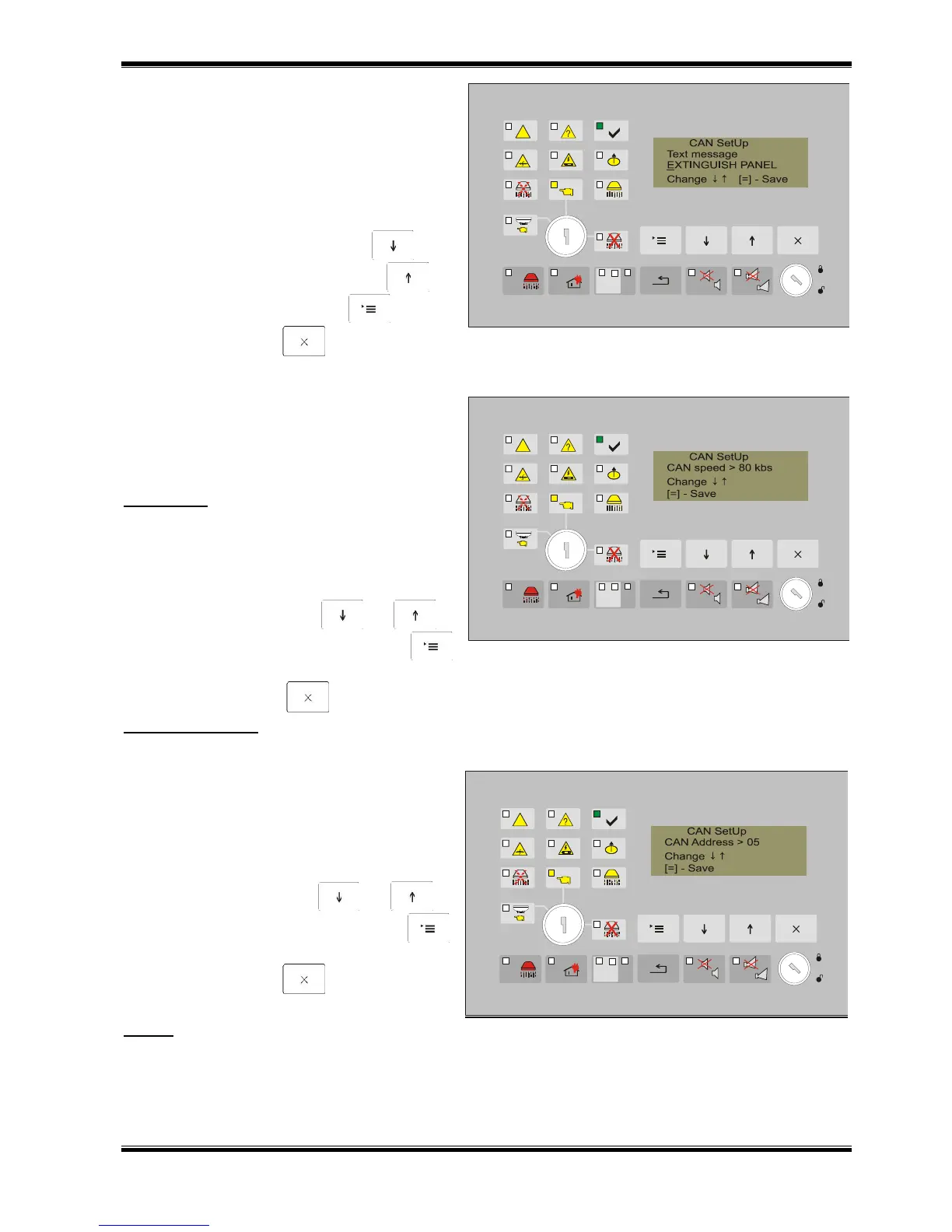
13.4.2.2. To enter text message.
The screen allows the user to enter a text
message for identifying the Control Panel
(name) within 20 characters - Cyrillic and
Latin. If an event occurs (Fault condition or
Fire Condition), the text is shown on the
display of the panels series 7000.
Active buttons:
to change the character –
to position the next character ;
to save the text - button ;
to exit - button („Exit”).
13.4.2.3. Set Up speed on CAN network
communication.
Enter in the screen the exchange rate of the
network.
Important : The speed entered for Panel
FS5200E must correspond to the speed,
entered for IFS7000 panels.
Parameter permits the following values: 40,
80, 100 или 160 kb/s.
Active buttons:
to change – buttons and ;
to save the change - button
(„Menu”);
to exit - button („Exit”).
Recommendation :
If the length of the wire network is longer than 500 meters, recommended speed is 40 kb / s.
13.4.2.4. Setting network address of
FS5200E panel.
Set the address of the Panel on the screen.
Address must be unique.
Admissible values: 01÷31.
Active buttons:
to change - buttons and ;
to save the change - button
(„Мenu”);
to exit - button („Exit”).
Notice:
CAN address value has no connection with ''Master/Slave“ Setting.



 To Next Page