Getting Started 4-3
4.3 Menu Navigation
4.3.1 Front Panel Controls
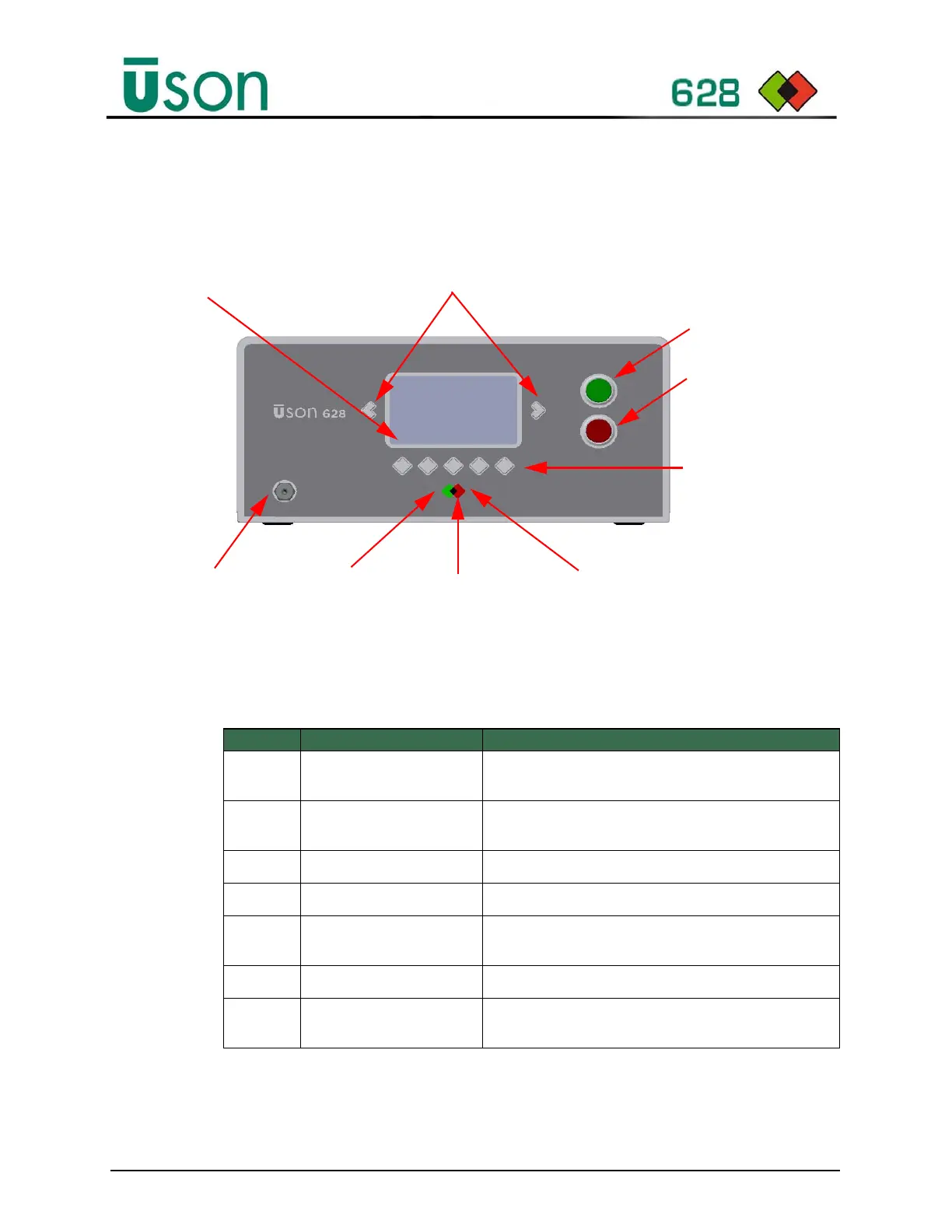
Figure 4–1: Uson 628 Front Panel
4.3.2 Key Pad
The Uson 628 key pad functions are described in Table 4–1.
Table 4–1: Key Pad Description
Item# Connection/Control Description
1Start Button
Starts a test cycle or updates the selected value when
editing parameters.
2 Abort Button
Resets or aborts a test cycle or reverts the selected value
when editing parameters.
3 Left/Right Keys
Selects the next or previous displayed parameter.
4 Function Keys
Functions available for the displayed menu or parameter.
5Display
A character Liquid Crystal Display (LCD) that displays the
tester’s state, function, mode, and parameter settings.
6 Result Indicator
Test cycle pass and reject indicators, On or Off.
7 Calibration Port
Used to connect a standard leak or calibration instrument
to the test circuit for calibration.
Start Test
Abort Test/Reset Test
Cursor Keys
Reject Indicator
Pass IndicatorCalibration Port
Abort Indicator
Function Keys (5).
Correspond to the 5
display sections on
bottom menu. For
example, in this
image, the first
function key will enter
Program mode when
pressed.
Bottom menu:
displays the
current 5
choices for
the corre-
sponding
function keys.



 To Next Page