5-10 Uson 628 Operator’s Manual
5.3.7 Config Menu
This menu displays the tester configuration entered by manufacturing and cannot
be modified.
5.3.8 Gauge Sensor
This menu displays the gauge sensor configuration. The menus are:
* Set by manufacturing and cannot be modified.
Audio Volume
This parameter controls the audio level. The setting range is:
0 to
100%
and the default setting is
50%
Date format
This parameter defines the date format. The options are:
DD/MM/
YYYY (default) or MM/DD/YYYY or YYYY/MM/DD.
Auto Run
This parameter specifies the number of test cycles to be
automatically repeated. The setting range is 0 to 200. Default setting
is 0.
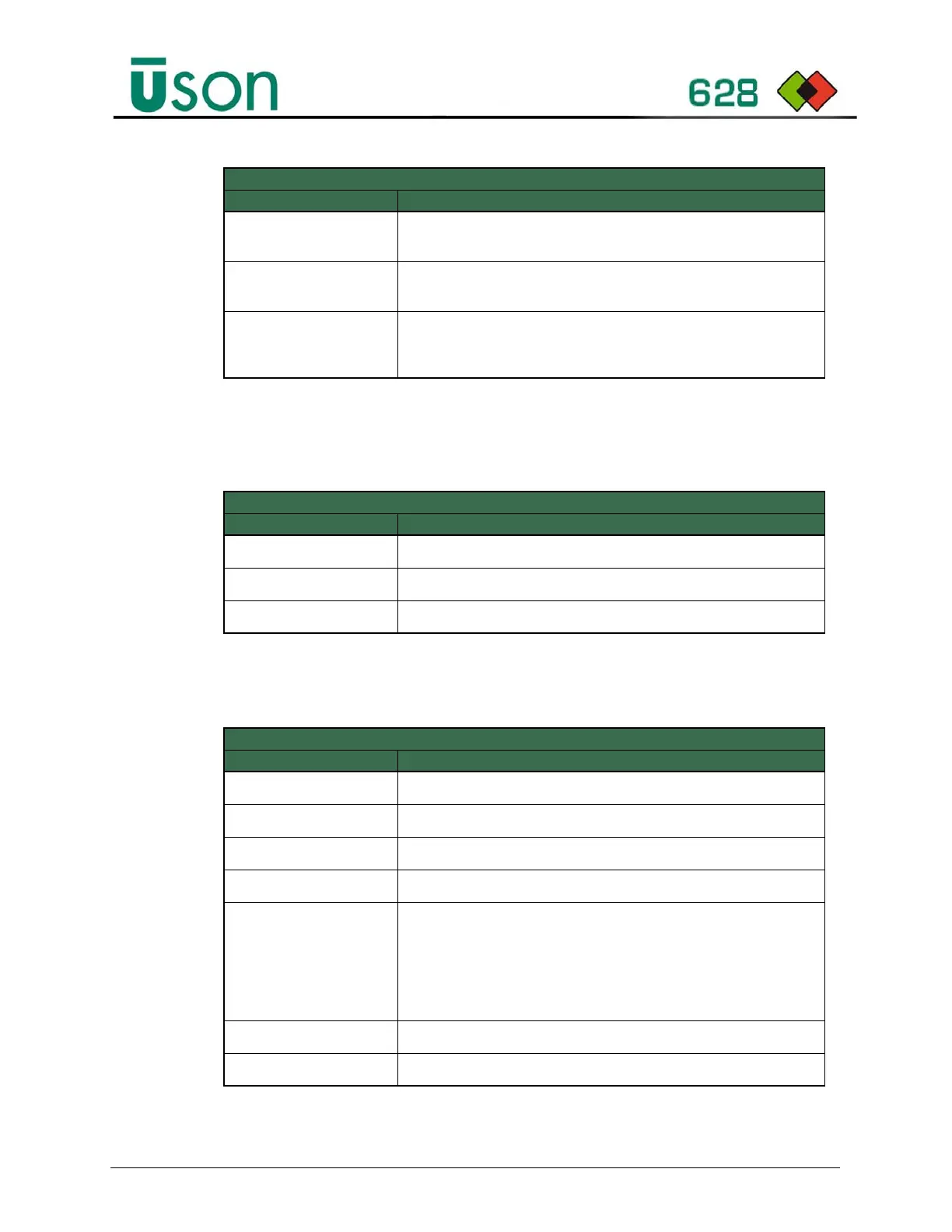
Config Menu Parameters
Parameter Description
Model Code
Specifies sales order smart code in the Format 628-abc-defg.
Serial Number
Specifies serial number in the format 000000-000U8.
Company Name
Specifies the company name.
Gauge Sensor Menu Parameters
Parameter Description
Sensor Type *
Set to gauge pressure.
Sensor Range*
Defines the measure range.
Sensor Unit
Defines the measurement unit.
Calibrate *
Function to perform zero and span calibration.
Calibration Data
Displays the current calibration data:
Last calibration date and time
Adc Zero Count reading, defaults to 0.
Adc Span Count for target pressure, defaults to value based on range
selection.
Target value, defaults to sensor range.
Auto Zero Control
Enables/Disables autozero function. Default is off.
Auto Zero Value
Zero offset value in counts.
Set up Menu Parameters
Parameter Description



 To Next Page