7-4 Uson 628 Operator’s Manual
7.2 Perform a Test
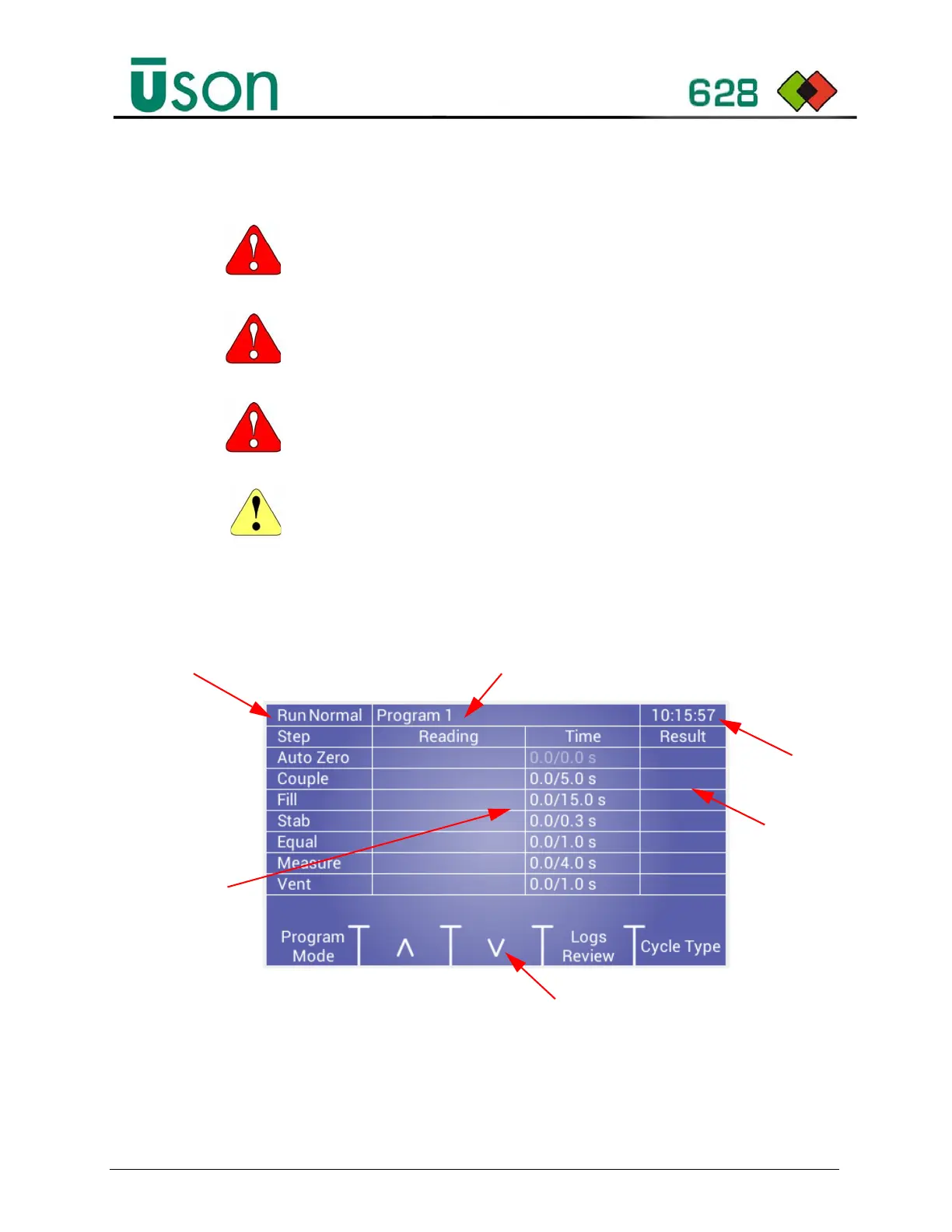
1. Make sure the tester is in Run Mode. The display will show the Test step time
information and the current program selection, as shown below:
2. Press the Up/Down Arrow keys to select the required test program.
3. Connect the test component to the Test Port using the tubing provided or
suitable hard-nylon tube. Do not over tighten couplings. It is recommended to
WARNING:
This instrument is capable of supplying high-pressure air.
Before testing, ensure that the system is guarded to local health and
safety standards.
WARNING:
Before testing, make sure to follow all Safety warnings/
cautions in the Safety section and throughout the manual.
WARNING: The following testing instructions are to be followed only after your
tester is appropriately and safely up and running
. See Sections 1-6.
CAUTION: The component to be tested, and the air supply line to the Tester, must
be free from water or liquid residue before testing. In Differential Testers, failure to
comply may result in damage being inflicted on the sensitive transducer within the
instrument.
Program Selected
Test Type Selected
Time
Test Settings
and Results
Data
Program Selections
Step
Result



 To Next Page