How To 7-5
tighten couplings by hand and then an additional 1/2 to 1 turn with a spanner.
Ensure that the Reference Port is blanked off.
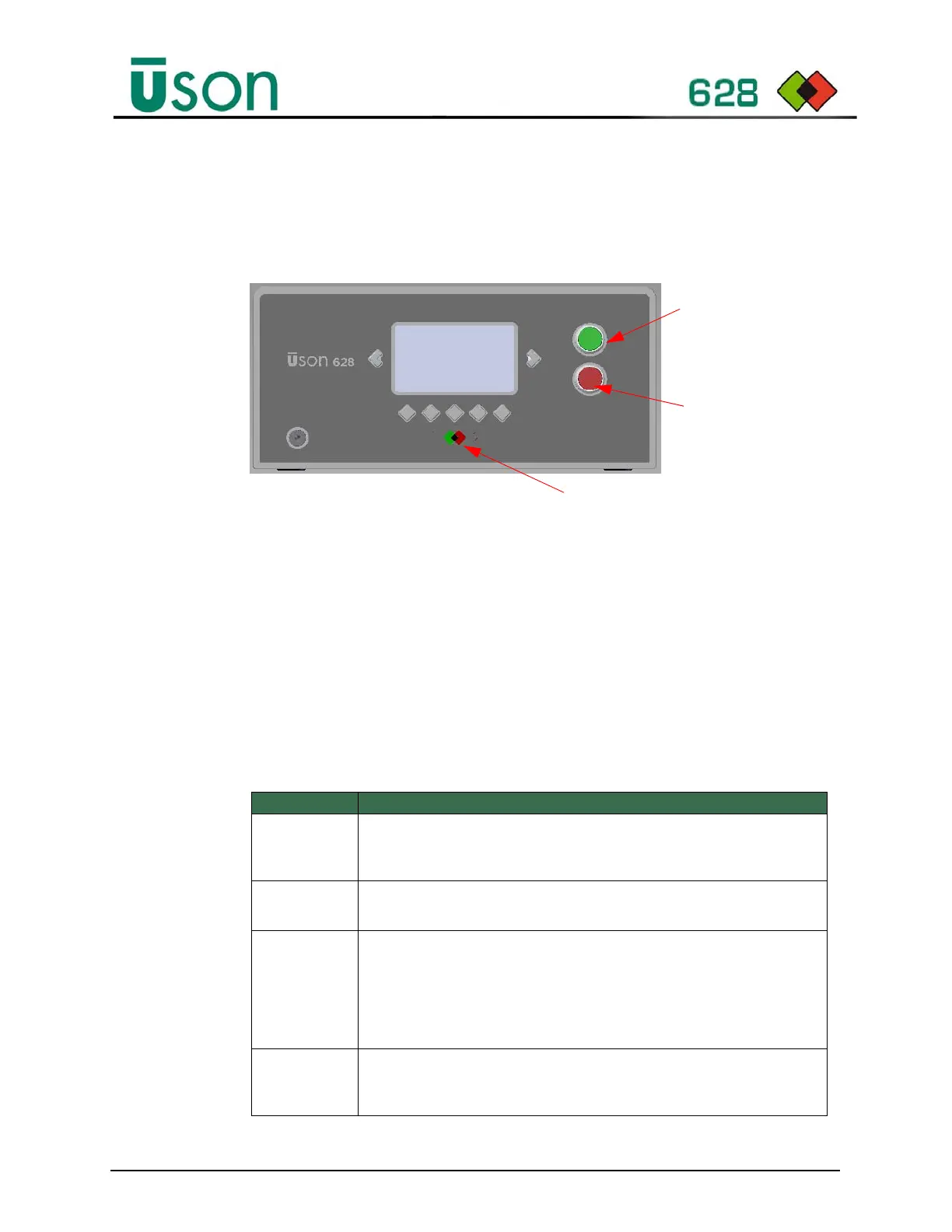
4. Press the green Start button on the front panel to begin the test. The display
will show the selected program number and the test status during the test cycle.
5. The test cycle may terminate early displaying a dialogue window with an abort
or fail error message relating to an event encountered during the test cycle. To
clear the dialogue window, press the abort button or the remote abort input
(when enabled) to continue new tests. Additional information and
troubleshooting for each message is listed in Table 7–1. If an error persists,
please contact Uson support for further information.
Table 7–1: Test Cycle Error/Abort Messages - Troubleshooting
Message Solution
Air Supply
Error
A low inlet supply pressure was detected, check the air supply pressure is
higher than minimum pressure required by the tester. Refer to user manual
or rear panel label for minimum pressure required.
Audit output
error
Audit logging is enabled but the selected output device is not connected or
ready. Check the selected device (i.e., USB or serial port) is connected.
Differential
Over Range
The Differential sensor over ranged during the equal step due to a gross
leak condition on the test port. This may occur occasionally for gross leaking
components not rejected during the stabilize step. If the problem persists,
check the program minimum limit (i.e., Test Pressures – Pressure
Tolerance) is not too low, the stabilization time, and that the test port and test
part connections are secure and leak tight.
Differential
Under Range
The Differential sensor under ranged during the equal step due to a gross
leak condition on the ref port. Check the ref port connection is secure and
leak tight.
Green Start Button
Red Abort & Reset
Button
Green/Red LEDs
Green = Pass
Red = Reject. Press Red Reset Button
before starting next test.



 To Next Page