UVITEC – Cambridge
164/225
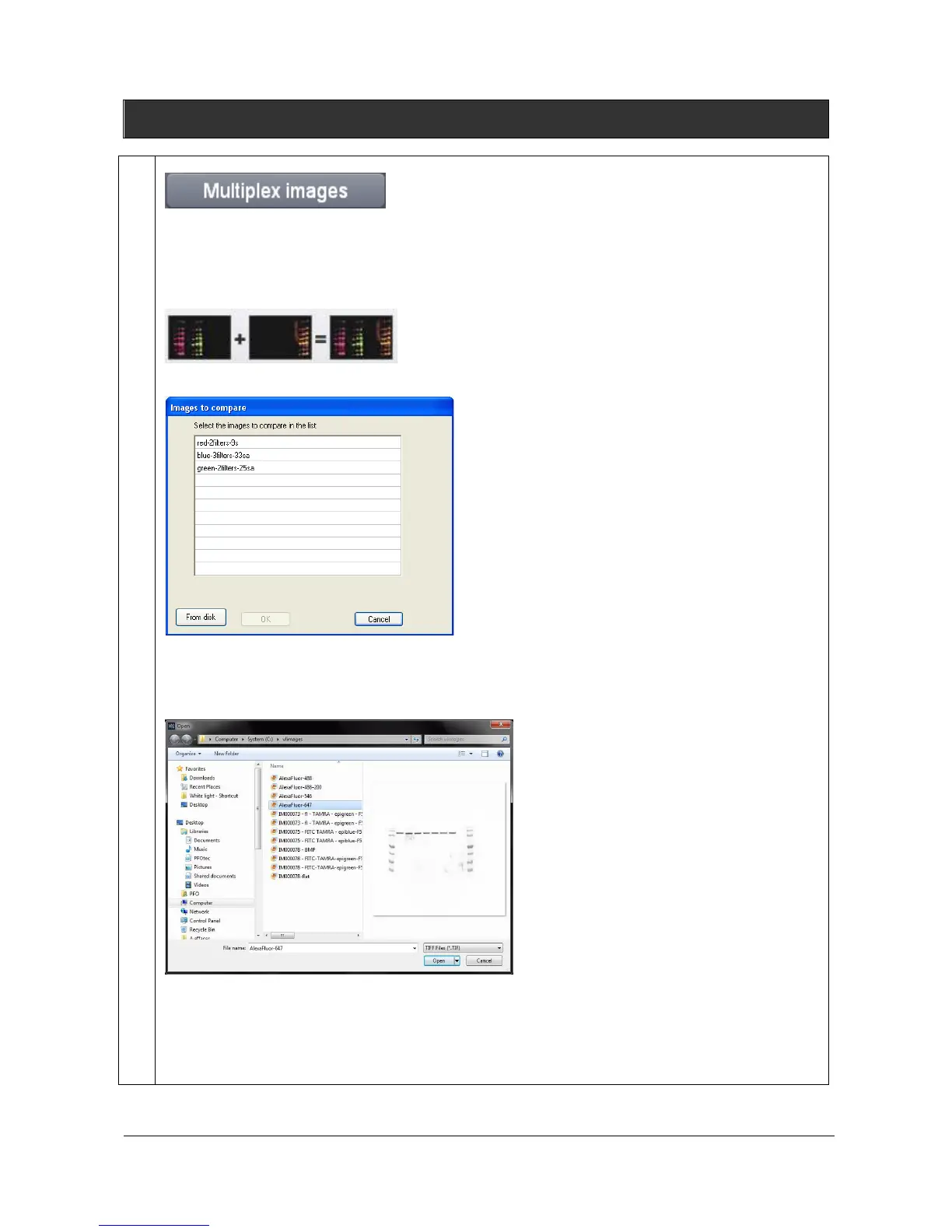
Multiplex images
The multiplexing feature allows to combine two or three different fluorescent channels into a new
colored composite image. The multiplexing option is used primarily in fluorescence imaging when
specimens have been stained with more than one dye or in chemiluminescence when you want to add
in color a marker lane to your signal sample image.
Click on the “Multiplex images” button. A window displays the following menu:
A list displays the image already opened.
You can also add an image to the list by opening an image from your computer. To proceed, click on
the “From disk” button. A pop-up window displays the following menu:
Browse to specify the image directory
Double click on the image name you want to load
When all the multiplexing images are gathered in the list, click on the first image. A pop-up window
invite you to select the first color channel from blue, green, red:



 To Next Page