UVITEC – Cambridge
171/225
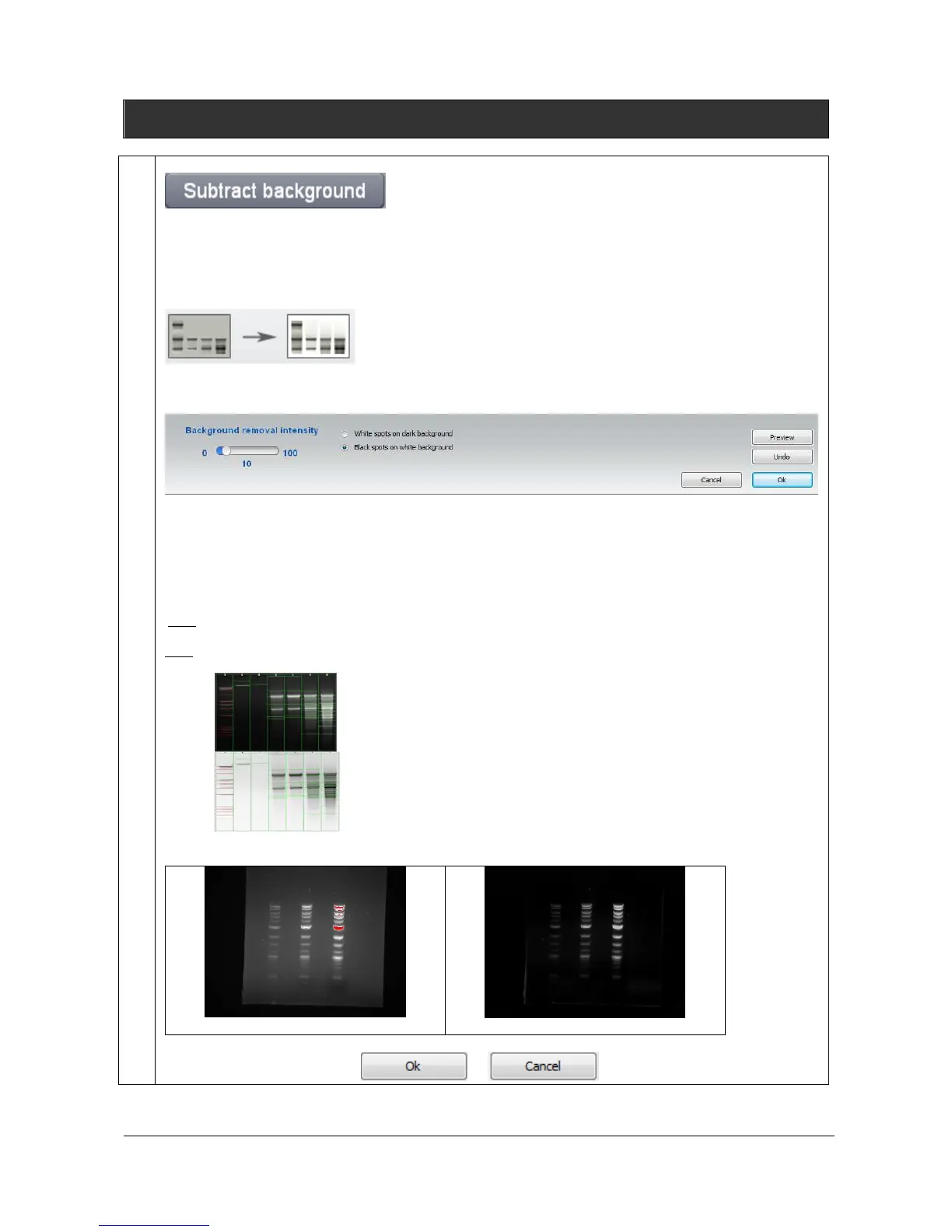
Subtract background
The Subtract background feature allows to separates foreground objects from their background
clutter. Image background could interfere with quantification or signal visualization. Background
could results from gel opacity, random signal noise, opacity of the carrier medium (film, gel matrix,
or blot matrix) or film fogging.
The Subtract background applies to the active image. Click on the “Preview” button. A window
displays the following menu:
Select the removal intensity and click on apply. The background is then removed from the entire
image.
The intensity will determine how much background will be subtracted. A large intensity will more
closely follow the profile trace, removing more background. A too small intensity will result in poor
background removal. A disk radius that is too small may subtract actual data.
Note: few seconds could be necessary to perform the background subtraction.
Note: For a more accurate background subtraction, you can set the bands parameters: white bands / black
background / black bands, white background. You can select the following options:
Black bands on light background for images with black signals and
clear background
Example:
Original image
Image with background removal
To close the function, click on or button



 To Next Page