UVITEC – Cambridge
169/225
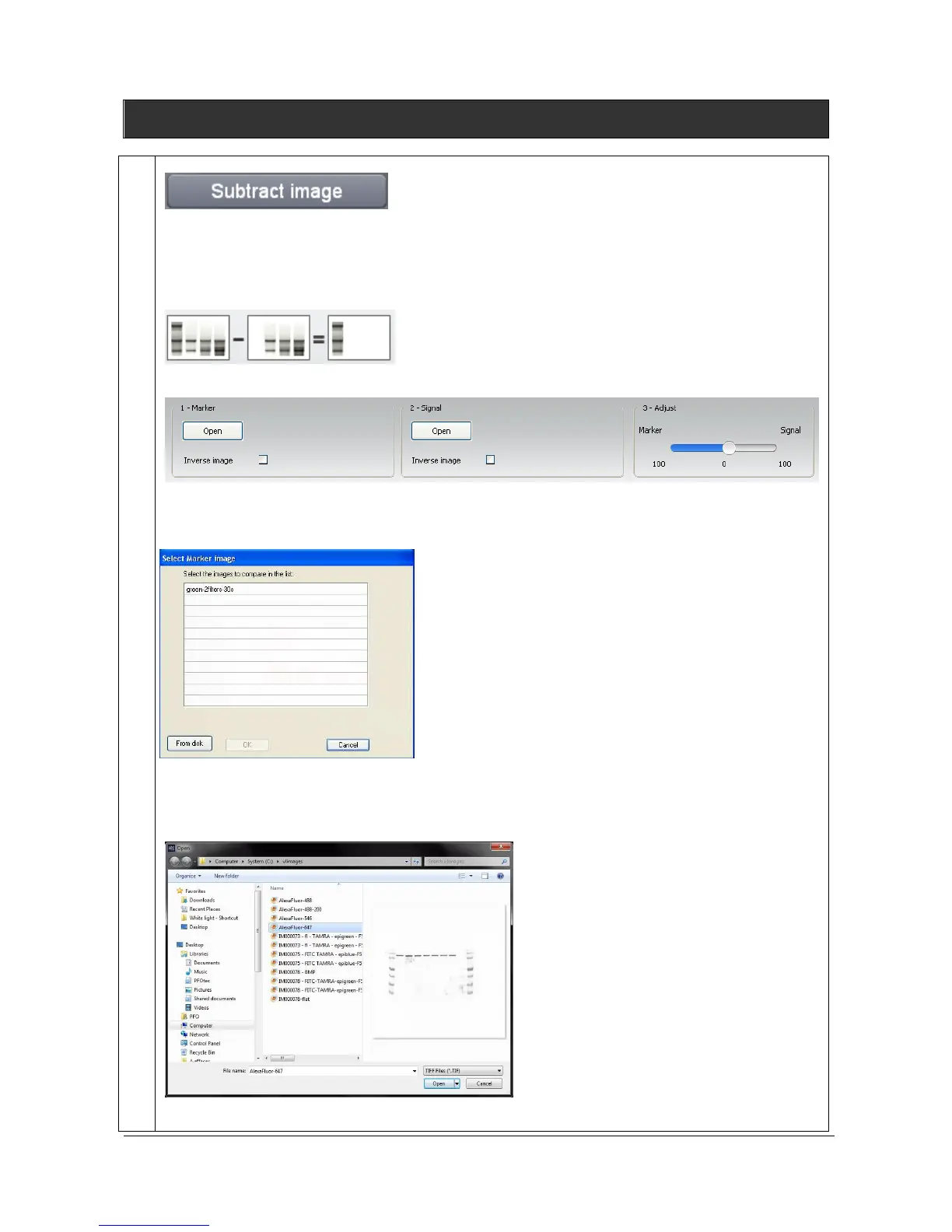
Subtract image
The Subtract image feature allows to subtract an image from another image. Subtracting images
could be used to remove noise from a image by subtracting a dark image, or by deleting a signal from
one image to another image. For instance to remove the Cy2 signal from a Cy3 image.
Click on the “Subtract image” button. A window displays the following menu:
1- Select the first image by clicking on “Select image”. A pop-up window displays the following
menu:
A list displays the images already opened.
You can also add an image to the list by opening an image from your computer. To proceed, click on
the “From disk” button. A pop-up window displays the following menu:
Browse to specify the image directory
Double click on the image name you want to load



 To Next Page