UVITEC – Cambridge
158/225
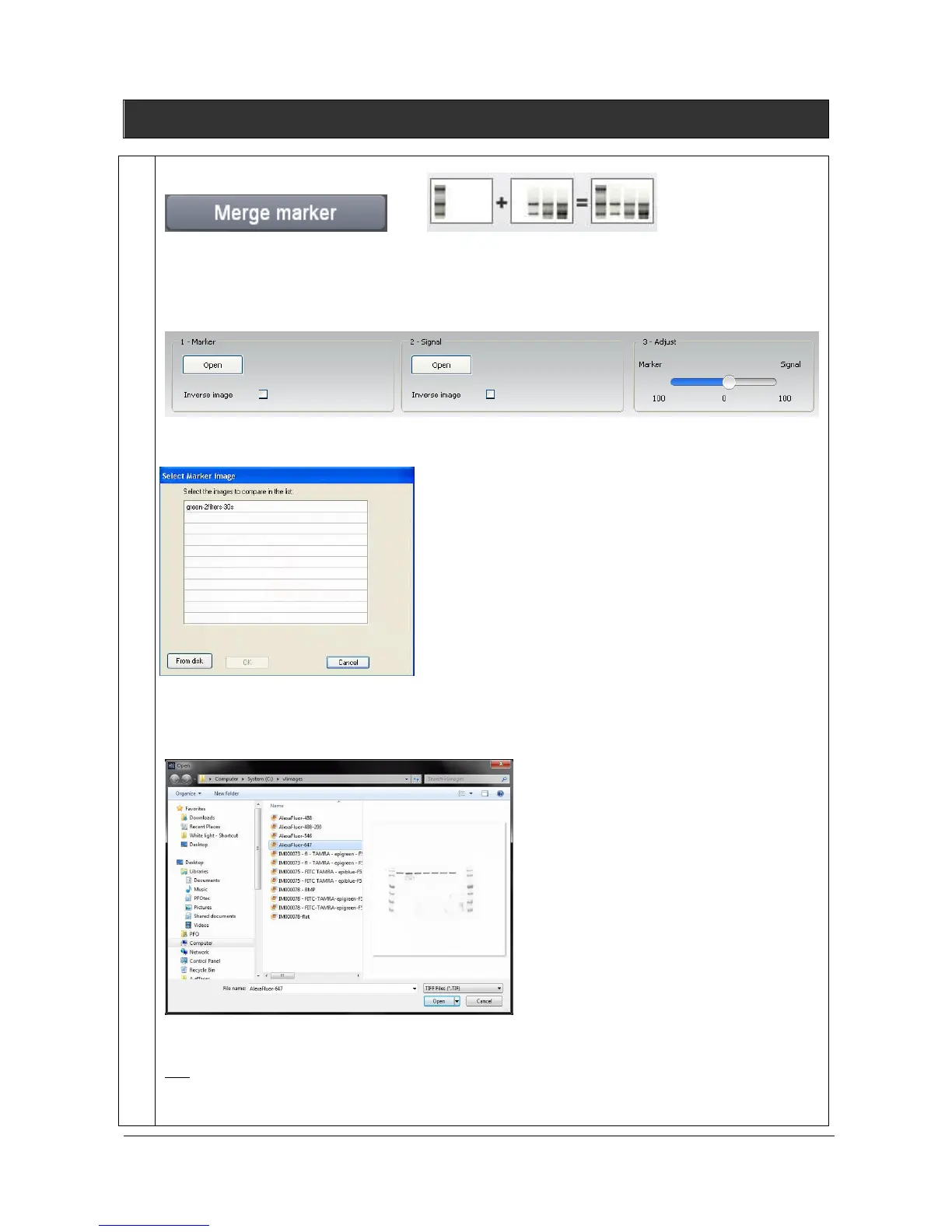
Merge marker
The Merge marker feature allows to gather a blot image and its marker image into a new composite
image. Merge marker is frequently used for colorimetric markers run together with chemiluminescent
samples.
Click on the “Merge marker” button. A window displays the following menu:
1- Select the Marker image by clicking on “Select image”. A pop-up window displays the following
menu:
A list displays the image already opened.
You can also add an image to the list by opening an image from your computer. To proceed, click on
the “From disk” button. A pop-up window displays the following menu:
Browse to specify the image directory
Double click on the image name you want to load
Note: only two positive or two negative images can be added. Thus, it could be necessary to inverse the image one or the
image two for having satisfactory results.
2- Then, select the signal image by clicking on “Select image” from the Second image paragraph. A



 To Next Page