UVITEC – Cambridge
176/225
Save
This function saves a previously unsaved image to a new file, or updates the changes to an existing
image file, or save an image to a new file or file location.
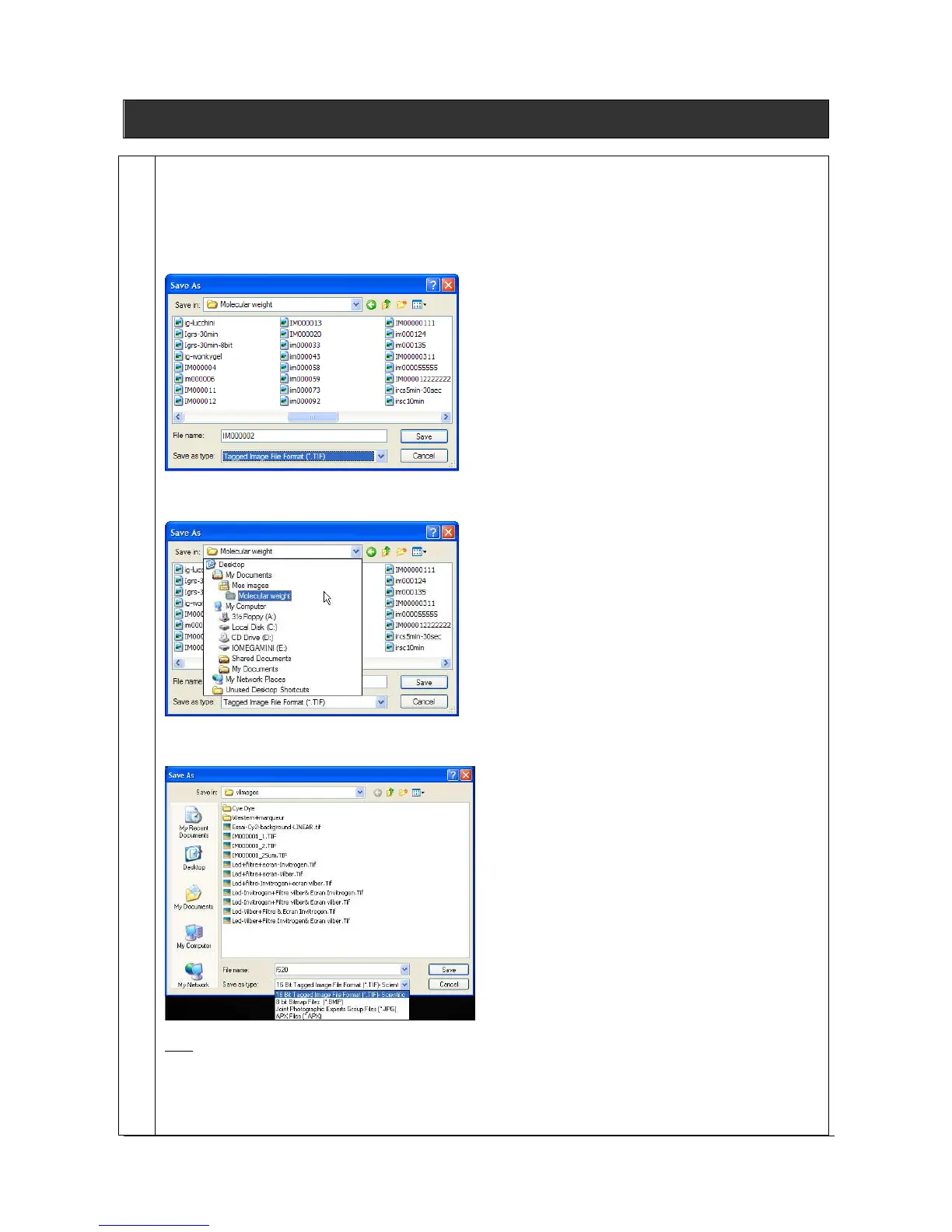
1. Click on the “Save” icon.
2. A pop-up window displays the following menu:
3. Browse to specify the image directory
4. Enter the desired file name, select a file extension and validate
Note: the software proposes a default file name (im00000x). If the default file name is selected, it will be
incremented by one each time an image is saved.
Images can be saved in OpenPlatform 16-bit TIFF scientific image format (recommended), 16-bit
TIFF scientific image format, BMP (8-bit format only), JPEG (compressed) or APX (proprietary file



 To Next Page