UVITEC – Cambridge
167/225
Double click on the image name you want to load
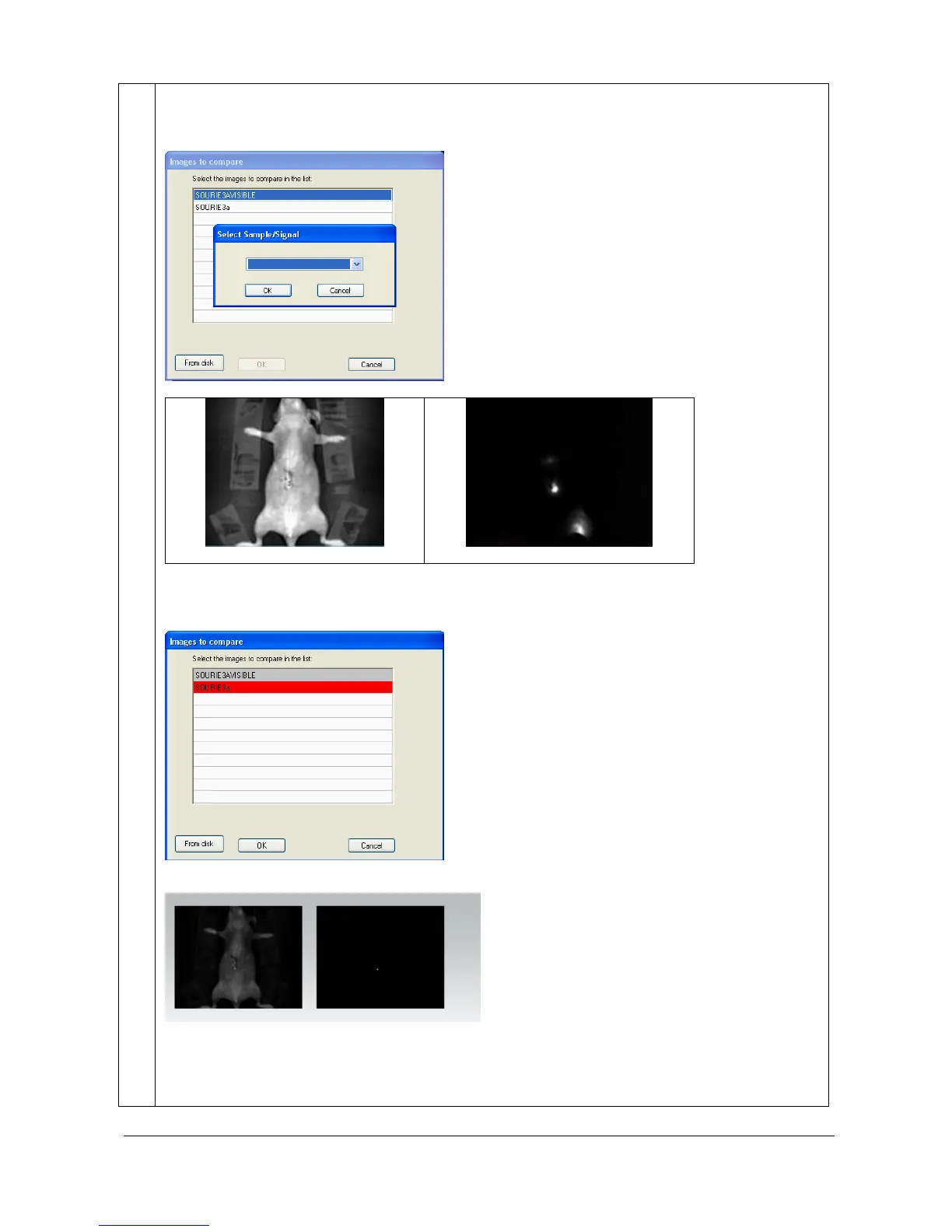
When all the bioluminescence images are gathered in the list, click on the first image. A pop-up
window invite you to select the sample image and the signal image:
Example of a sample image
Example of a signal image
When the signal image is selected, proceed in the same way for the sample image. You will obtain an
image list codified by color, red for the signal image and grey for the sample image:
Click on the “OK” button. A window displays the following menu:
A new color composite image appears in the main windows, gathering the multiplexing images,
channel by channel.
Example of a composite image elaborates from 2 different channels:



 To Next Page