UVITEC – Cambridge
55/225
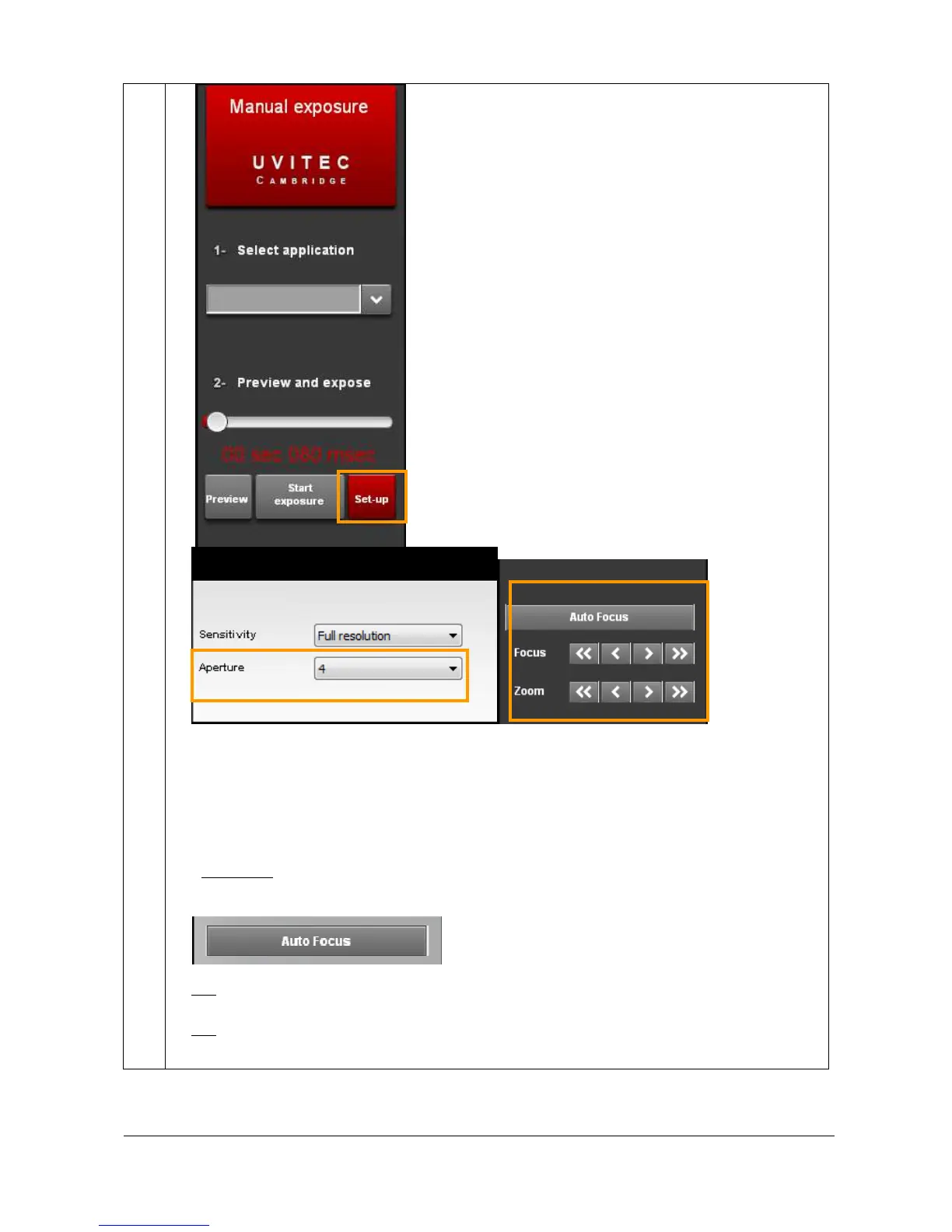
All cameras require a focus point adjustment. In order to proceed, you have to zoom to
the maximum on a straight forward image (a printed paper, a business card ...). Then,
focus till you obtain a very sharp image on the screen. This procedure can be done
with epi-illumination light and a printed paper. The focus point adjustment varies with
the focal distance.
- Autofocus. Autofocus is a feature that enables focus automatically by a single click on
a written sample, instead of requiring the user to adjust focus through the Focus plus
and minus controls.
Note: In order to proceed, you have to zoom to the maximum on a straight forward image (a printed paper, a business
card ...). The zoom should ensure the sample covers almost the full image window. The aperture should not be wide
opened.
Note: autofocus feature is centred on the heart of the image. The grey window which appear when autofocus is
disregarded by the autofocus function.



 To Next Page