DE35-ST Operating Instructions
D292469I 35
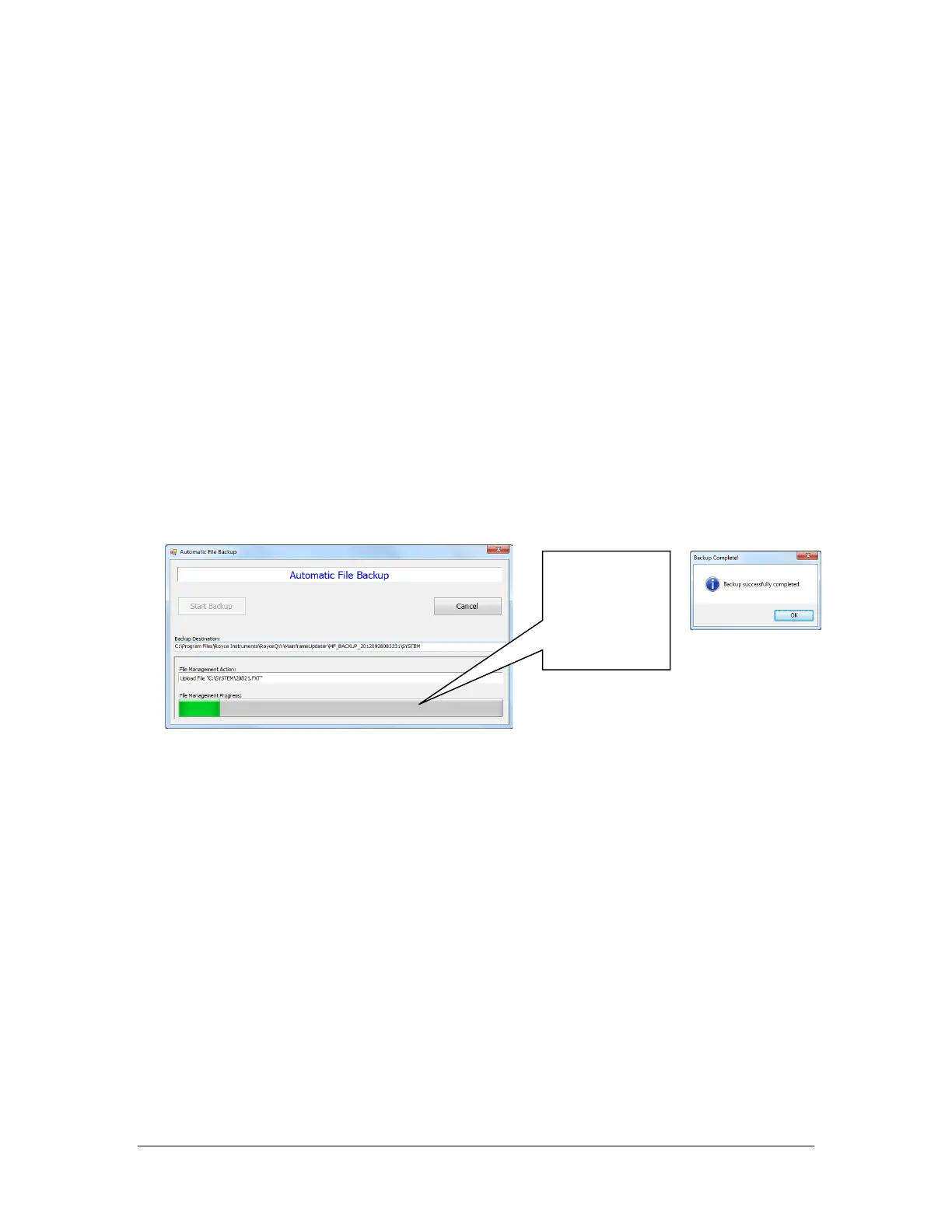
progress. Recipes
and settings files
are retrieved from
the mainframe
and stored to the
Using Mainframe Tools to Perform a Firmware Backup
Description –
To backup all 9 DE35-ST mainframe process recipes, including output patterns, pattern
calibrations, process settings, and pick and place settings, a Firmware Backup can be
completed to save a copy of this information to the Royce Technical Video PC. Once a
backup has been created, the Update Firmware function can be used to restore DE35-ST
mainframe firmware from the backup.
Note: You must complete the Connect to the DE35 with the Royce Firmware Utility
section prior to using the Mainframe Tools.
1. Click the File Backup button.
2. In the subsequent window click Start Backup
1
.
3. Once the backup has completed a message will appear at which point you can
click Ok and close the Automatic File Backup window.
1
The numeric portion of the backup name (see Backup Destination, above) is the date
and time the backup was started, encoded as follows: yyyyMMddHHmmss.



 To Next Page