DE35-ST Operating Instructions
D292469I 37
Operational Set Up
The following is a step-by-step setup procedure and will vary between machines
according to what options you have installed. It quickly sets up the DE35 ST for basic
operation. A more detailed description of all keys, menus and operation can be found
later in the manual.
After the system has been aligned you will need to set up for the die that will be
packaged.
1. Move the Z Arm to Reset Position.
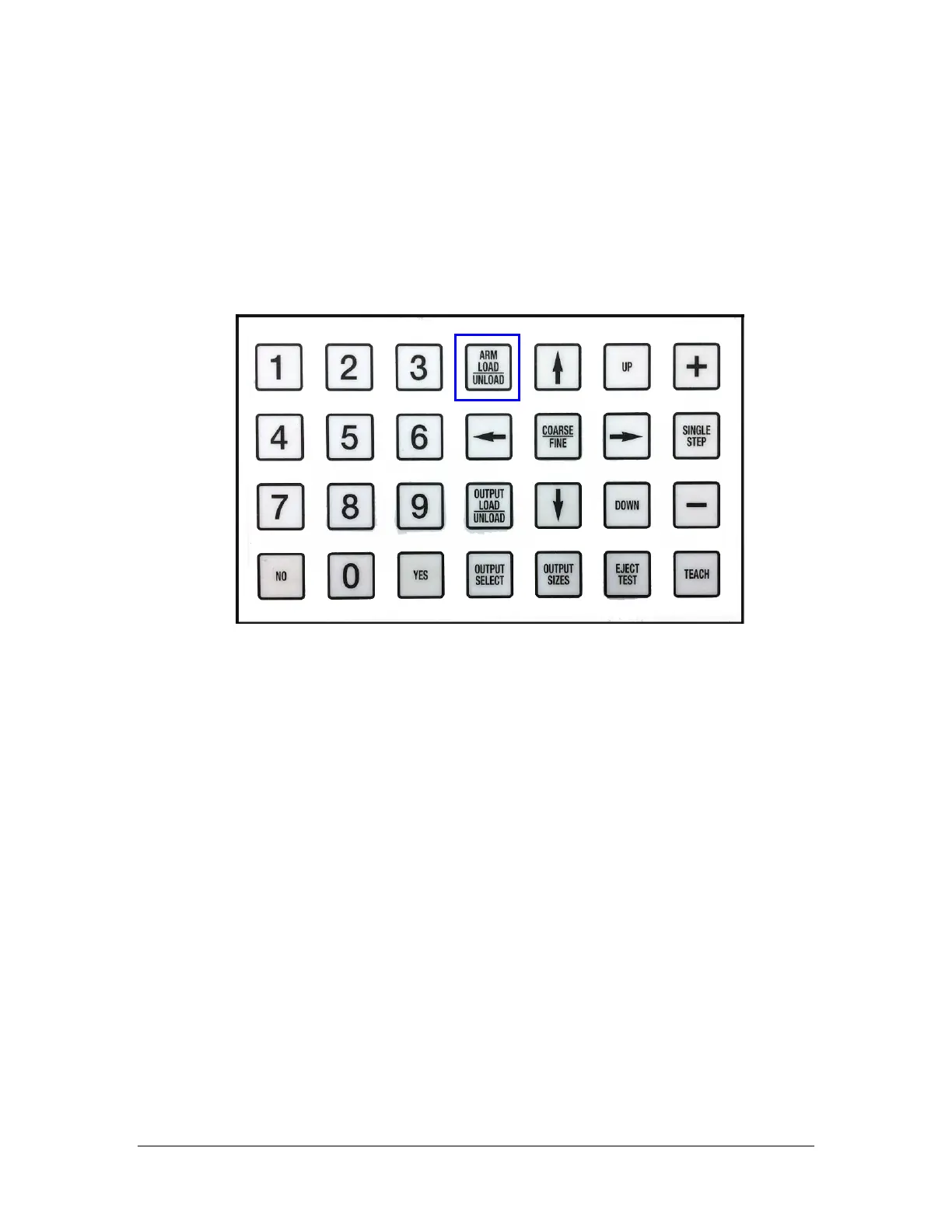
Press the Arm Load/Unload key until the Z-Arm is at the reset position on the
right side of the machine.
2. Open/Create a Recipe.
The system has the capability of storing up to nine recipes. All nine recipes are
initially saved as factory defaults.
a. Open an existing recipe by pressing the Output Select key, then scroll
through the menu until it displays Process Recipe. The Process Recipe line
allows you to select a saved recipe or generate a new recipe by stepping
through each line item and then saving that recipe.
b. To save a new recipe, select a recipe number (e.g. 1) and step through
the menu items, selecting from the available choices. When completed,
select that recipe number again to save changes to the recipe.
NOTE: Any changes made to the current recipe loaded will be saved when calling
up a new recipe number.
3. Output Setup.
Press the Output Select key. The following options will appear:



 To Next Page