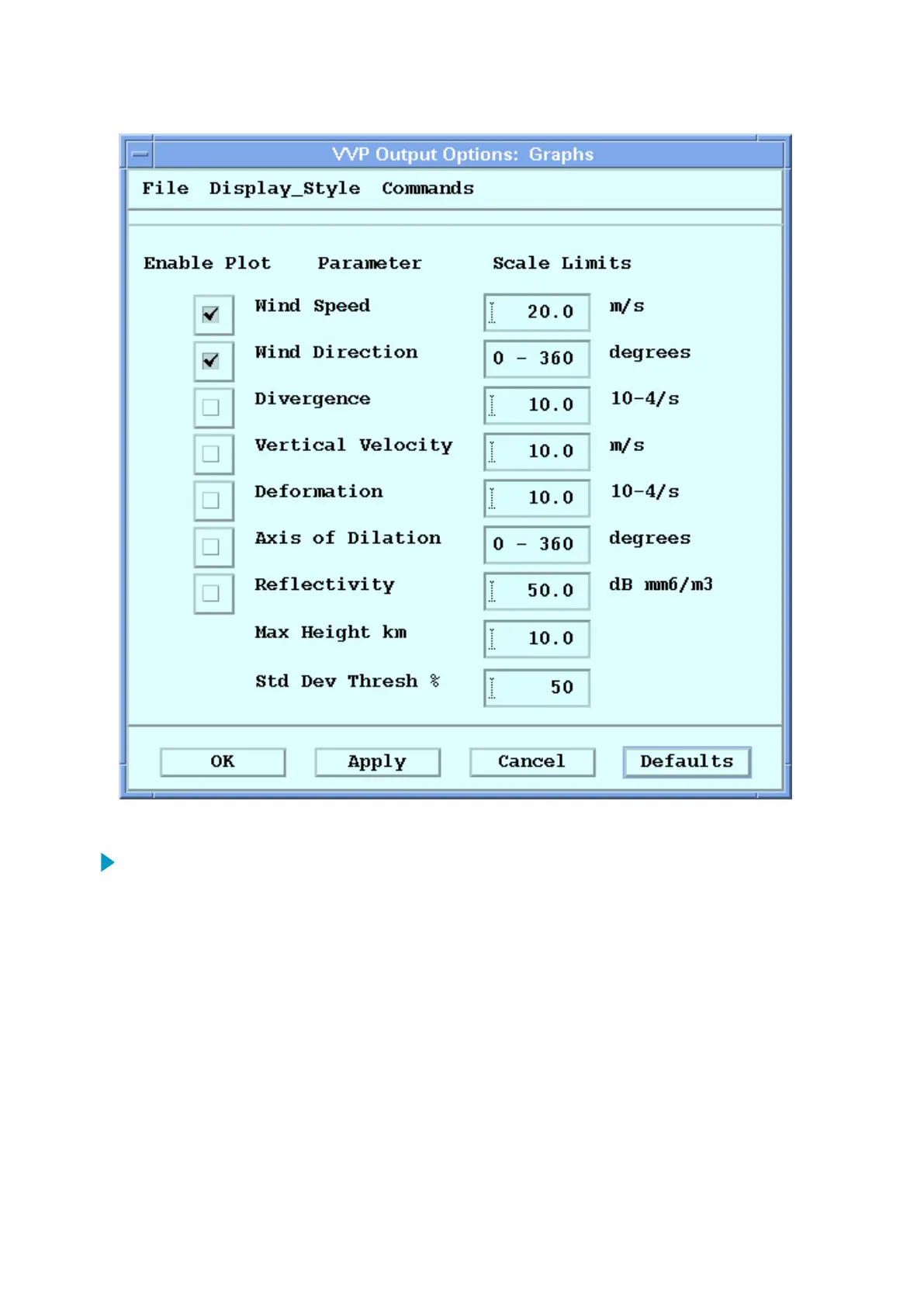
1. Use the Product Selection tool to select a VVP product.
2. Select the Options icon to show the Display Options menu.
Make sure the Product Type is VVP.
3. Select Options to show the VVP Output Options menu.
Either the Graphs or the Time Height submenu is shown.
4. If Time Height is shown, select Display_Style > Graphs.
IRIS Product and Display User Guide M211319EN-H
254 RESTRICTED



 To Next Page