Advanced Digital Video Platform Hybrid-DVR User’s Guide
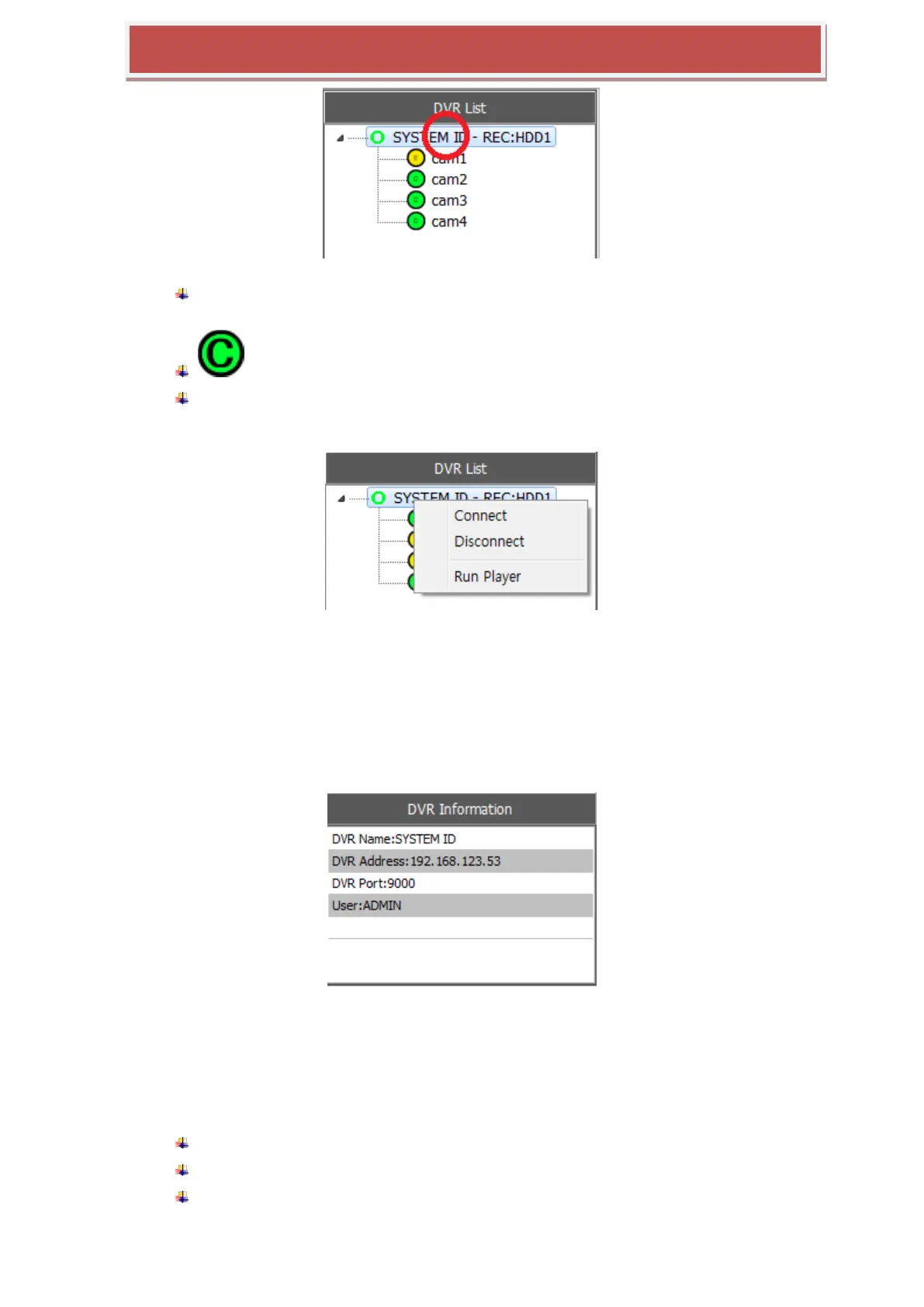
SYSTEM ID – REC:HDD1 : [The name of HYBRID-DVR]:[HDD number], HDD number
means the HDD index currently be accessed for recording.
: Show the recording type or status..
Clicking the HYBRID-DVR name in the HYBRID-DVR list pops up the menu to
connect/disconnect HYBRID-DVR or execute the Player for search & playback such as
below picture.
CONNECT: Connect the HYBRID-DVR selected
DISCONNECT: Dis-connect the HYBRID-DVR Manager from the HYBRID-DVR
RUN PLAYER : Execute the Player for the remote search & playback.
7.4.5.6 HYBRID-DVR Information
This panel shows some information of HYBRID-DVR which is currently highlighted from the
HYBRID-DVR List.
7.4.6 PLAYER
The Player support the features such as followings.
Features of Player
Live video monitoring for the connected HYBRID-DVR
Remote search and playback for the connected HYBRID-DVR
Download the recorded data from the HYBRID-DVR(remote copy)



 To Next Page