Vertiv | SmartCabinet | User Manual 96
System Operation
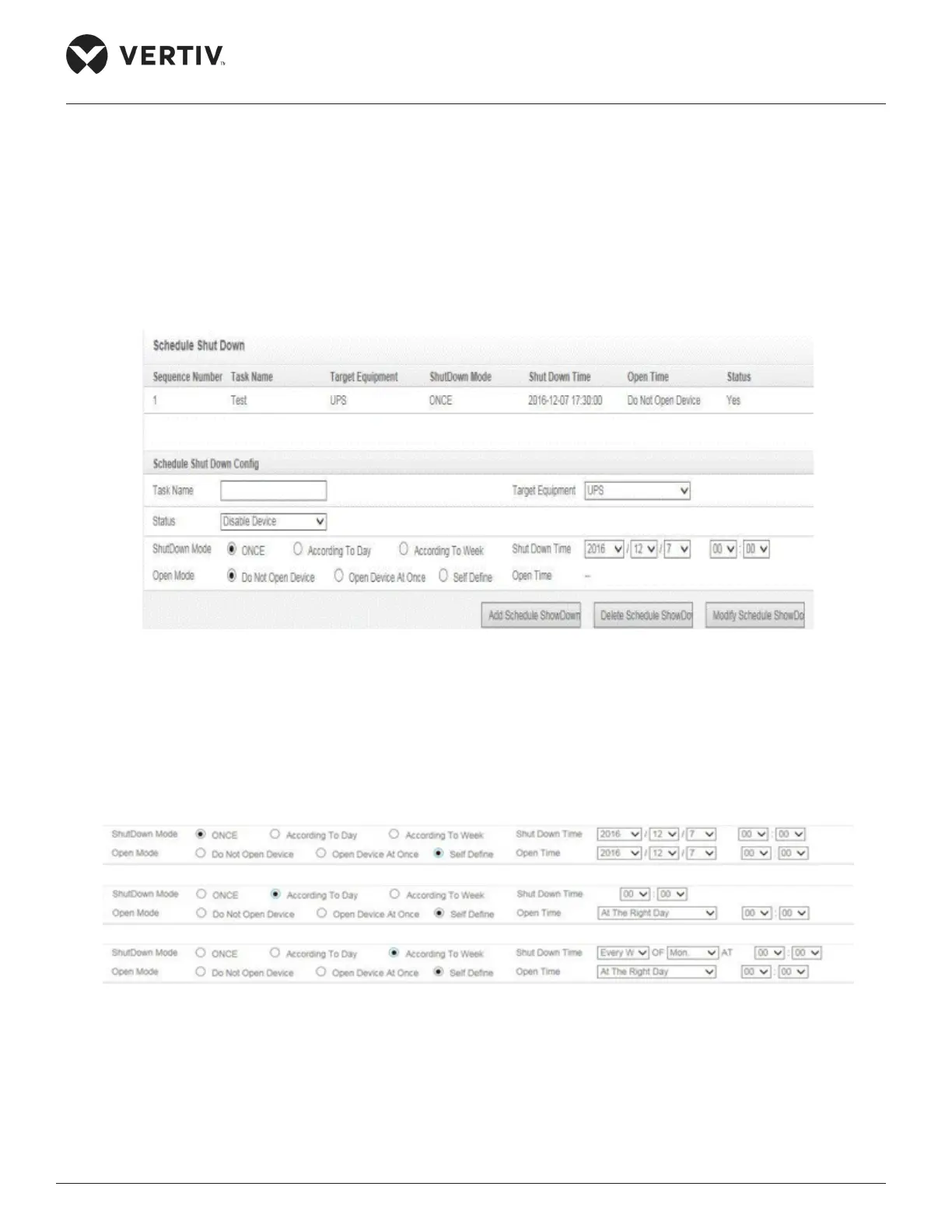
The Shutdown Schedule function is used to add, delete, and modify the schedule shutdown task of UPS
devices.
»
»
» Click on Add Schedule Shutdown to add the task to the shutdown schedule list. The following Figure
4-58 shows the added task. The task can be enabled or deactivated using the Enable/Disable status.
Figure 4-58 Schedule Shutdown function
» When the Open Mode is set to “Do Not Open Device” or “Open Device at Once”, the Open Time
cannot be set and is displayed as “- -“.
»
automatically, as shown in Figure 4-59.
Figure 4-59 Shutdown Mode format changing based on the chosen mode
and According to Week.



 To Next Page