Vertiv | SmartCabinet | User Manual 95
System Operation
4.2.4.1.5. Alarm
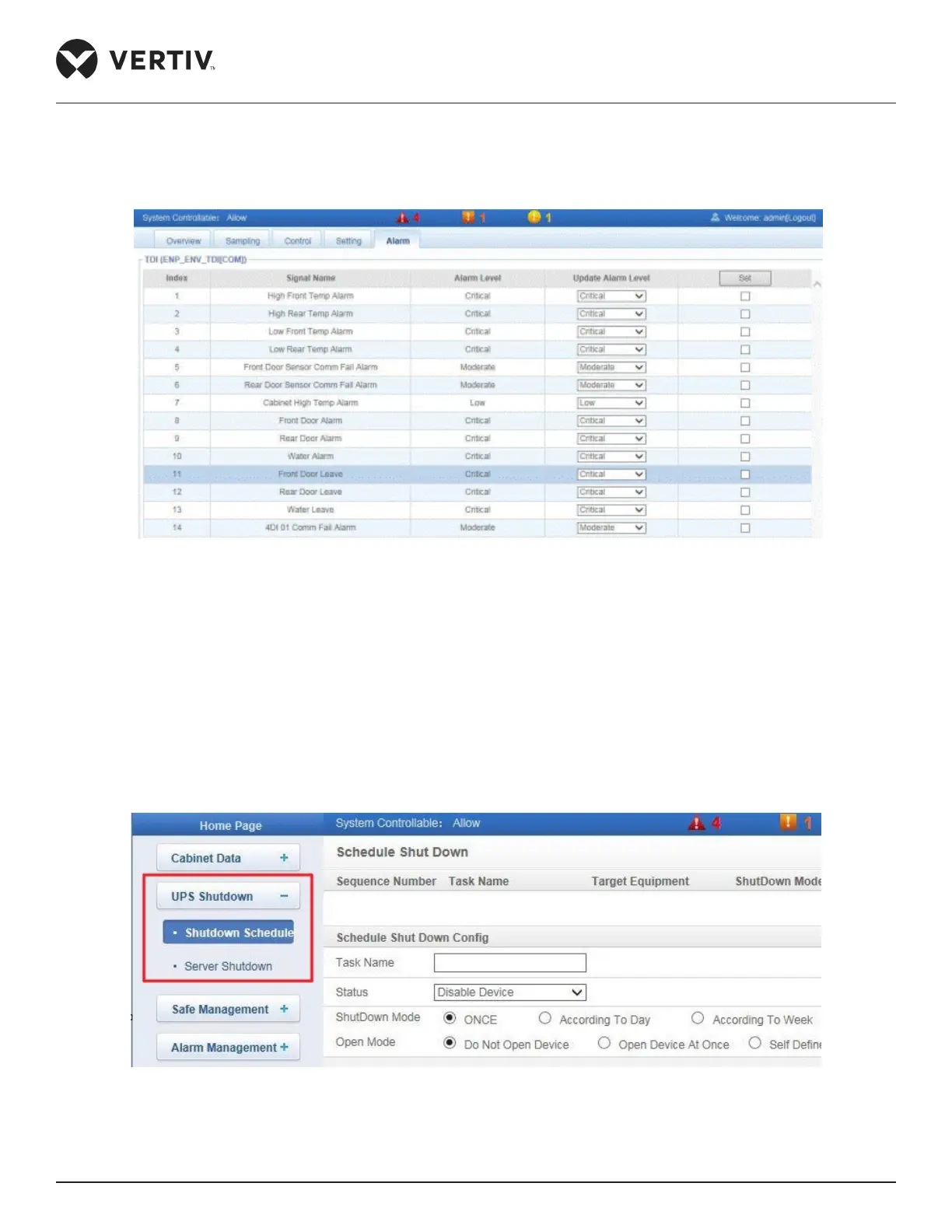
Click Alarm tab, Figure 4-56 displays the alarm signals of the selected device.
Figure 4-56 Alarm Page signal settings
Alarm levels of several alarm signals (a maximum of 16 signals) can be set at a given point of time.
4.2.4.2. UPS Shutdown
Click UPS Shutdown menu to display two sub menus viz. Shutdown Schedule and Server Shutdown as shown
in Figure 4-57.
4.2.4.2.1. Shutdown Schedule
Figure 4-57 UPS Shutdown menu



 To Next Page