EasyManua.ls Logo

Vertiv SmartCabinet - 4.2.4.1.1. Overview

Vertiv SmartCabinet
160 pages
Print Icon
To Next Page IconTo Next Page
To Previous Page IconTo Previous Page
Loading...
Vertiv | SmartCabinet | User Manual 94
System Operation
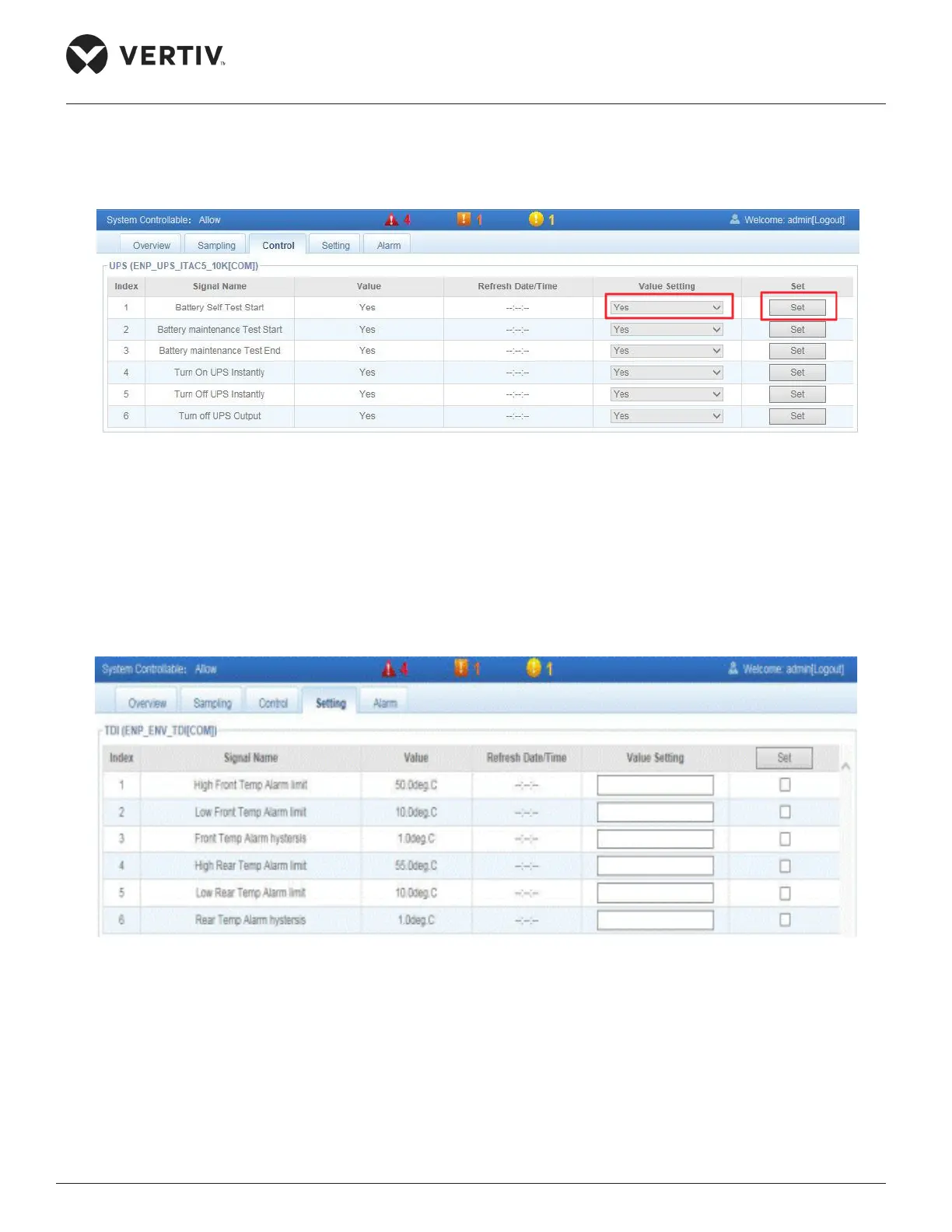
4.2.4.1.3. Control
Click Control tab, Figure 4-54 displays the control signals of the selected device.
Figure 4-54 Control Signals


4.2.4.1.4. Setting
Click Settings tab, Figure 4-55 displays the signal settings of the selected device.
Figure 4-55 Signal settings



Table of Contents

Related product manuals