Vertiv | SmartCabinet | User Manual 50
System Installation
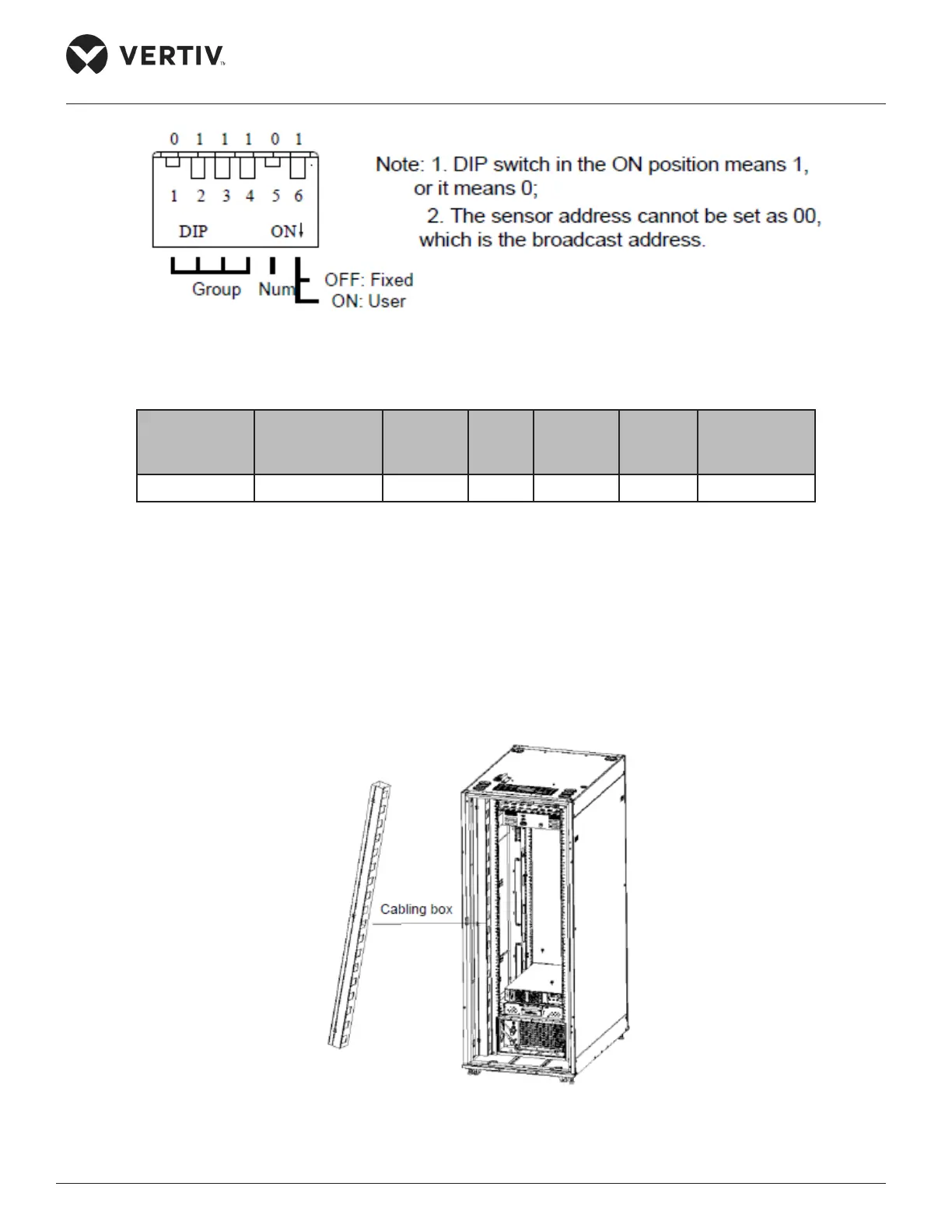
Figure 2-40 Set the address of the 4DIF sensor through the DIP switch
Table 2-14
Device DIP1 ~DIP 4 Group DIP5 Number DIP 6
Connected
Equipment
Type
4DIF 0 0 0 0 1 0 2 0 0
2.3.10. Cable Management & Installation of Accessories
There are two vertical cable organizers in the rear door area on the left and right of the cabinet. To avoid
system interference, the power cable and the communication cable should be bound separately by using
optional accessories such as a Velcro strip or a standard cable management unit.
For the 800mm wide standard unit, a vertical cabling box of standard conguration at the rear door of the
cabinet is handy for cable management as the installation technician can bind the cables in this box.
Figure 2-41 Cabling box of the 800mm wide standard unit – Installation area at the rear door



 To Next Page