Vertiv | SmartCabinet | User Manual 69
System Operation
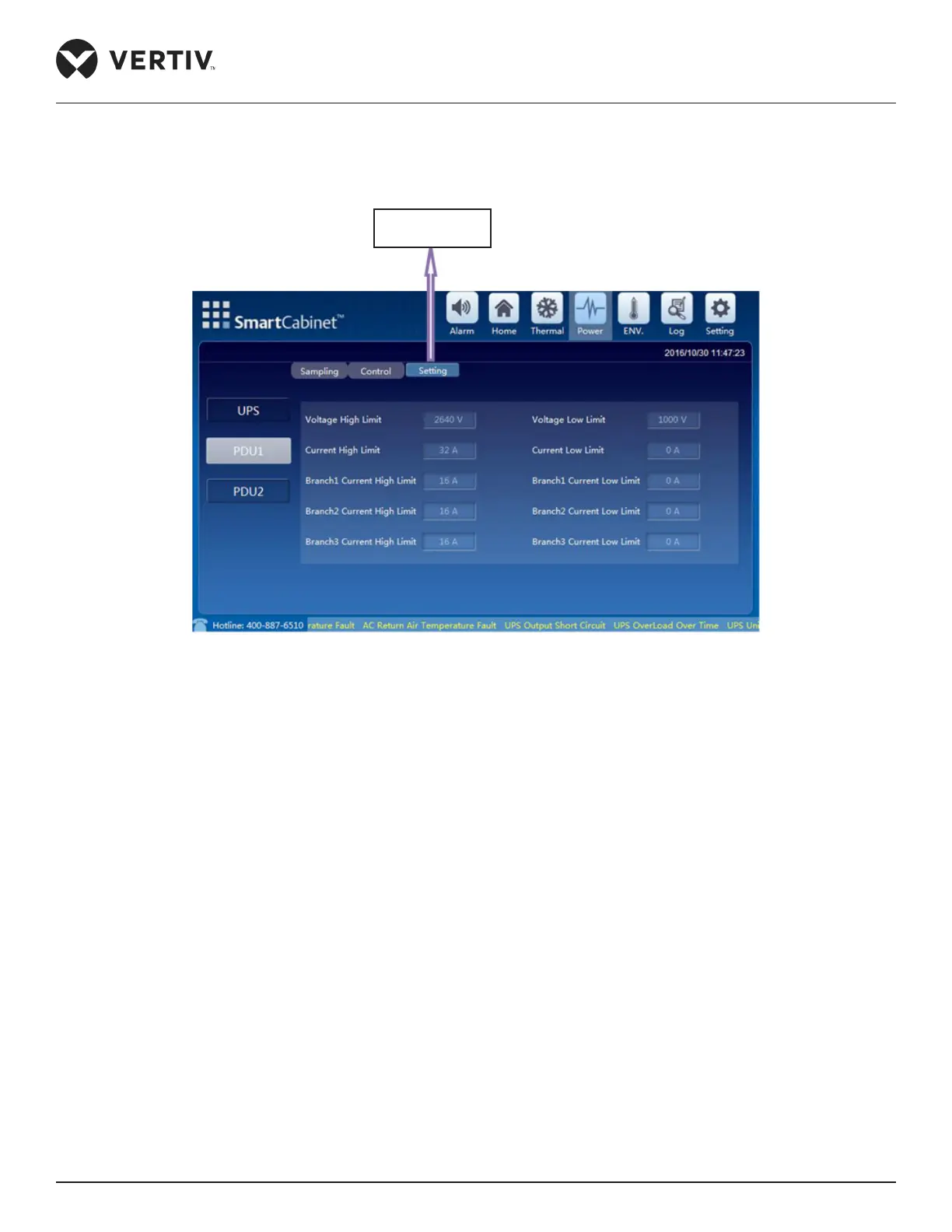
• To change the settings, click Setting tab (next to the Control tab). A prompt for the password will be
displayed wherein valid credentials need to be entered in order to gain access to the settings. On entering
the valid password, the PDU settings screen is accessible as shown in Figure 4-11.
Figure 4-11 Settings for PDU1
4.1.3. Environment Management
The Environmental Management screen is similar to the Thermal Management screen wherein the air supply/
return temperature is displayed by means of a curve chart. Also, it displays the data of the latest hour.
Figure 4-12 shows the Environmental Management screen where the Sampling and Settings buttons can be
viewed. Also visible are the icons for Alarm status of the Front and Rear door along with the alarm status of the
Water logging sensor.
Setting Tab for
PDU1



 To Next Page