Vertiv | SmartCabinet | User Manual 68
System Operation
•
branches.
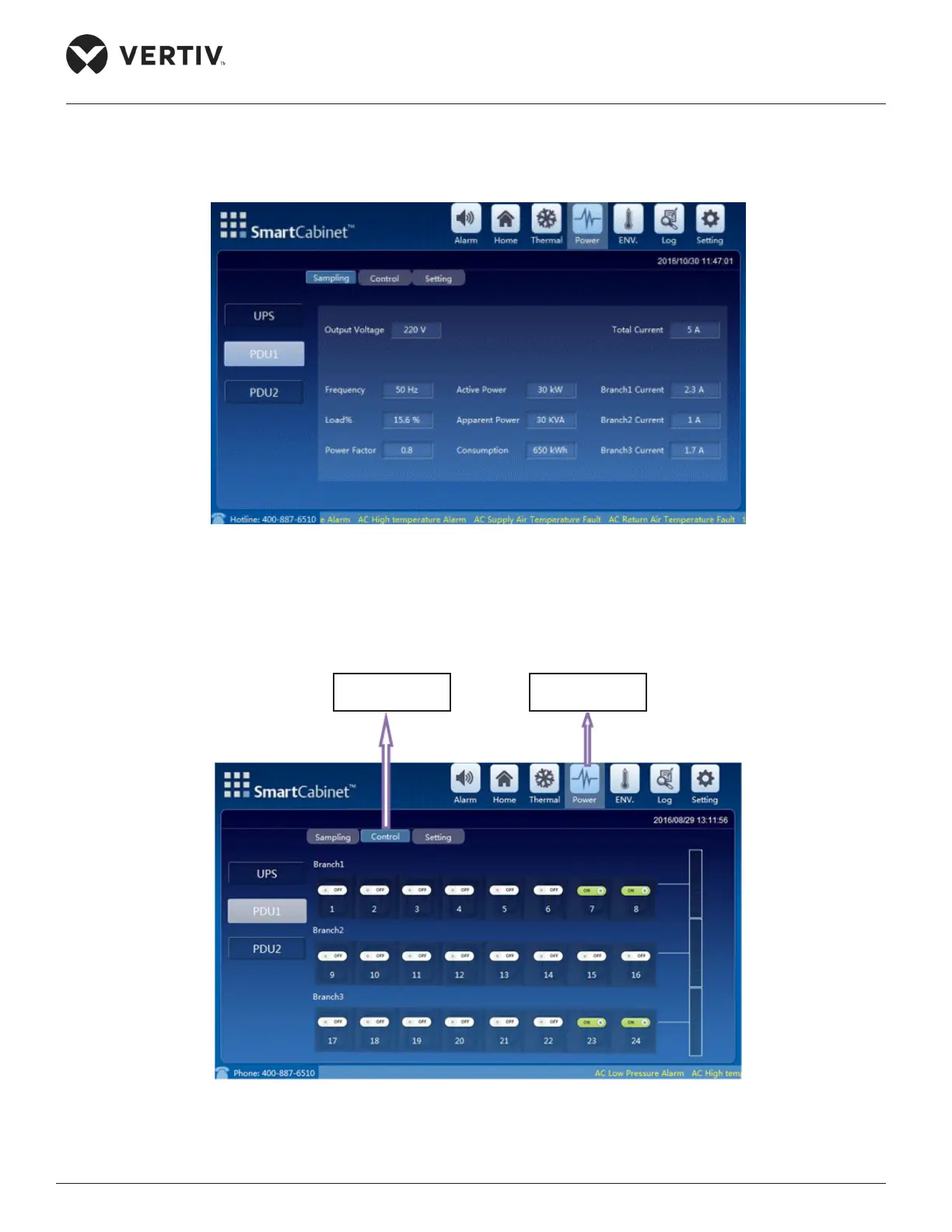
Figure 4-9 PDU acquisition data screen in Power & distribution
• Next to the Sampling tab is the Control tab where there are branches with each PDU branch shows which
screen for the PDU.
Figure 4-10 Control Tab for PDU1 (Needs password)
Control Tab for
PDU1
Power Icon



 To Next Page