Vertiv | SmartCabinet | User Manual 26
System Installation
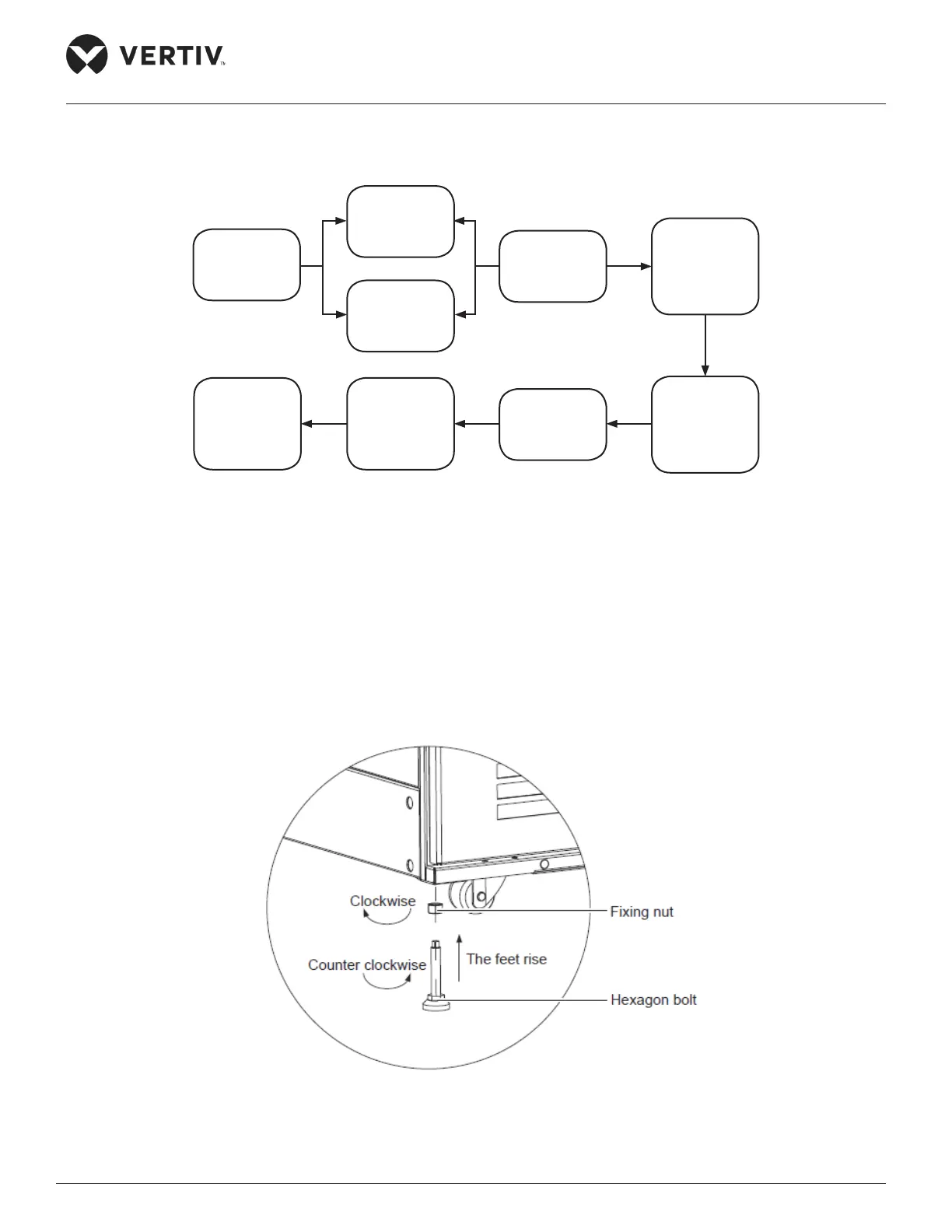
Following is a owchart of the installation procedure: (Figure 2-16)
Figure 2-16 Installation Flowchart
2.3.1. Installation of the Cabinet
Following are the steps that need to be observed while installing the cabinet:
1. Place the cabinet in the prearranged position and use a movable wrench to loosen the xing nuts on the
4-feet bolts on the cabinet. Figure 2-17 shows the procedure for the same.
Figure 2-17 Loosening the xing nut
Installing the
Cabinet
Installing
integrated AC
components
Installing
separate AC
components
Installing UPS
power supply
system
Installing PDU
power
distribution
system
Installing
SmartCabinet
Monitoring
system
Connecting
Cables
Conguring
communicat-
ion address
and port
Conguring
communicat-
ion address
and port



 To Next Page