Vertiv | SmartCabinet | User Manual 21
System Installation
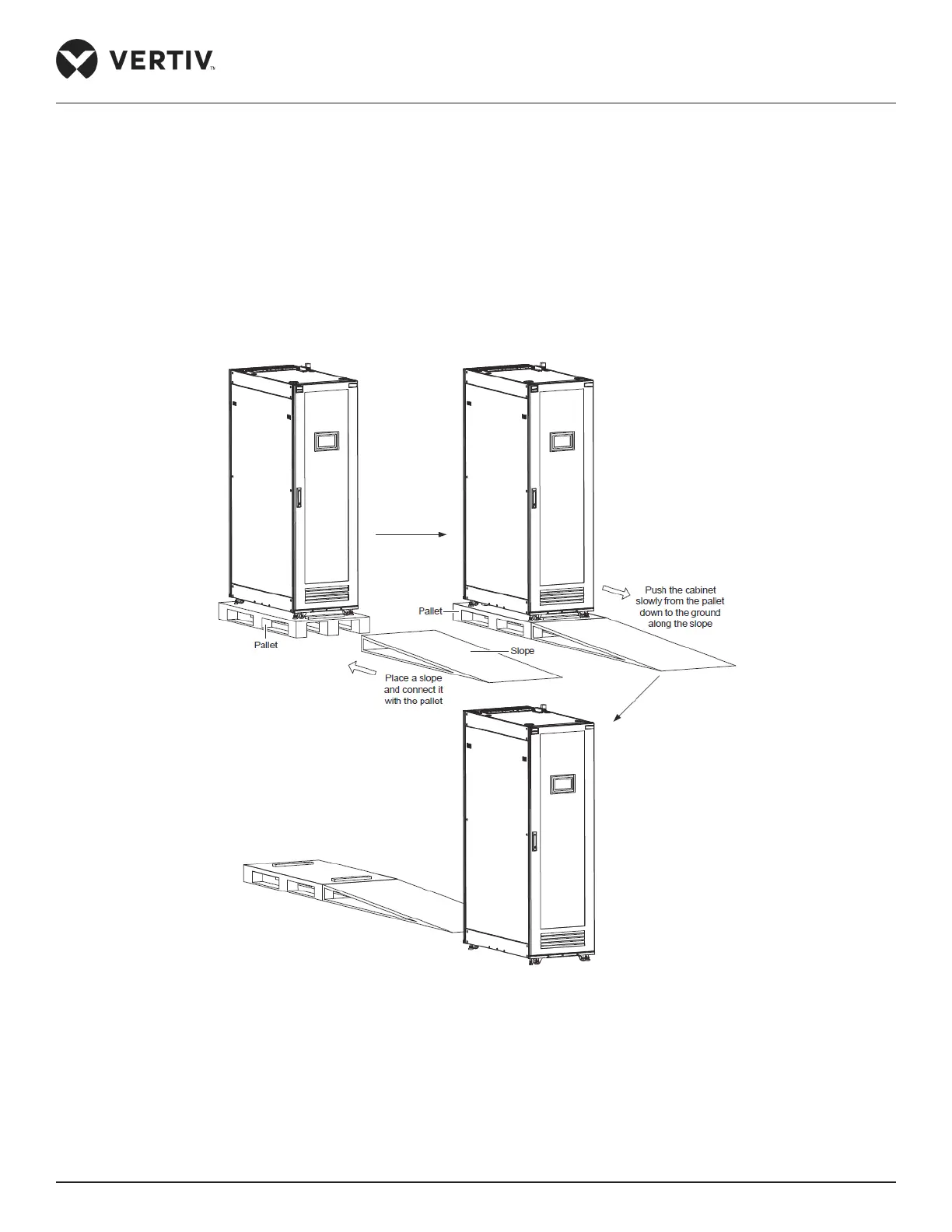
3. Remove the pallet.
• Loosen the xing nuts on the 4 feet bolts to raise the feet and subsequently the 4 castors will bear the
weight.
• Place a slope at the front or rear door and connect it with the pallet as shown in Figure 2-11.
• Slowly push the cabinet from the pallet along the slope down the ground.
• Place the cabinet in the maintained position and adjust the feet xing nuts till the cabinet gets into level.
Figure 2-11 Removing the Pallet



 To Next Page