Vertiv | SmartCabinet | User Manual 39
System Installation
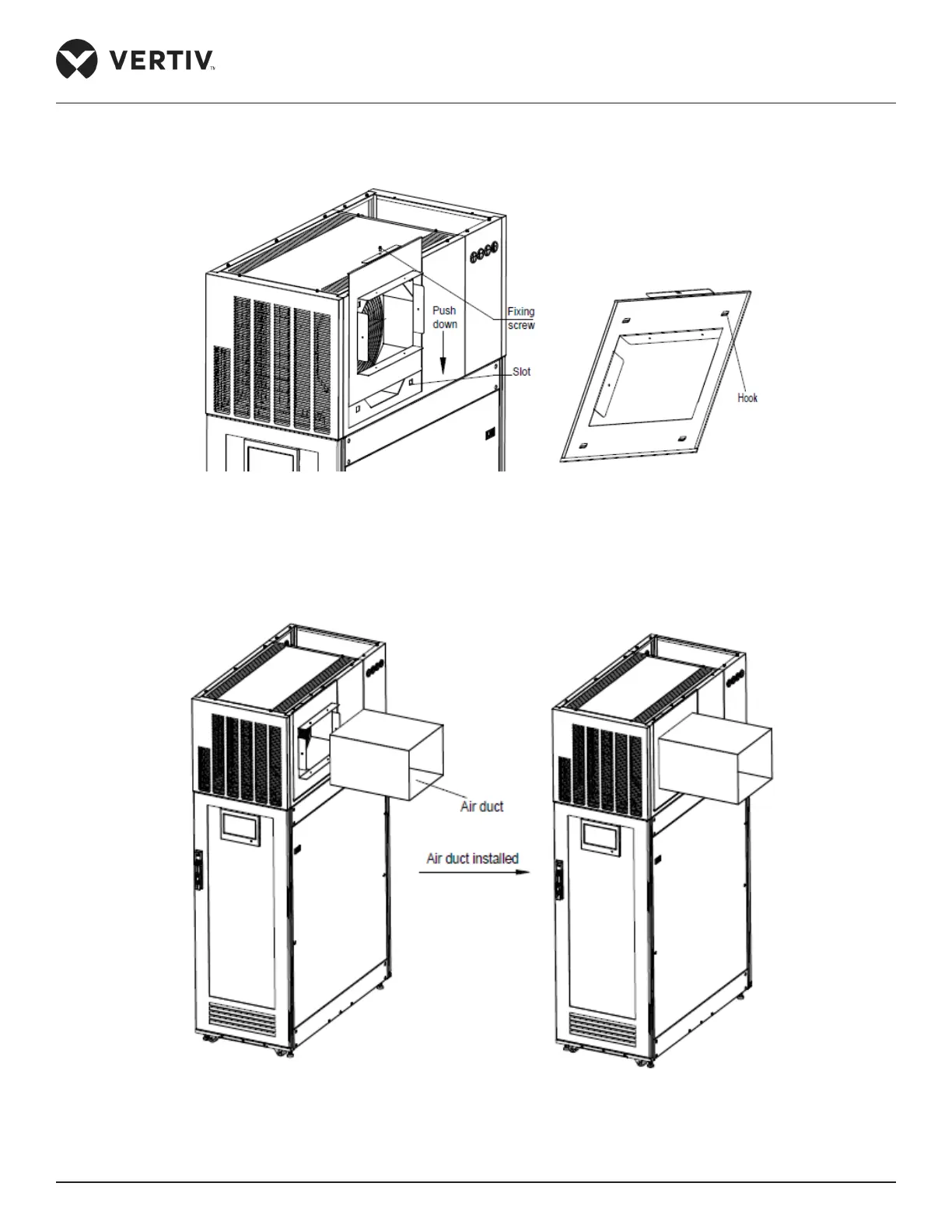
3. Push the air channel parts into the top body frame from top to bottom. Use M6X16 screws (4 PCS) to x the
parts on the top body frame as shown in Figure 2-29:
Figure 2-29 Installation of the air channel parts
4. Post installation of the air duct parts, the air duct must be installed. The connection between the air duct
and the cabinet is shown in Figure 2-30:
Figure 2-30 Installation of the air duct



 To Next Page