Vertiv | SmartCabinet | User Manual 76
System Operation
The IP address and the respective Gateway address along with the subnet Mask can be changed. Once the
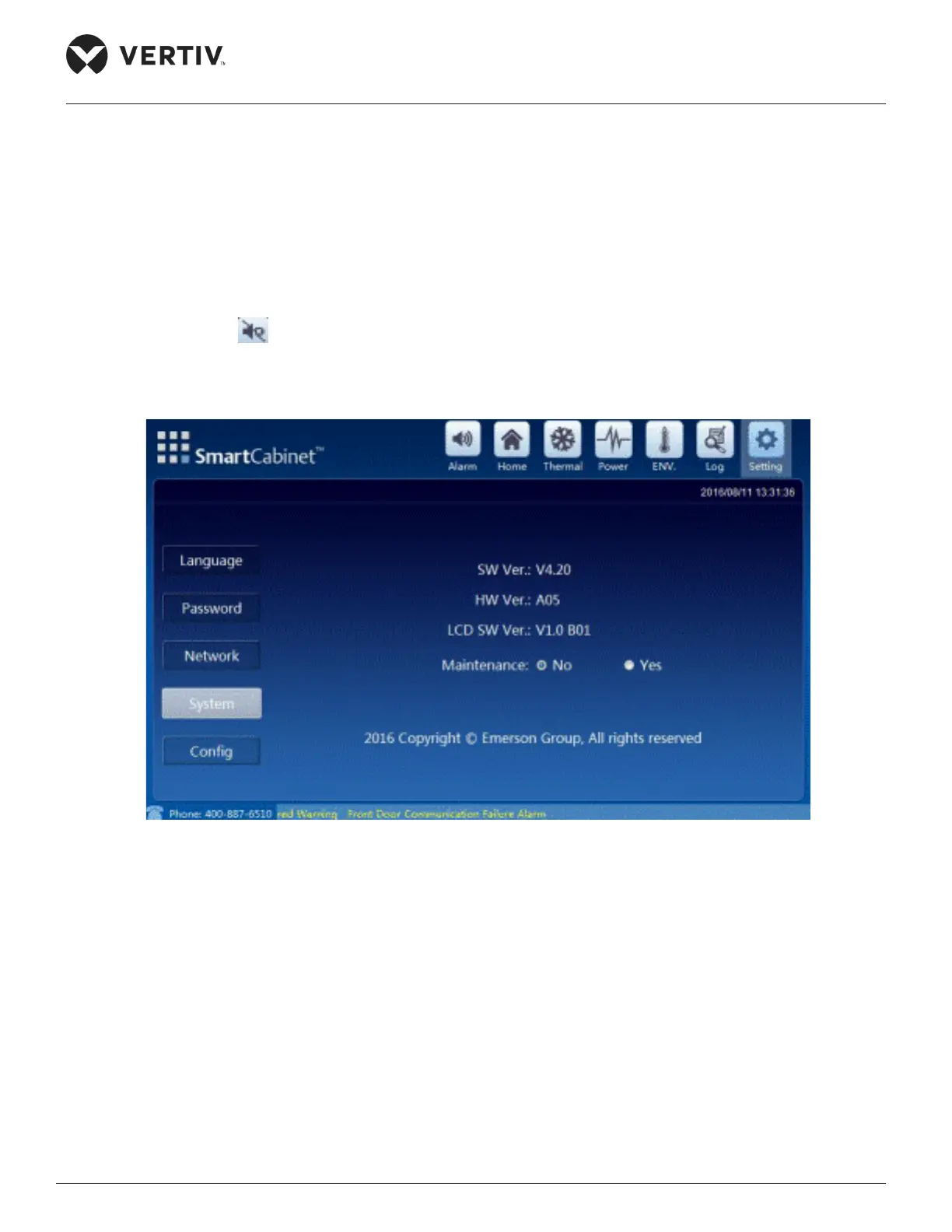
4.1.5.4. System
The hardware and software version along with the copyright information can be viewed using this setting.
The LCD software version can also be viewed using this setting.
There is a Maintenance mode option on the screen; if set to Yes, no alarm sound will be generated and the
alarm icon changes to . To change that, the maintenance mode needs to be disabled.
Figure 4-22 shows the System settings of the SmartCabinet unit.
Figure 4-22 System Settings
4.1.5.5. Conguration
changed (Refer Figure 4-23).



 To Next Page