Before putting the instrument into operation
VF1807090083 EN revision 33
fit a socket to the ends of the conductors,
connect the conductors to the terminal board XC1 (by inserting), see Tab. 5,
fix the cable in the grommet,
connect the supply cable into AC mains.
If necessary, the instrument can be connected to the LAN network by means of an Ethernet
connector.
Other technology can be connected to the instrument using connectors of logic inputs and outputs
I/O. For more information on the connector of logic inputs and outputs I/O see Annex D.
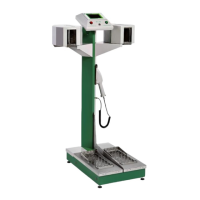
In the event that the instrument includes a frisker (optional accessory), connect it by means of a
cable with a connector, which is connected to the instrument through a grommet on the right side
of the supporting pillar. Then insert the frisker into a holder on the supporting pillar.
The protective conductor is connected to the box frame at the point of grounding.
The main switch is located at the input of power supply
(depending on the variant, this is either
on the back panel, or inside the instrument underneath the protective grid of the detectors).
As standard, the following is located in the back part of the base intended for supply, protective
and communication elements: overvoltage protection with a high-frequency filter, double-pole
current circuit breaker FZ1 (3 A, characteristic C) and power supply unit +24 VDC, see Fig. 10.
Make sure that the FZ1 breaker in the base of the instrument is switched on, see Fig. 10.
If the instrument is connected to the grid, a part of its connection (before the main switch)
is energized even if the instrument is turned off by means of the main switch.


 To Next Page