Instructions for use
VF1807090083 EN revision 46
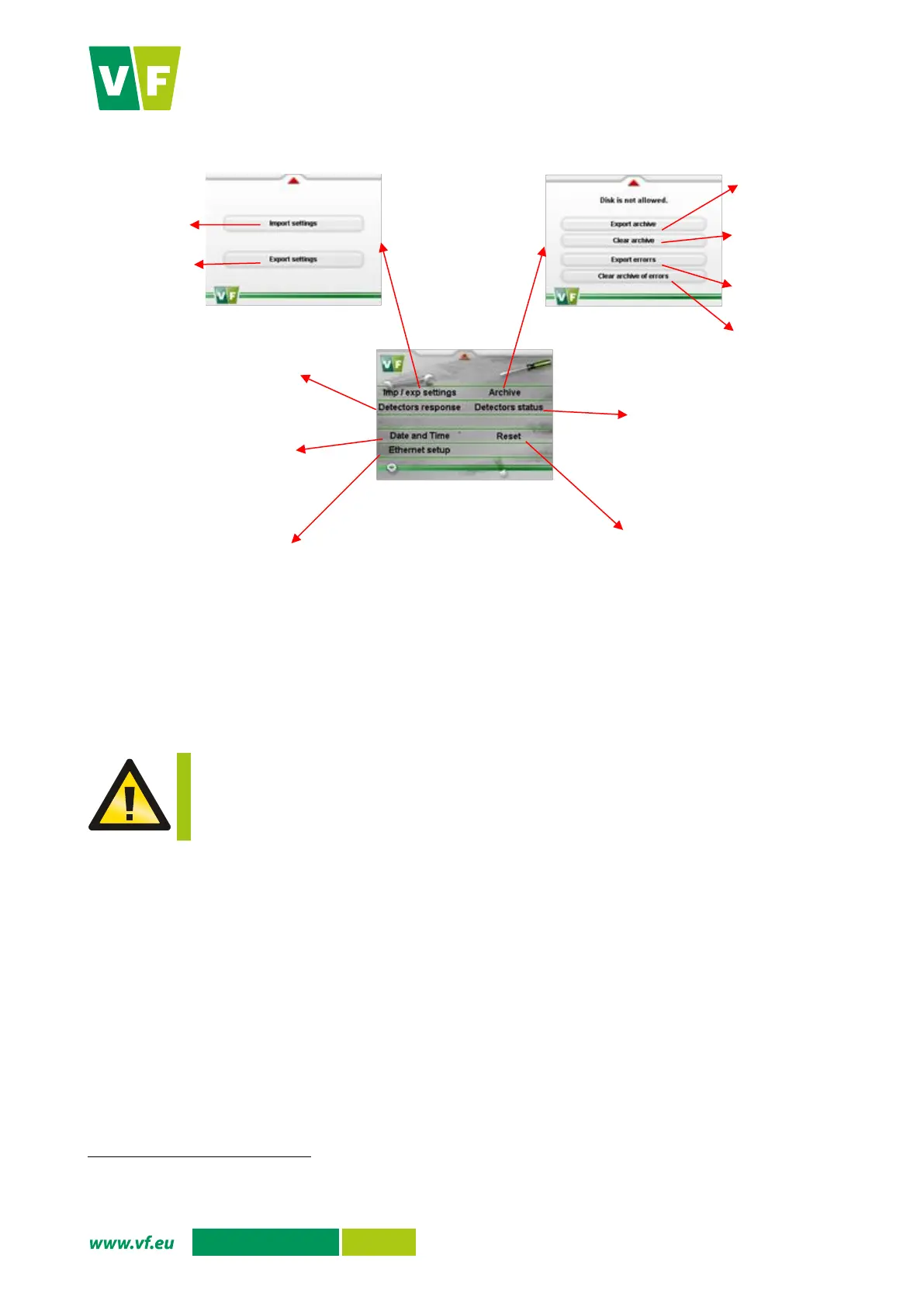
Fig. 33 Display - Service menu
6.5.1 Export archive, Export errors
You can export the results of individual contamination measurements, which are recorded in the measurement
archive on the PLC storage disk, to a USB flash drive using the Export archive option. The archive capacity
is 10,000 results of measurement; when the capacity is exceeded, the oldest results are overwritten.
The USB flash drive must be formatted as FAT32 and its maximum capacity is limited to
4 GB.
Connect the USB flash drive to the instrument using the USB connector (see Chapter 4.3.1).
In the service menu press the “Archive export” option. The display shows the screen to export the
archive.
Press the Start button to start exporting the archive to the USB flash drive. Successful export will
be confirmed by the text “
Saved to archive_YYMMDD_HHMM.txt”
. The text file is stored in the
root directory of the USB flash drive. The text file format and the meanings of values are given in
Tab. 8.
You are returned to the service menu by pressing the red arrow in the upper part of the screen.
Follow the similar procedure for Errors export.
YYMMDD in the file name means – YY last two digits of the year, MM month, DD day of file creation; HHMM in the file name means –
HH hour, MM minute of file creation.


 To Next Page