Instructions for use
VF1807090083 EN revision 43
After finishing your measurement, hook up the frisker back on the supporting pillar of the
instrument, terminating automatically the frisker measurement mode.
6.4.2 Display of measurement results
Enter the display of measurement results mode from the basic screen (see Chapter 6.3).
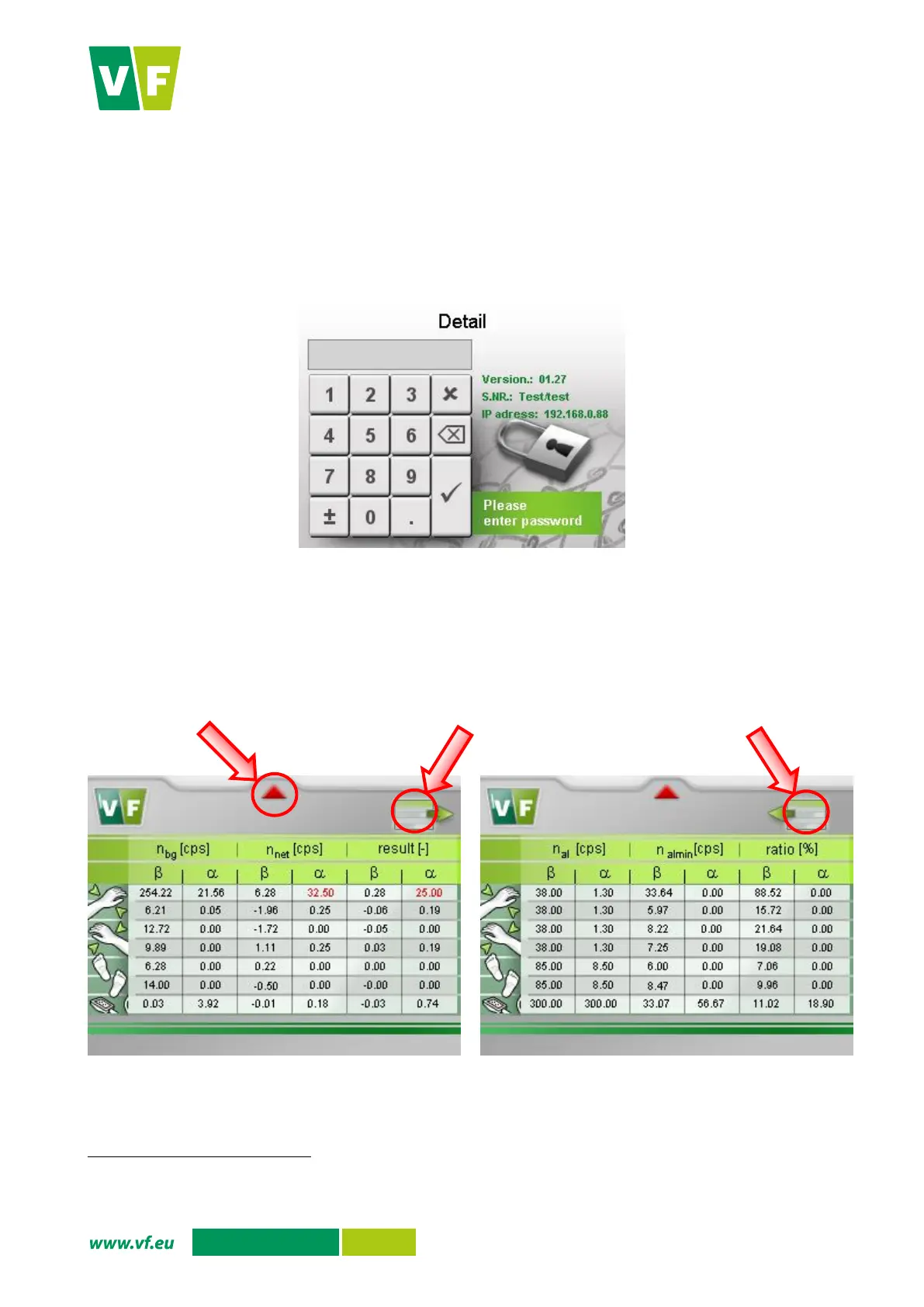
The access to measurement results may be conditioned by entering the password
. (Fig. 28)
Fig. 28 Display – Access to the Measurement results
The display will show the results of measurement (Fig. 29).
The meanings of the table columns are given in Tab. 7.
Fig. 29 Display – Measurement results
It depends on the settings of the configuration file parameters. A document containing access passwords set by the manufacturer is
a part of the shipment (see Chapter 10.1).
Press the double arrow to
Press the double arrow to
go to the next page


 To Next Page