Instrument settings
VF1807090083 EN revision 56
7.2. Setting the measurement parameters by means of web interface
The selected measurement parameters can be set by means of web interface. The changed parameters will
be automatically saved in the “config.xml” configuration file. This may be backed up on external storage
medium, as required (see Chapter 6.5.3).
Instrument settings shall be performed by the manufacturer, service organization trained by
the manufacturer, or user's staff trained by the manufacturer.
Inappropriate setup of detectors can result in incorrect function or even damage of the
instrument.
Connect the instrument to the same LAN network (see Chapter 4.3.1), that the computer for the
remote control is connected.
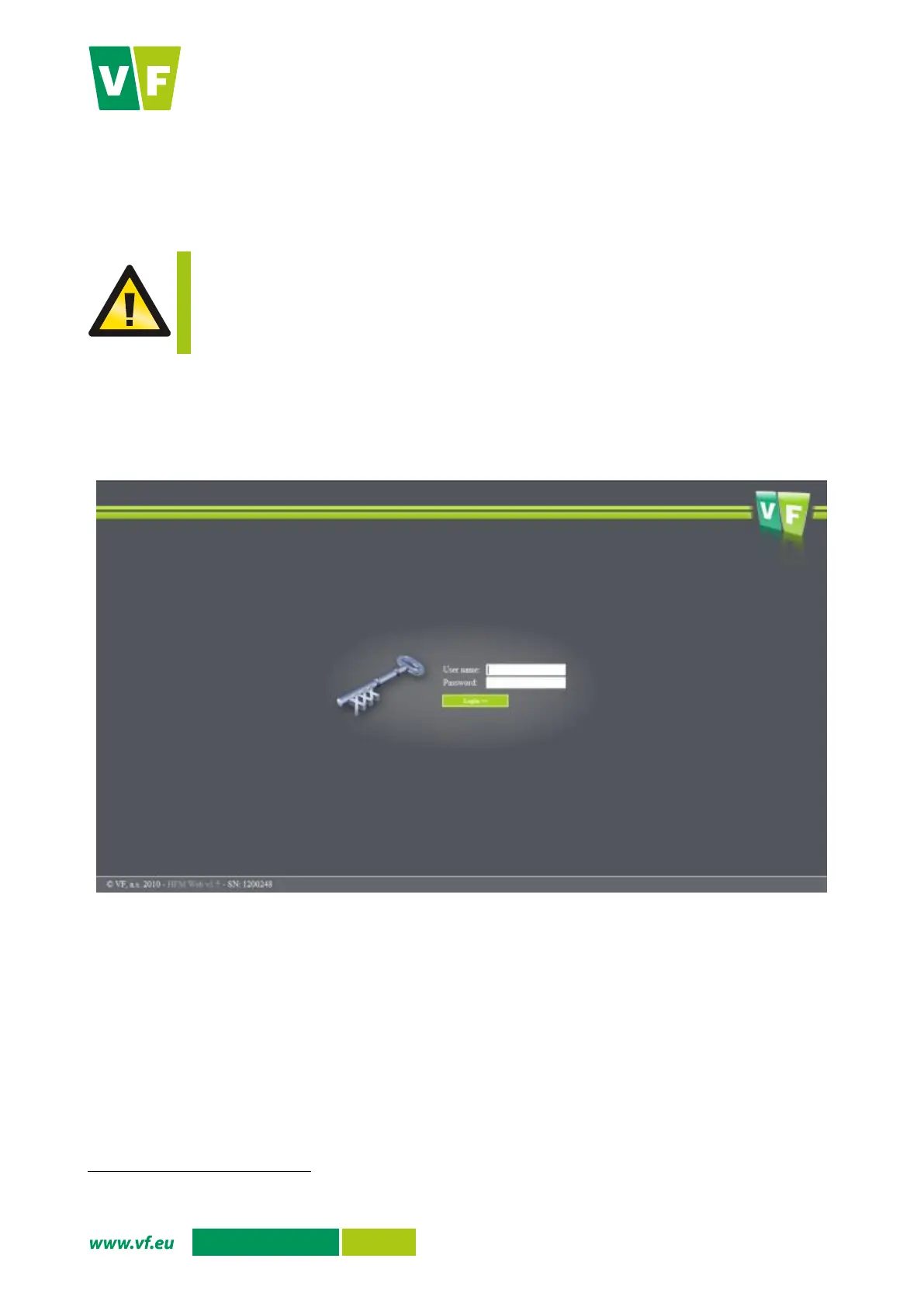
Enter the instrument IP address (the IP address can be identified after logging into the service
menu and after pressing the Network connection option, see Chapter 6.5.6). The web interface
login form appears, see Fig. 44.
Fig. 44 Web interface login form
The instrument web interface has been tested on the following browsers:
Mozilla Firefox 3.6.13
Opera 11.00
Safari 4 Public Beta (528.16)
Internet Explorer 8 (8.0.6001.18702)
Google Chrome 7 - 10
If the interface does not work properly, an incompatible browser version may be the reason.
Enter the user name and password
for one of the two customer accesses:
Administrator – authorisation to set parameters
A document containing access passwords set by the manufacturer is a part of the shipment (see Chapter 10.1).


 To Next Page