Instructions for use
VF1807090083 EN revision 51
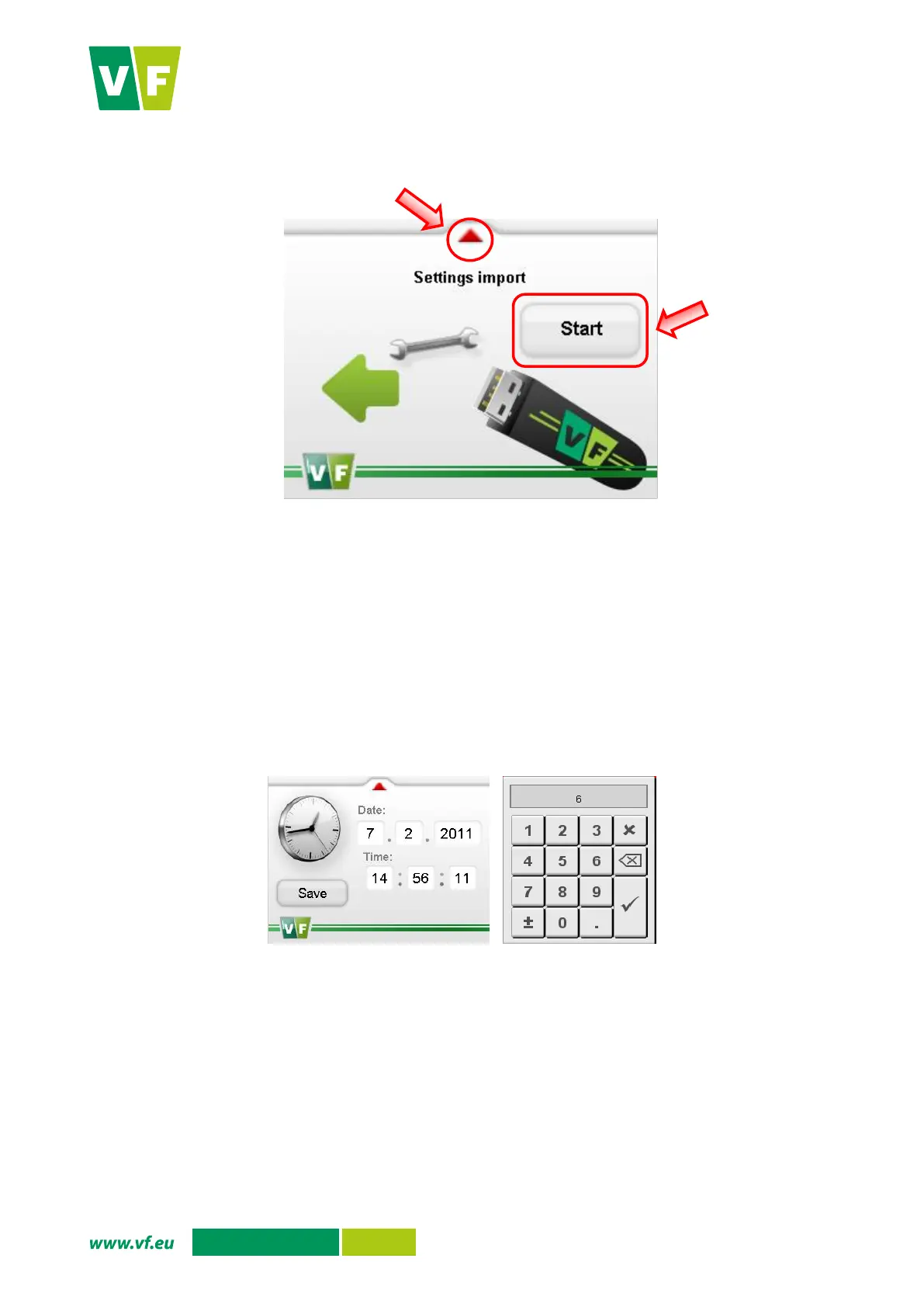
Fig. 38 Display – Configuration import
6.5.5 Date and time
You can set the date and time using the Date and time option.
Press the option Date and time in the service menu. The display shows the screen to set the date
and time (Fig. 39).
The numeric keypad through which you can set an appropriate value is displayed by pressing the
white fields.
Confirm the setting by pressing the button Save.
You are returned to the service menu by pressing the red arrow in the upper part of the screen.
Fig. 39 Display – Date and time setup


 To Next Page