Instructions for use
VF1807090083 EN revision 52
6.5.6 Ethernet setup
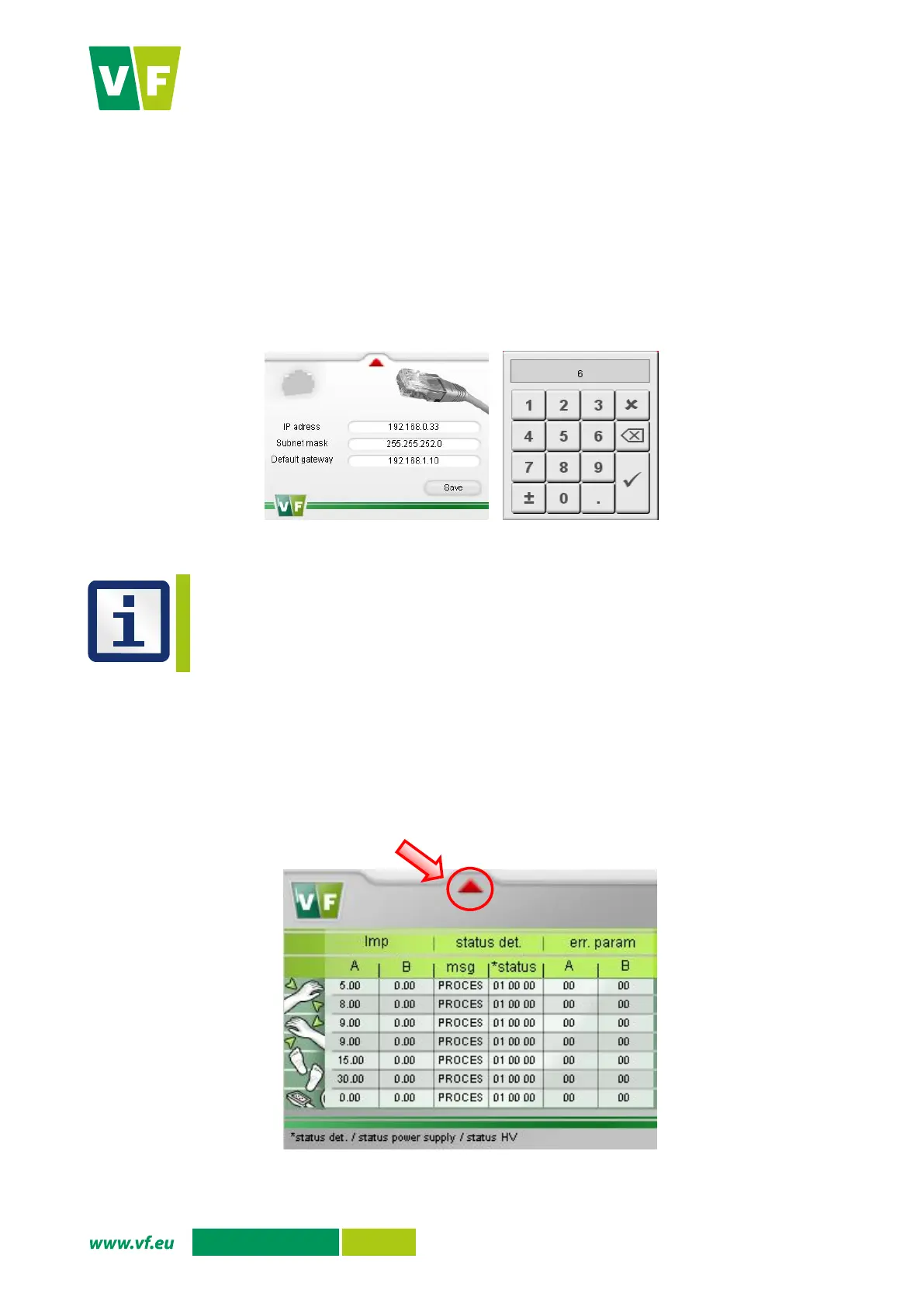
You can set your network connection using the Ethernet setup option.
Press the Ethernet setup option in the service menu. The display shows the screen to set the
Network connection (Fig. 40).
The numeric keypad through which you can set an appropriate value is displayed by pressing the
white fields.
Confirm the setting by pressing the button Save.
You are returned to the service menu by pressing the red arrow in the upper part of the screen.
Fig. 40 Display – Network connection setup
The Ultra VNC Viewer (web appliance) can be used to monitor the measured values, the status
of the instrument, to set the PLC parameters by means of a remote screen and to restart the
monitor. A separate password is required for access by means of this program. For more
information contact the manufacturer.
6.5.7 Detectors status
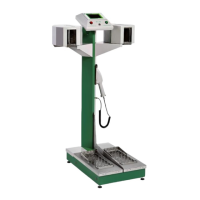
You can display the status of individual detectors using the Detectors status option.
Press the option Detectors status in the service menu. The display shows the screen with the
status of the individual detectors (Fig. 41). For meaning of the values in the table see Annex F.
You are returned to the service menu by pressing the red arrow in the upper part of the screen.
Fig. 41 Display – Detectors status


 To Next Page