Instructions for use
VF1807090083 EN revision 44
Count rate from the background
Net count rate - last measurement results
Display of results. To set the unit, in which the result is displayed, by means of the service
software, see Chapter 7.1. The result may be expressed in Bq, as a multiple of alarm level, or as a
multiple of alarm level expressed in %.
Alarm level. This can be adjusted by means of the service software, see Chapter 7.1 and/or web
interface. The physical unit for setting the alarm level is set in the service software, see Chapter
7.1, Bq or cps can be selected.
n
almin
[cps]
(n
almin
[Bq])
Minimum adjustable alarm level depending on the background at the place of measurement. The
calculated value will be displayed in the same unit as that used for setting the alarm level (Bq or
cps).
Ratio A
almin
/A
al
. The value must be < 100% to allow the instrument to measure.
When the 100% limit is reached and/or exceeded (for a particular detector or channel), the
monitor is not principally able to decide whether or not the tested individual is contaminated. For
solution see Chapter 9.
The increased “ratio” value indicates the increased background outside the monitor or possible
contamination of the detector.
Tab. 7 Meanings of the columns in the table of measurement results
6.5. Service menu
The service menu serves for:
o
exporting an archive (Chapter 6.5.1),
o
purging an archive (Chapter 6.5.2),
o
exporting (Chapter 6.5.3) and importing (Chapter 6.5.4) the configuration file,
o
setting the date and time (Chapter 6.5.5),
o
setting the network connection (Chapter 6.5.6),
o
displaying the statuses of detectors (Chapter 6.5.7),
o
monitoring response of individual detectors (Chapter 6.5.8),
o
resetting the instrument (Chapter 6.5.9).
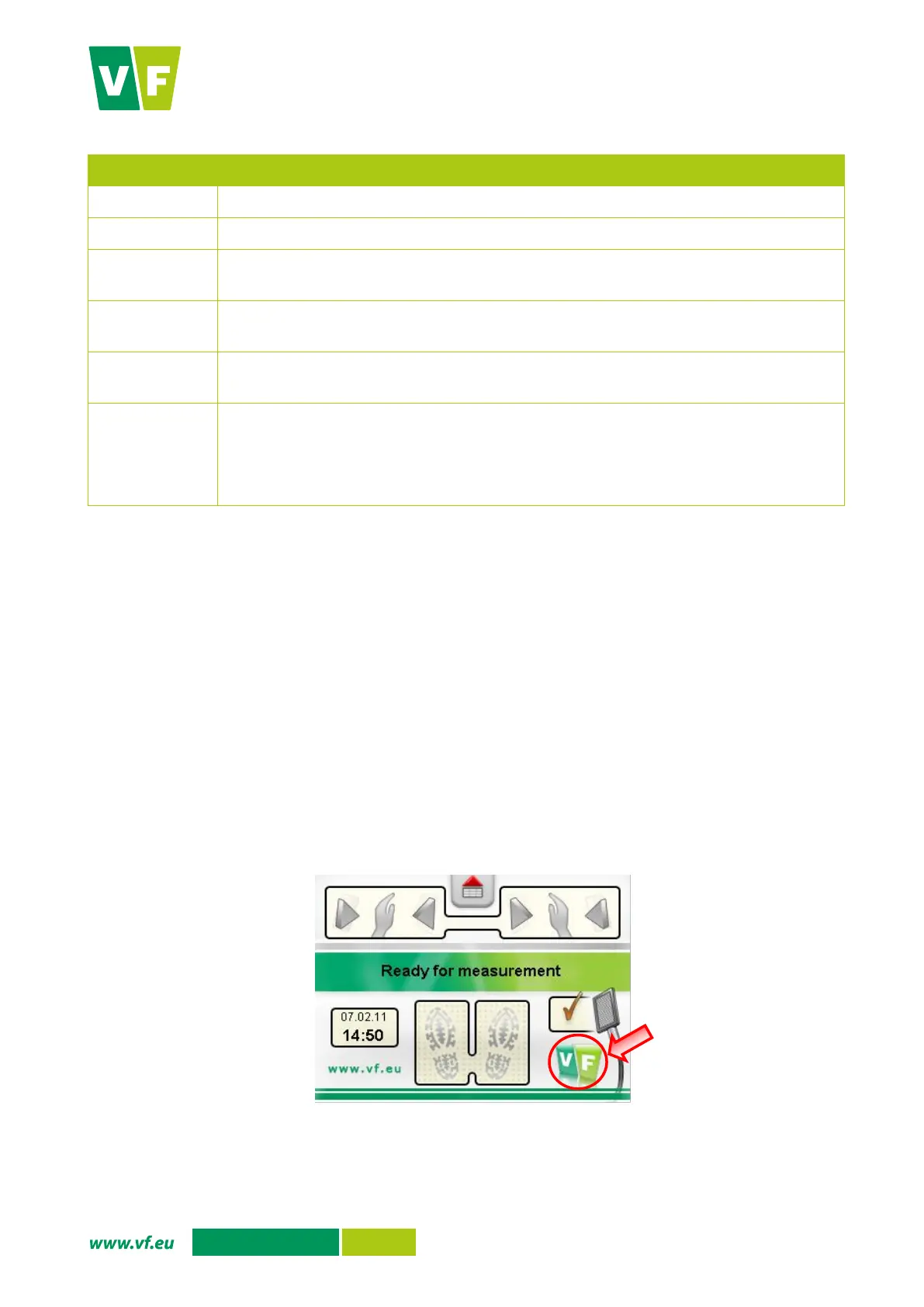
Open the service menu by pressing the VF logo (Fig. 30). The menu items are shown in Fig. 32. If the
service menu is displayed, the instrument does not measure contamination.
Fig. 30 Display – Enter to the Service menu
Press to enter the
service menu


 To Next Page