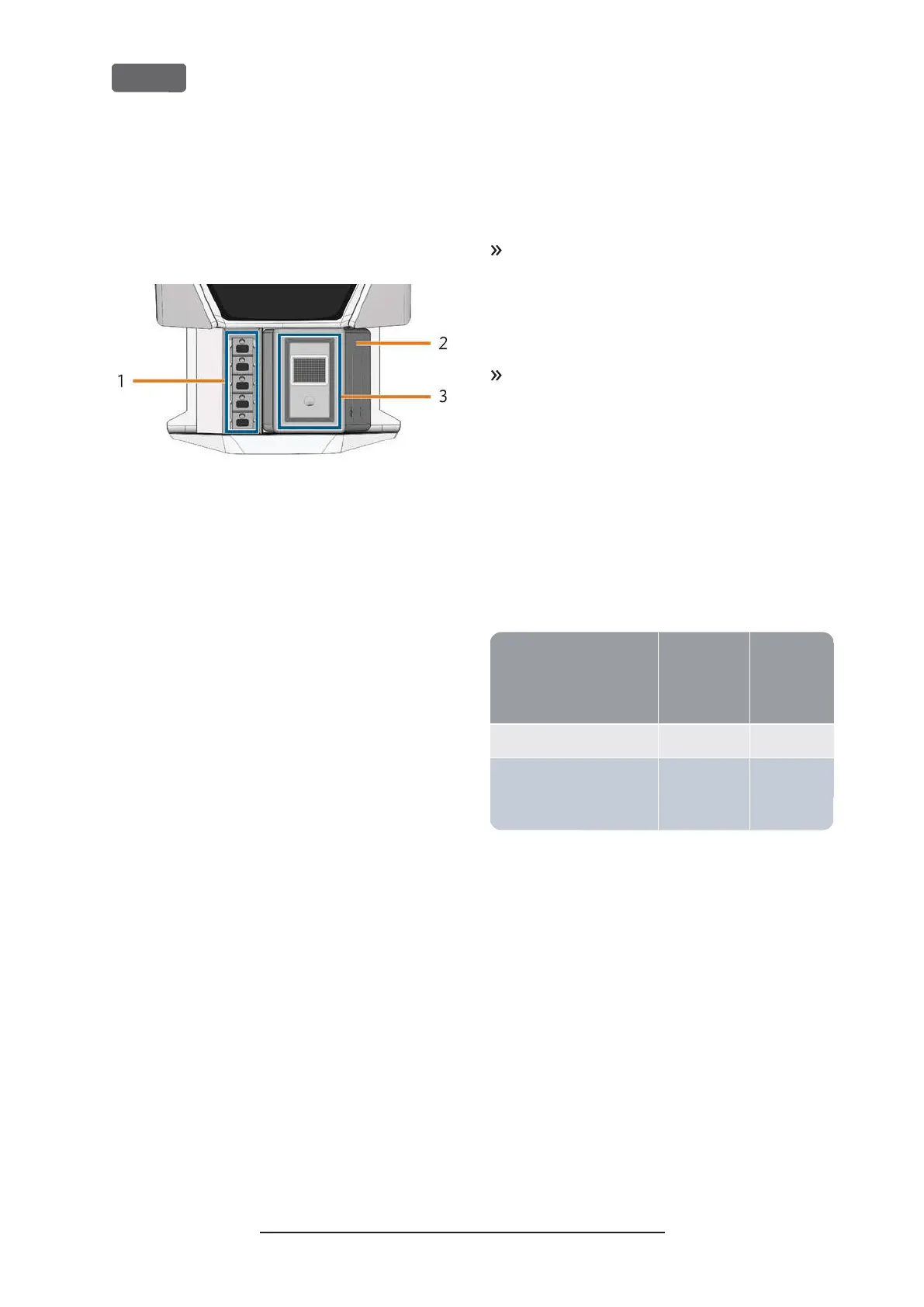
Multi-purpose drawer
The multi-purpose drawer contains the cooling liquid
tank and up to 5 tool magazines. You can unlock the
multi-purpose drawer via the touchscreen and then
pull it out manually.
F
IG
. 7 – M
ULTI
-
PURPOSE DRAWER
1.
Space for tool magazines
2.
Cooling liquid tank
3.
Cover of the cooling liquid tank with strainer basket
Required computer hardware
software
This machine is designed for an integrated CAD/
CAM workflow which allows you to manufacture
restaurations with the following components:
n
The touchscreen of the machine
n
A machine internal CAM computer running
DentalCAM DentalCNC (manufacturing soft-
ware)
n
An external CAD computer
*
running a supported
CAD application
*
*
not provided
You can use the touchscreen for standard operation
and basic maintenance.
If you do not use an integrated CAD/ CAM workflow,
you will need to access Windows
®
on the CAM
computer during standard operation to directly work
with DentalCAM DentalCNC.
Sound emission
The actual sound emission of the machine varies
heavily depending on the manufacturing material and
the machining conditions.
If the machine is exceptionally loud, check the fol-
lowing operating conditions:
n
Cleanliness of the blank holder
n
Condition of the tools
n
Quality of the blanks
If loud noise cannot be avoided, wear ear pro-
tection during machining.
Sound measurement
Measuring conditions:
n
Processed material: IPS e.max (block, C14)
n
Tool status: new
n
Measured value: sound pressure level (distance:
1m)
n
Measurement according to ISO 3746, survey
method 3
Established sound emission:
Operating condition
A-weighted
sound pres-
sure level
sound
power
level
Processing 81.8 dB(A) 92.3dB(A)
All other operating condi-
tions (tool change, move-
ment of the axes etc.)
<70 dB(A) –
Original Operating Instructions:Z4
Version: 12/5/2018
Z4 – Machine overview
EN 12



 To Next Page