5.
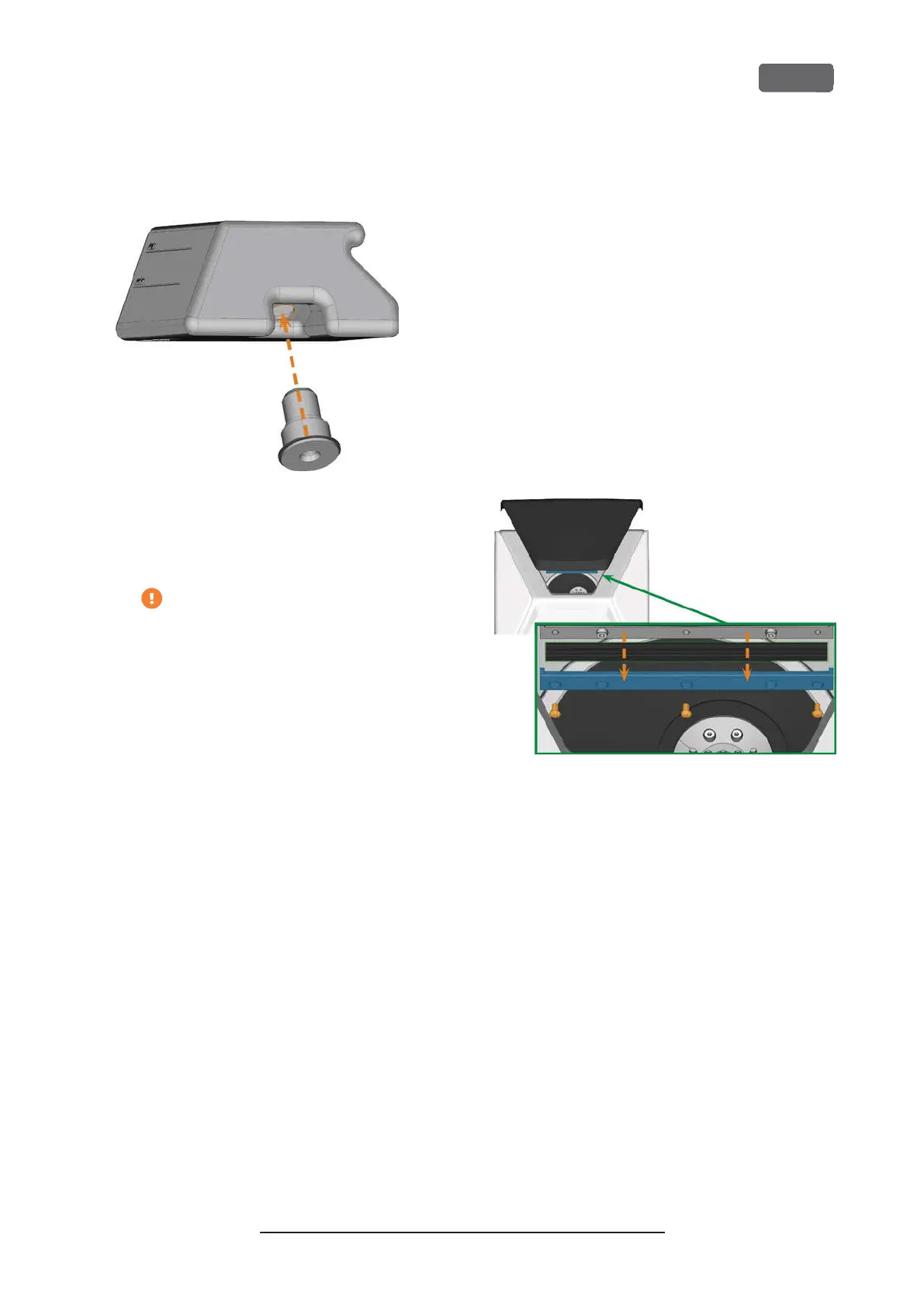
Insert the spare coupling into the designated
opening as shown in the following figure.
F
IG
. 92 – I
NSERTING THE SPARE COUPLING INTO THE COOLING
LIQUID TANK
6.
Screw down the filter onto the coupling with your
hand. Do not tighten the filter completely yet.
If you tighten the filter now, you may
damage the new coupling when you
attach the tank to the machine. As a result,
the coupling will no longer be water tight.
7.
Reinsert the cooling liquid tank until the tank is
properly attached to the machine.
8.
Pull the cooling liquid tank out of the machine
again.
9.
Tighten the filter completely.
10.
Fill new cooling liquid into the tank.
Exchanging the view window
wiper
The view window wiper removes liquid from the back
of the view window when the working chamber door
opens and closes. You need to exchange it according
to the interval given in the maintenance table or when
the wiping effect is too low.
The view window wiper is fixated by a two-part
holder.
You exchange the view window wiper as follows:
1.
Open the working chamber door.
2.
Unscrew the 3 screws (marked orange in the fol-
lowing figure) that attach the lower part of the
holder to the upper part. Remove the lower part
of the holder (marked blue in the figure).
F
IG
. 93 – R
EMOVING THE VIEW WINDOW WIPER FROM THE
MACHINE
3.
Remove the view window wiper from the holder
and dispose of it.
4.
Clean the holder of the view window wiper with
a wet cloth. Clean the part that you removed and
the upper part in the machine.
5.
Put the spare view window wiper into the lower
part of the holder according to the following fig-
ure.
Z4 – Maintenance and do-it-yourself
EN 67
Original Operating Instructions:Z4
Version: 12/5/2018



 To Next Page