Mounting removing blanks
The machine can process the following blanks:
n
Blocks, max. size: 40x 20x 20mm (L/D/H)
n
Prefabricated abutments
*
*
requires extra equipment
You can obtain extra equipment from
customer service.
Mounting removing blocks
You can mount blocks to the block holder where a
collet chuck immobilizes them. The collet chuck
opens and closes with the working chamber door.
1.
Open the working chamber door.
The working chamber door is open. The collet
chuck is open.
2.
Pull the block out of the holder if any.
3.
Check the collet chuck for dirt.
4.
If necessary, clean the collet chuck (
Ž
Cleaning
the collet chuck of the blank holder
– on page60
).
5.
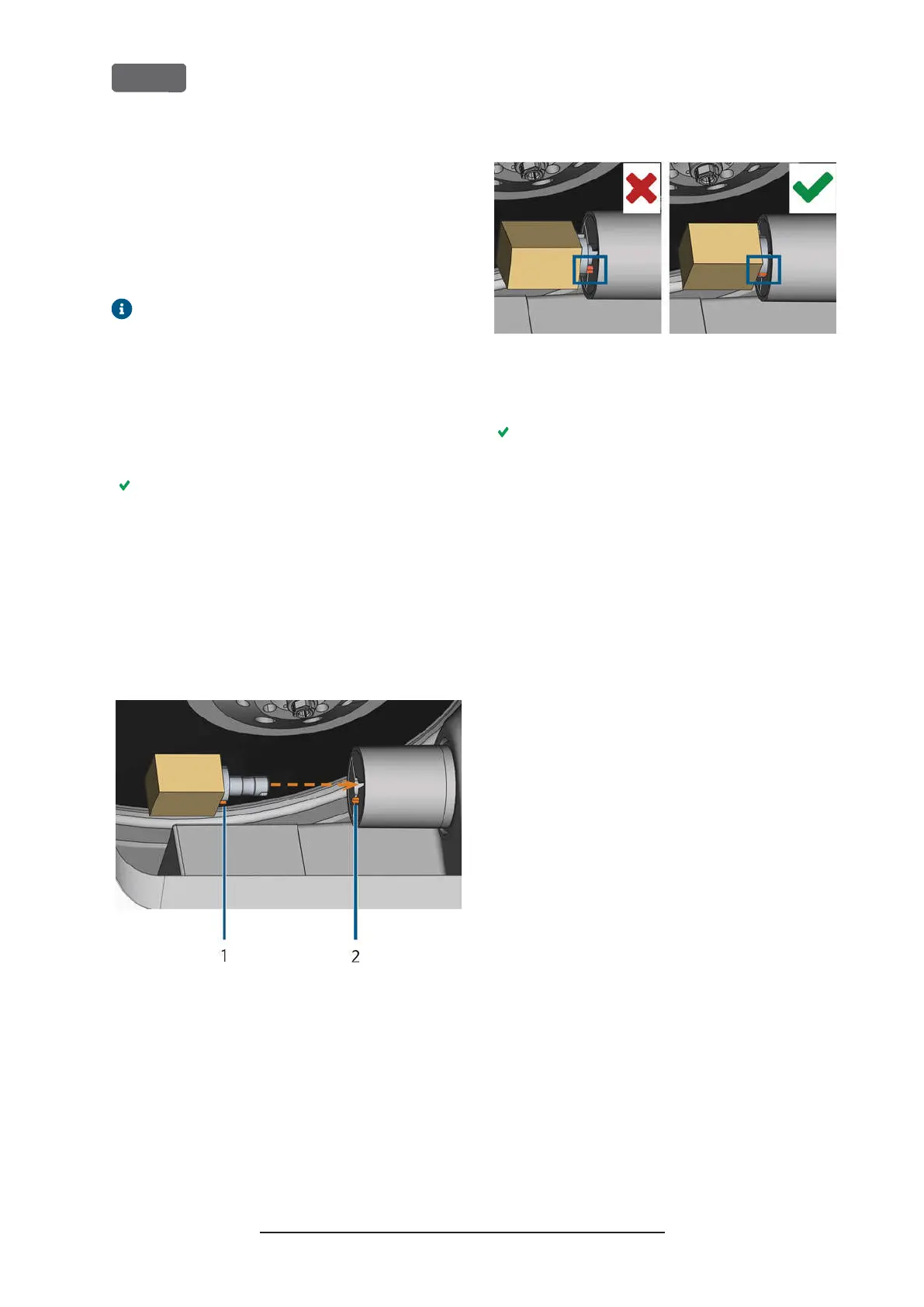
Place the required block in the collet chuck of the
block holder: Align the groove of the block [1]
with the positioning pin of the block holder [2].
F
IG
. 54 – I
NSERTING THE BLOCK INTO THE BLOCK HOLDER
(
GROOVE AND POSITIONING PIN MARKED ORANGE
)
1.
Groove of the block
2.
Positioning pin of the block
6.
Push the block into the block holder until it clicks
in. If the block does not click in, twist it until the
positioning pin lies in the groove.
F
IG
. 55 – (
A
) B
LOCK HAS ONLY PARTIAL CONTACT
; (
B
) B
ASE
SURFACE OF BLOCK HAS FULL CONTACT
7.
Close the working chamber door.
The working chamber door is closed. The collet
chuck is closed. The block is mounted.
Original Operating Instructions:Z4
Version: 12/5/2018
Z4 – Operation: Preparing jobs
EN 46



 To Next Page