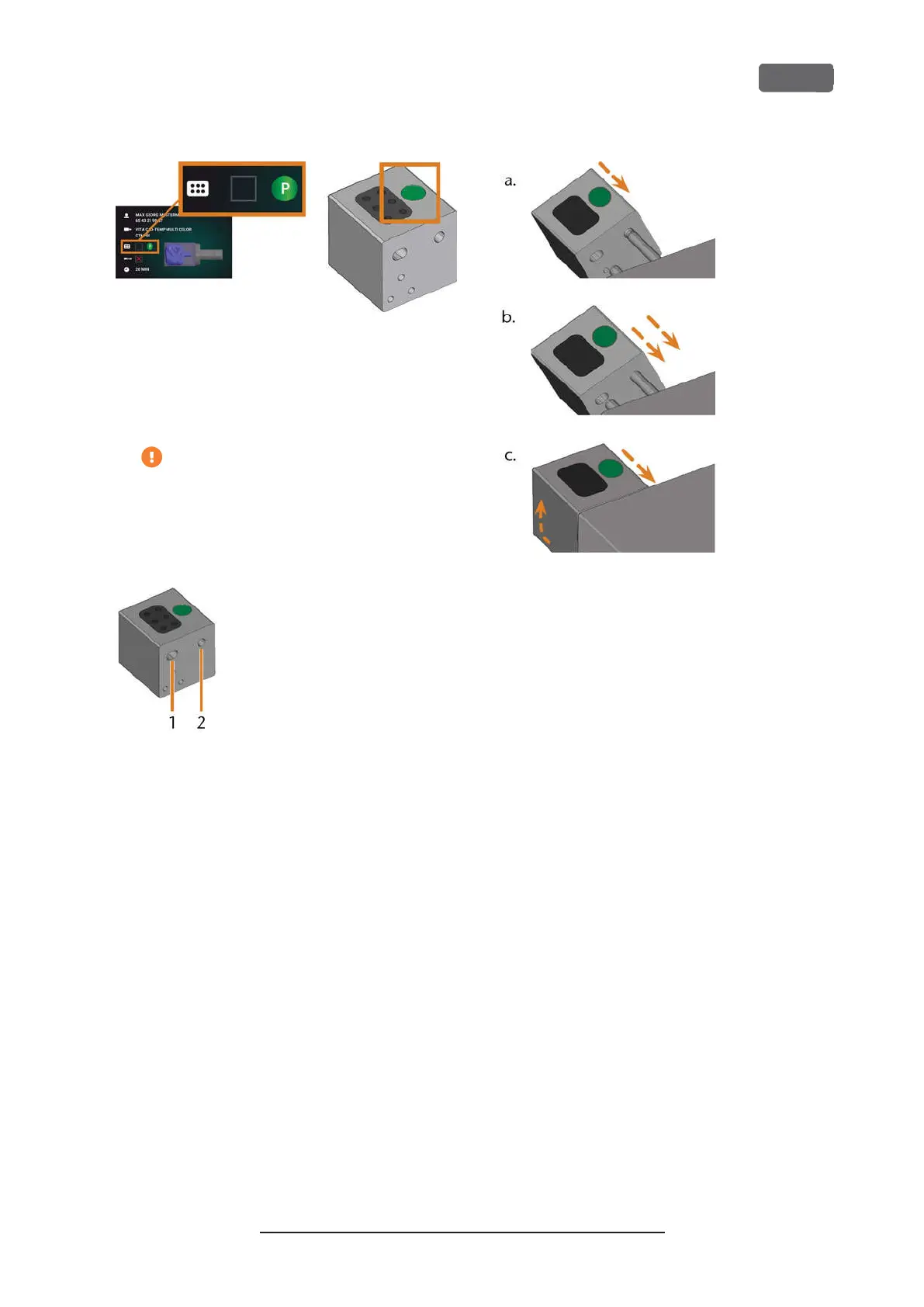
F
IG
. 51 – T
HE COLOR CODE ON THE TOUCHSCREEN
(
LEFT
)
AND ON
THE TOOL MAGAZINE ARE IDENTICAL
5.
Ensure that the contact surfaces of the tool
magazine holder and the tool magazine are
clean.
You can only execute jobs when the
machine recognizes the required tool
magazine.
6.
Plug the tool magazine onto the tool magazine
holder (
Ž
Fig. 46 –
on page43
, green arrow):
F
IG
. 52 – T
HE
2
HOLES IN A TOOL MAGAZINE
1.
Larger front hole
2.
Smaller rear hole
F
IG
. 53 – P
LUGGING A TOOL MAGAZINE ONTO THE TOOL
MAGAZINE HOLDER IN
3
STEPS
a.
Position the larger rear hole on the longer
bolt of the tool magazine holder. Push it
onto the bolt until you feel a resistance.
b.
Overcome the resistance by pushing the
tool magazine harder onto the bolt.
c.
Align the smaller front hole with the shorter
bolt of the tool magazine holder. Push the
tool magazine onto the short bolt until it is
properly seated on the tool magazine
holder.
Z4 – Operation: Preparing jobs
EN 45
Original Operating Instructions:Z4
Version: 12/5/2018



 To Next Page