Managing tools
NOTICE
Damaging of the spindle or the tool
positions if you use improper tools
Improper tools can damage the collet chuck of the
spindle and / or the tool positions.
Only use tools with a sufficiently large chamfer at
the tool shank.
Install a retaining ring as a stop ring according to
DIN 471-A3.
Only insert tools with a maximum diameter of
3mm at the thickest part into the collet chuck.
Only insert tools with a maximum cutting edge dia-
meter of 2.6 mm into the tool magazine.
We recommend original tools as they are
designed especially for the designated jobs.
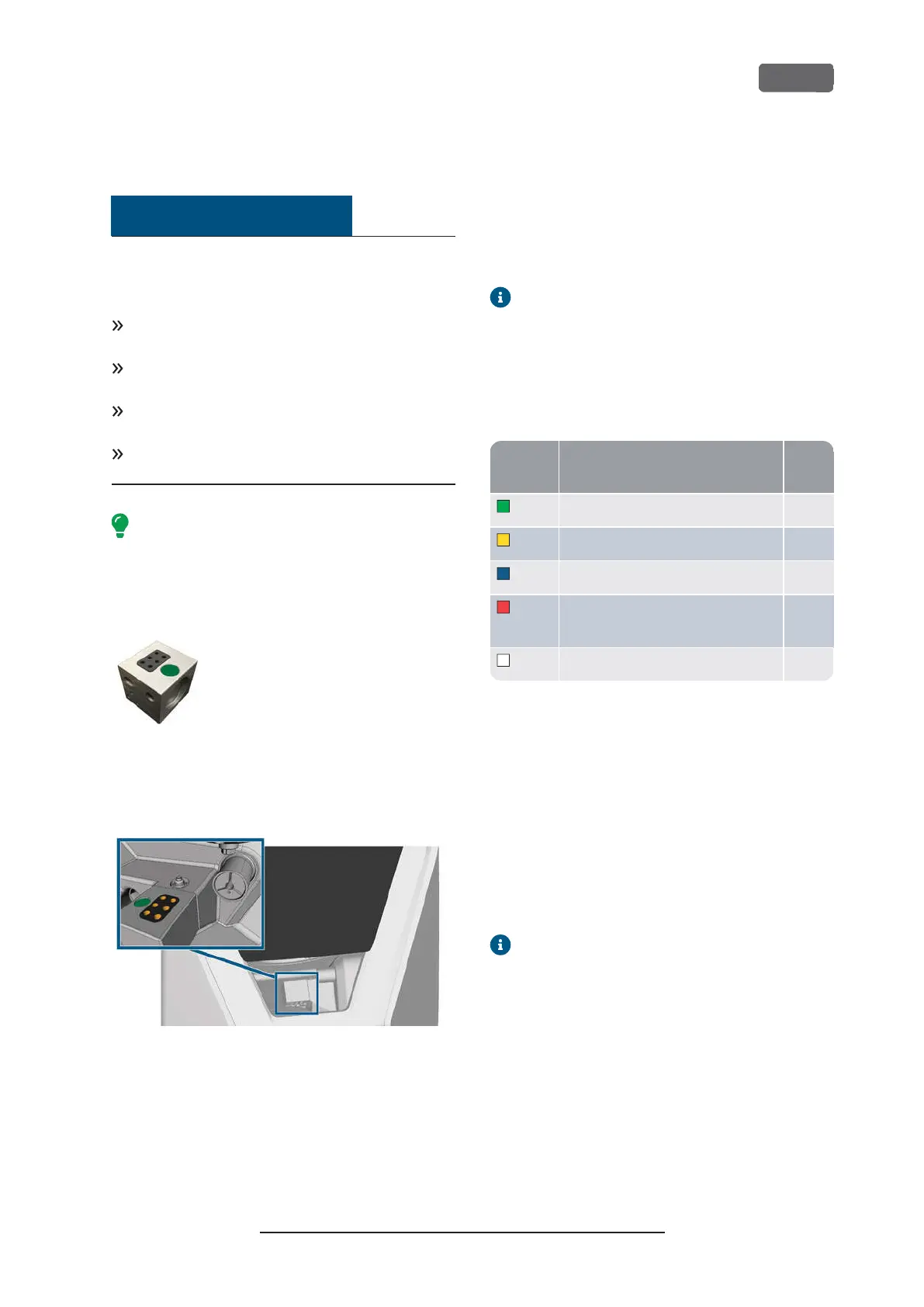
The machine uses exchangeable tool magazines that
can hold up to 6 tools each.
F
IG
. 40 – A
TOOL MAGAZINE
For each job you need to mount the appropriate
magazine into the working chamber.
F
IG
. 41 – T
OOL MAGAZINE WHICH IS MOUNTED TO THE TOOL MAGAZINE
HOLDER
;
TOOL POSITIONS MARKED ORANGE
You can store magazines that are currently not needed
in the multi-purpose drawer.
A sensor recognizes the tool magazine which is
currently mounted into the working chamber. The
touchscreen displays the required magazine for each
job and whether it is mounted into the working
chamber.
The machine can change tools automatically during
machining so that it executes jobs without your inter-
ference.
If tool magazine inserts are worn, you should
replace them. (
Ž
Replacing the tool magazine
inserts
– on page65
)
Color codes of the tool magazines
The tool magazines have color codes for the individual
materials. In the following table you find an overview:
code
Material Letter
Green Wax and plastics (PMMA) P
Yellow Composites C
Blue Zirconia Z
Red Non-precious metals (Cobalt chrome/
Titanium)
M
White Glass ceramics G
Inserting and exchanging tools
You need to insert or exchange tools in the following
cases:
n
Upon first use of the machine
n
After replacing a tool magazine (in case of loss or
damage)
n
After exchanging tool magazine inserts due to
wear
n
When the tool life of a tool has expired
n When tools are damaged or worn
When you select a job in the
Jobs
section, a
check box indicates whether you need to
replace tools before machining.
You can use the
Tools
section of the touchscreen for
managing tools:
n
To check the tool life values.
n
To check which tool magazine positions the indi-
vidual tools are assigned to.
Z4 – Operation: Preparing jobs
EN 41
Original Operating Instructions:Z4
Version: 12/5/2018



 To Next Page