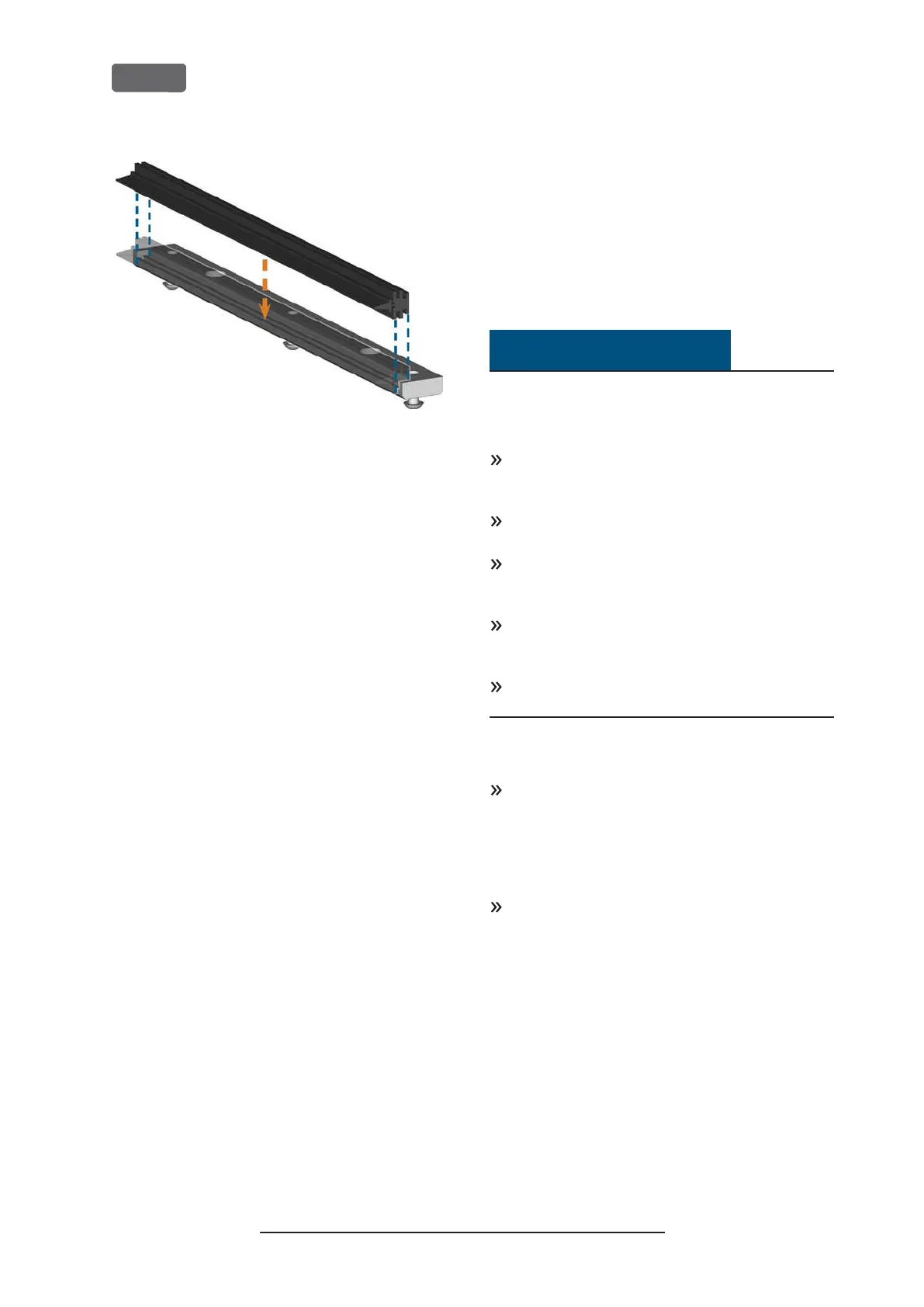
F
IG
. 94 – P
OSITIONING THE SPARE VIEW WINDOW WIPER
6.
Place the lower part of the holder on the upper
part in the machine with the wiper lying between
the two parts. Hold it in place.
7.
Screw down the holder with the 3 screws.
Updating the software and firm-
ware
Updating the firmware of the machine
The firmware is the internal control software of your
machine. New versions may introduce new functions
and improve existing ones. New firmware versions
come as part of new versions of DentalCNC.
NOTICE
Damaging of the control unit when a
firmware update is interrupted
If the firmware update is interrupted, the control unit
of the machine may become permanently damaged.
Only update the firmware if a permanent electrical
supply of the machine and the computer is guar-
anteed.
Only update the firmware if the computers oper-
ating system is stable and is free of malware.
Only update the firmware if the connection
between the computer and the machine is stable.
Always use a wired connection during the update.
Do not disconnect the machine or the computer
from the electrical source nor switch off the
machine or computer during a firmware update.
Do not close DentalCNC during a firmware
update.
Only customer service can currently update the firm-
ware.
If a firmware update is available, contact customer
service.
Updating DentalCAM DentalCNC
Only customer service can currently update the
internal CAM computer.
If you require an update for DentalCAM
DentalCNC, contact customer service.
Original Operating Instructions:Z4
Version: 12/5/2018
Z4 – Maintenance and do-it-yourself
EN 68



 To Next Page