F
IG
. 84 – O
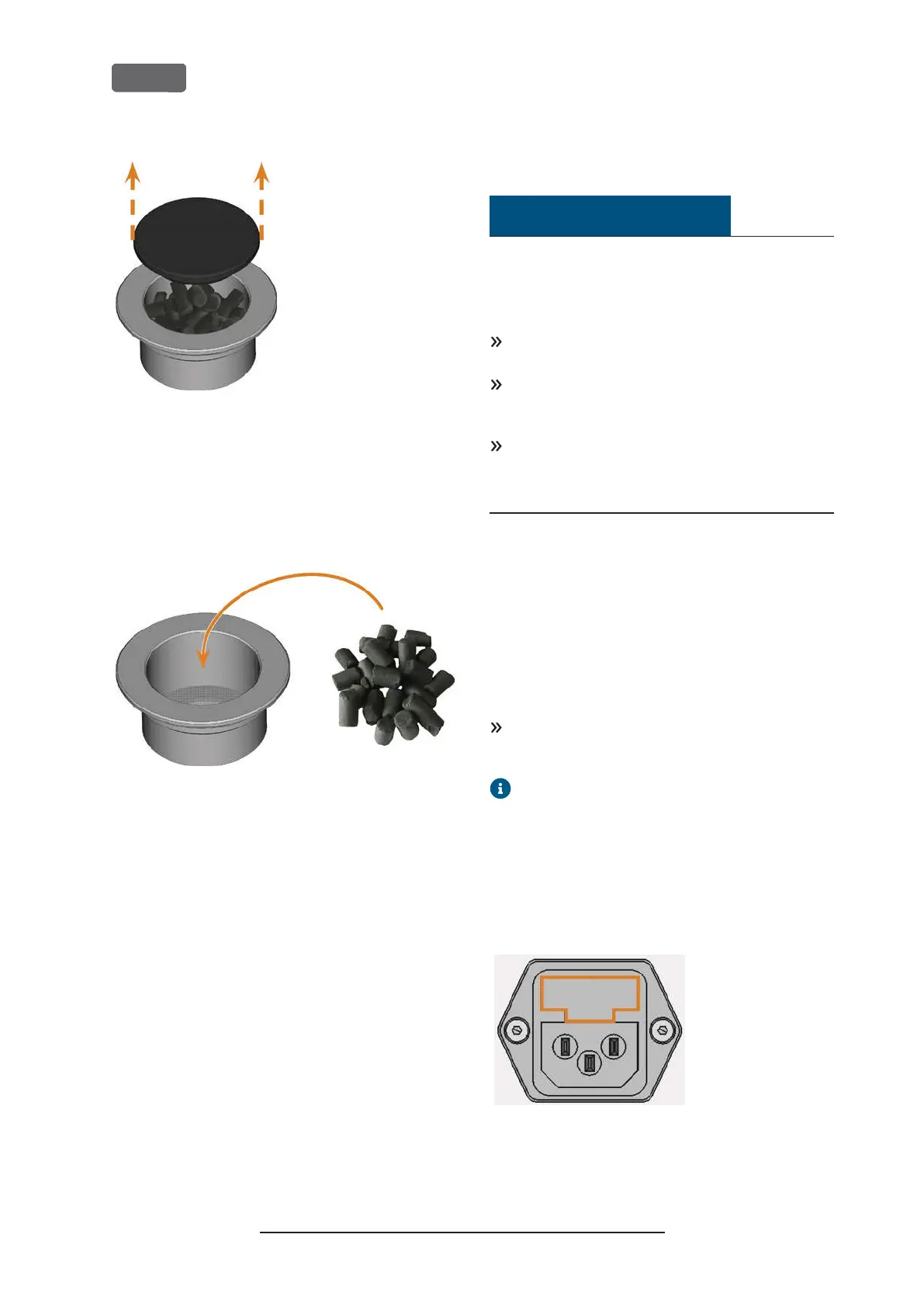
PENING THE CARBON FILTER
6.
Empty the filter and dispose of the activated car-
bon pellets.
7.
Clean the carbon filter and dry it with a cloth.
8.
Fill new activated carbon pellets into the carbon
filter.
F
IG
. 85 – R
EPLACING THE ACTIVATED CARBON PELLETS
9.
Firmly close the carbon filter with the cap.
10.
If the filter mesh is soiled, pull it off the cooling
liquid filter and rinse it under running water.
11.
Reassemble the cooling liquid filter. Make sure
that the fine filter covers the complete filter.
12.
Fill new cooling liquid into the tank.
Cleaning the housing
NOTICE
Damaging of the housing when using an
unsuitable cleaning agent
If you use an unsuitable cleaning agent and/or
cleaning tool for cleaning the machine housing, the
surface or the adhesive foil can get damaged.
To avoid scratches, only use a microfiber cloth to
clean the housing.
Take care of the adhesive symbols so that they do
not peel off. The adhesive foil is especially sens-
itive to rubbing and strong cleaning agents.
If the usage of a special cleaning agent is necessary
to eliminate certain dirt, we recommend checking
the suitability of the cleaning agent at a hidden
place of the part first.
1.
Clean the surface with a dry microfiber cloth.
2.
If some dirt cannot be removed this way, moisten
the cloth. Use a pH neutral cleaning agent if
necessary.
Exchanging the main fuse
The internal power supply of the machine has a main
fuse that is accessible from the outside and can be
replaced if necessary.
As a replacement fuse, only use a fuse of the fol-
lowing type: T6,3A L250V
A new main fuse is available as spare part from
customer service.
1.
Switch off the machine at the main power switch.
2.
Remove the power cord from the connection
panel.
3.
Remove the cover of the fuse.
F
IG
. 86 – C
OVER OF THE FUSE
(
MARKED ORANGE
)
Original Operating Instructions:Z4
Version: 12/5/2018
Z4 – Maintenance and do-it-yourself
EN 64



 To Next Page