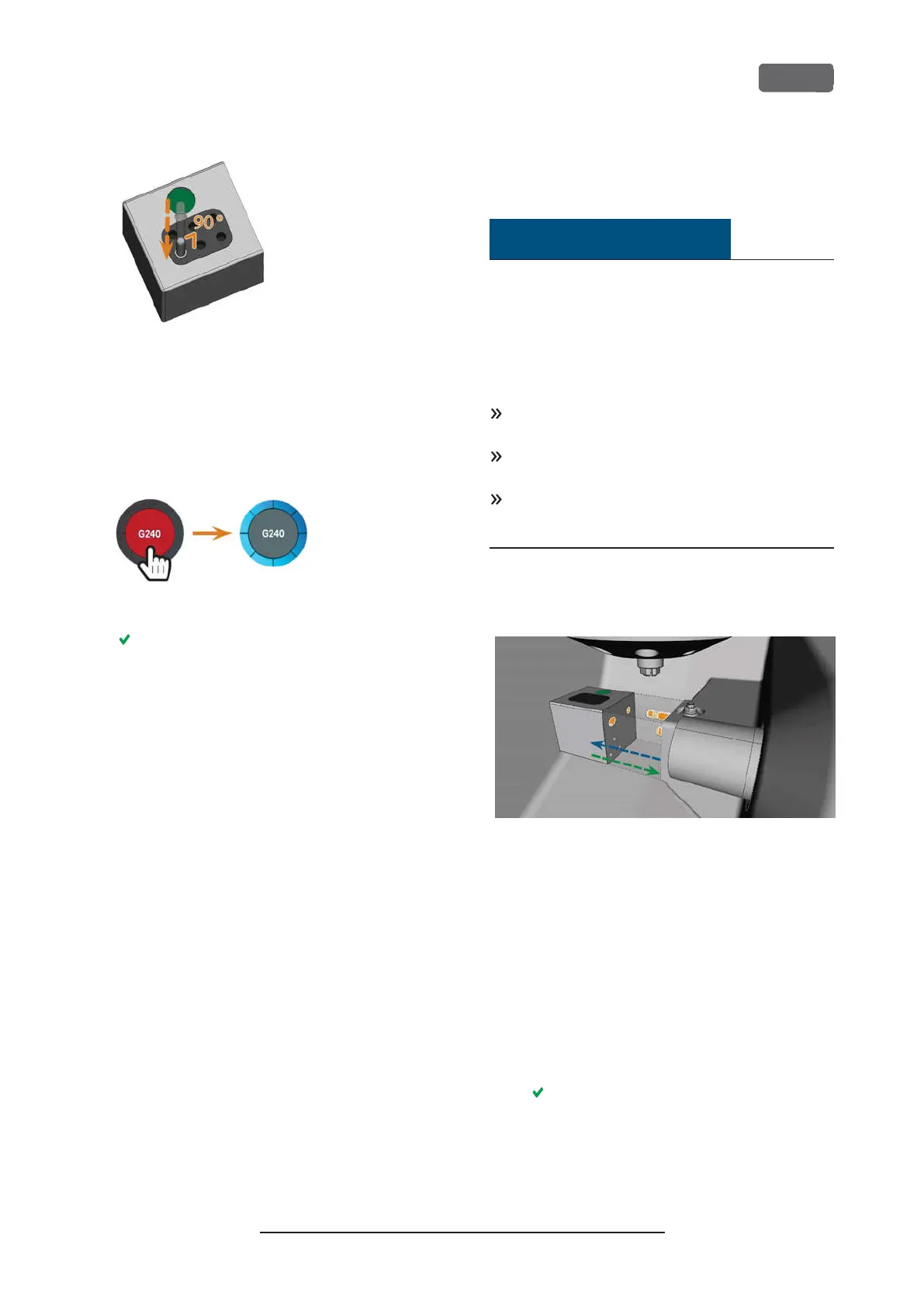
F
IG
. 44 – I
NSERTING TOOLS INTO THE TOOL POSITIONS
5.
After replacing a tool, reset the tool life value. For
this, select the corresponding element on the
touchscreen.
6.
Plug the tool magazine back onto the tool
magazine holder if required.
F
IG
. 45 – R
ESETTING THE TOOL LIFE VALUES
The tool life value of the tool is reset. The circle
displays in blue.
Mounting exchanging tool
magazines
NOTICE
Damage of the tool magazines and tool
magazine holder
If you tilt tool magazines while mounting them, or if
tool magazines or the tool magazine holder are not
clean, the magazines will not slide smoothly onto the
holder. If you mount or remove tool magazines by
force, you can damage the tool magazine and the tool
magazine holder.
Always keep the tool magazine holder and the
holes in the tool magazines clean.
Grease the tool magazine holder according to the
maintenance table.
Plug tool magazines straightly onto the holder. If
necessary, remove the tool magazine and repos-
ition it.
You exchange tool magazines by pulling them off and
plugging them on the tool magazine holder.
F
IG
. 46 – E
XCHANGING THE TOOL MAGAZINE
(
TOOL MAGAZINE HOLDER
AND HOLES IN THE TOOL MAGAZINE MARKED ORANGE
)
In case a tool magazine got stuck on the holder, use
the screw on the backside of the tool magazine:
1.
Use the screw as follows:
a.
Pick up a flat blunt tool (e. g. a slot screw
driver)
b.
Use the tool to remove the protective cap
of the screw and put it aside within reach.
c.
Using the provided allen key, turn the
screw to the right.
The tool magazine moves backwards and is
released.
Z4 – Operation: Preparing jobs
EN 43
Original Operating Instructions:Z4
Version: 12/5/2018



 To Next Page