VIVOTEK - A Leading Provider of Multimedia Communication Solutions
User's Manual - 31
2.
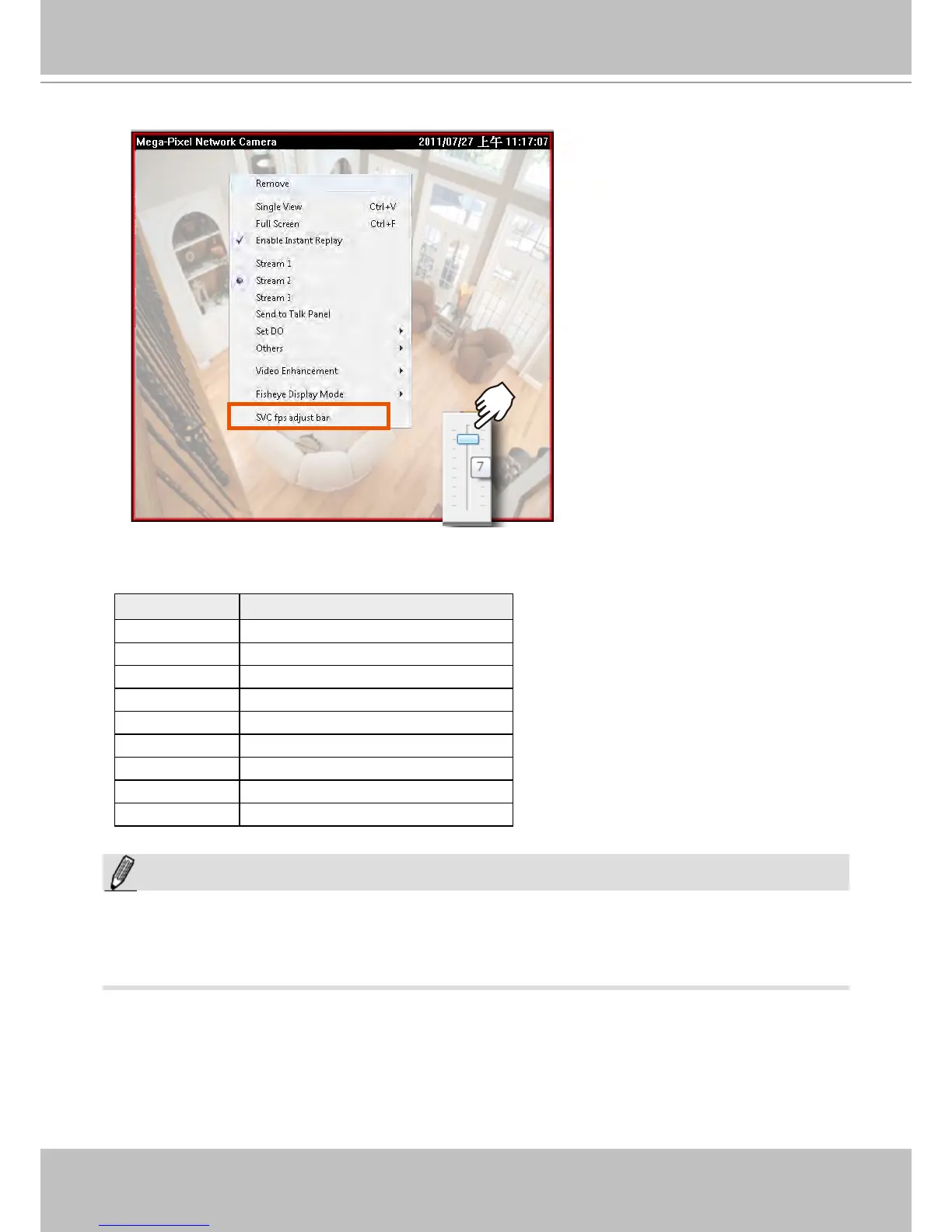
Right-click on the view cell of an SVC-enabled camera. Select SVC fps adjust bar.
3. A slide bar will appear above the view cell. Click and drag the slide bar. A numeric indicator
will display the current selection. See below for the frame rates represented by the numeric
indicator.
Indicator Frames per second (fps)
Maximum 30
7 26
6 22
5 18
4 12
3 8
2 4
1 1
Minimum 1/4
NOTE:
The SVC feature only applies to video streams using VIVOTEK's proprietary SVC compression format.
It is not applicable to MPEG-4 streams. Please refer to Conguration -> Media -> Video for individaul
stream settings.



 To Next Page