9
A. Setting gear-shifting throttle delay
Press Enter. (The display will show a figure between A.0
- A.9.) A.0 means no throttle delay.
By increasing the value, you can prolong the throttle
delay by up to 5 seconds. See the table below.
Table, throttle delay when shifting gear
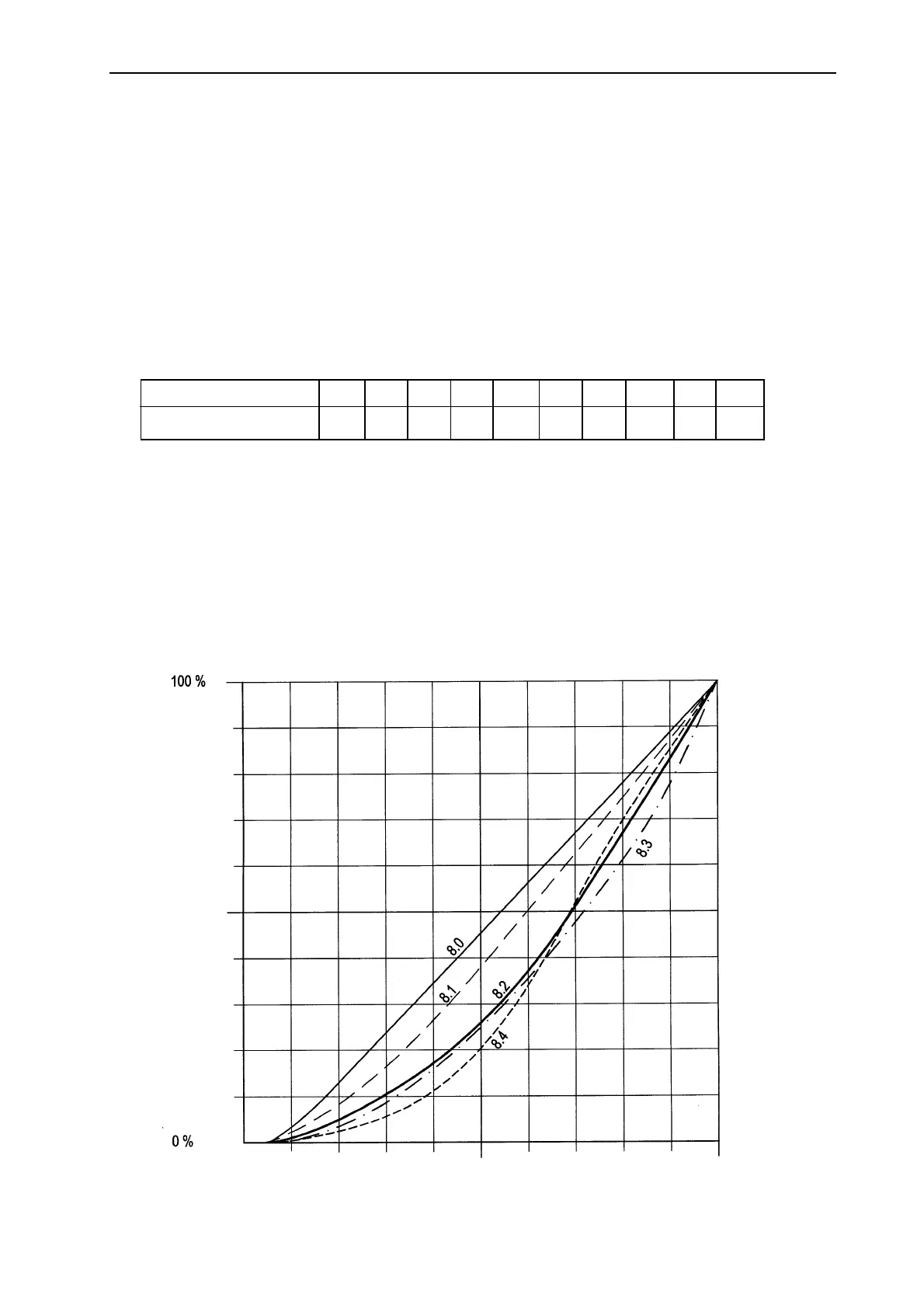
Idle
Full throttle
MOVEMENT OF THE CONTROL LEVER
MOVEMENT OF THE THROTTLE ARM
A.0 A.1 A.2 A.3 A.4 A.5 A.6 A.7 A.8 A.9
0.0 0.5 1.0 1.3 1.6 1.9 2.2 2.7 3.5 5.0
The display shows
Delay (seconds)
10. System calibration complete
Press Enter. The display shows no figures. Calibration is
complete and all settings are stored. Now press Error
Code. If the “00” appears on the display, everything is
OK. Should any numbers appear, these are Error
Codes. Press Error Code repeatedly until all figures
have appeared. Make note of the figures and remedy as
instructed in the Error Code tables at the back of the
manual. Once any problems have been remedied,
press Error Code and Enter at the same time for 2-3
seconds to empty the Error Code memory; otherwise,
you cannot start the system. When you have pressed
Error Code, “00” appears on the display when the
system is functioning properly. The “00” disappears
automatically after approx. 2 minutes.
User Instructions
Table, gear-shifting throttle delay
Throttle progression curves



 To Next Page