wallPen E2 | User Manual
114
Service
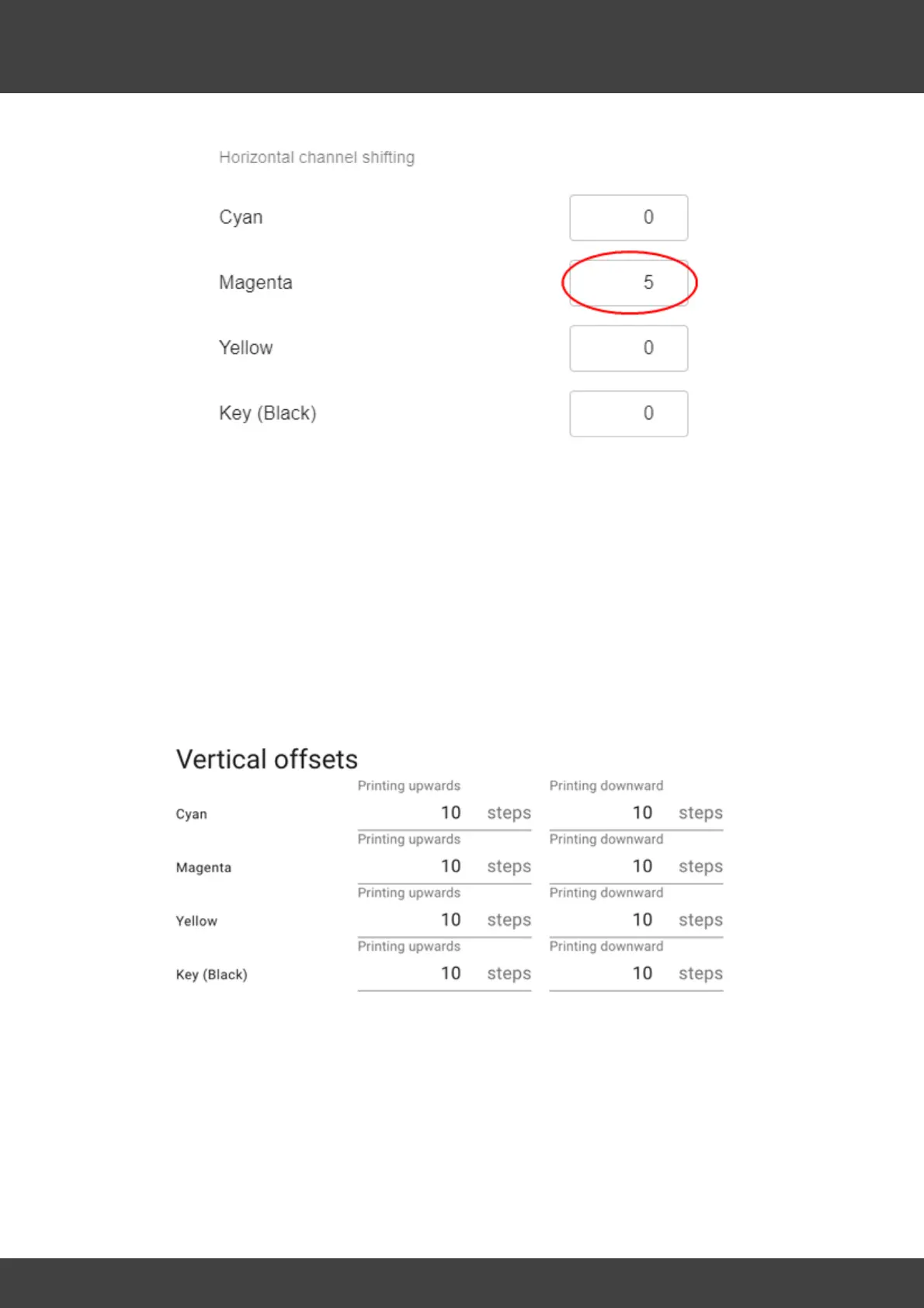
Now also enter the correspondingly read values of Yellow and Key here.
G / H / I / J / K / L / M - Vertical offsets
By defining the vertical offsets, the colors are calibrated vertically to each other. It is
important to note that the lines printed in cyan upwards, which appear in the center of
the calibration image from almost top to bottom, are the reference for the alignment
of the other colors.
For each color, find the horizontal line that most closely aligns with Cyan. Now read off
the de-pitched value and offset it against the Cyan Printing Upwards reference value (in
this case 10).
Since vertical offset values must not be negative, a positive value of 10 is entered for
"Cyan Printing Upwards" to have a "buffer" of 10 pixels without other values having to
be negative if they are below cyan.
For example, if magenta upwards (G) is in alignment with cyan at minus 3, then subtract
the determined 3 from the cyan reference value of 10 and enter "7" in the settings for
magenta printing upwards.



 To Next Page