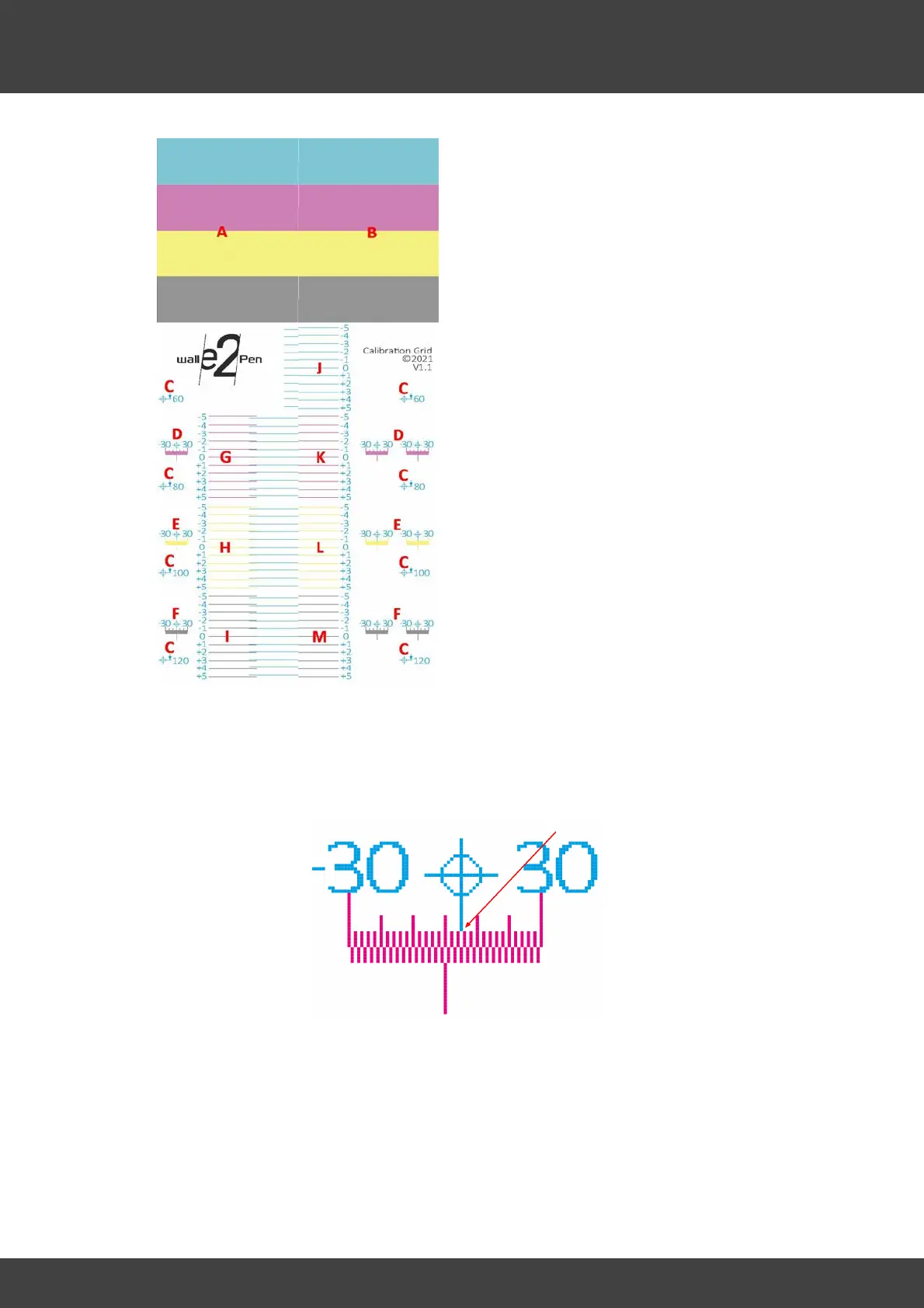
A - Nozzle Row 1 - States the status of all
nozzles of the first nozzle row
B - Nozzle Row 2 - States the status of all
nozzles of the second nozzle row
A/B - If dropouts occur at A and/or B,
the printheads should first be bled. If
dropouts remain after this, it would be
advisable to flush and clean the
printheads completely using the
provided flushing fluid. If the result is
still not significantly better, the
corresponding printhead needs to be
replaced.
C - 60 / 80 / 100 / 120 millimeter
measuring distance from the upper edge
of the cyan nozzle rows (A/B) to the
respective cross-hair.
D / E / F - Lateral offsets in the range of
+/- 30 pixels at 300 DPI for Magenta (D),
Yellow (E) and Key (F).



 To Next Page