wallPen E2 | User Manual
52
Software
The Main Screen
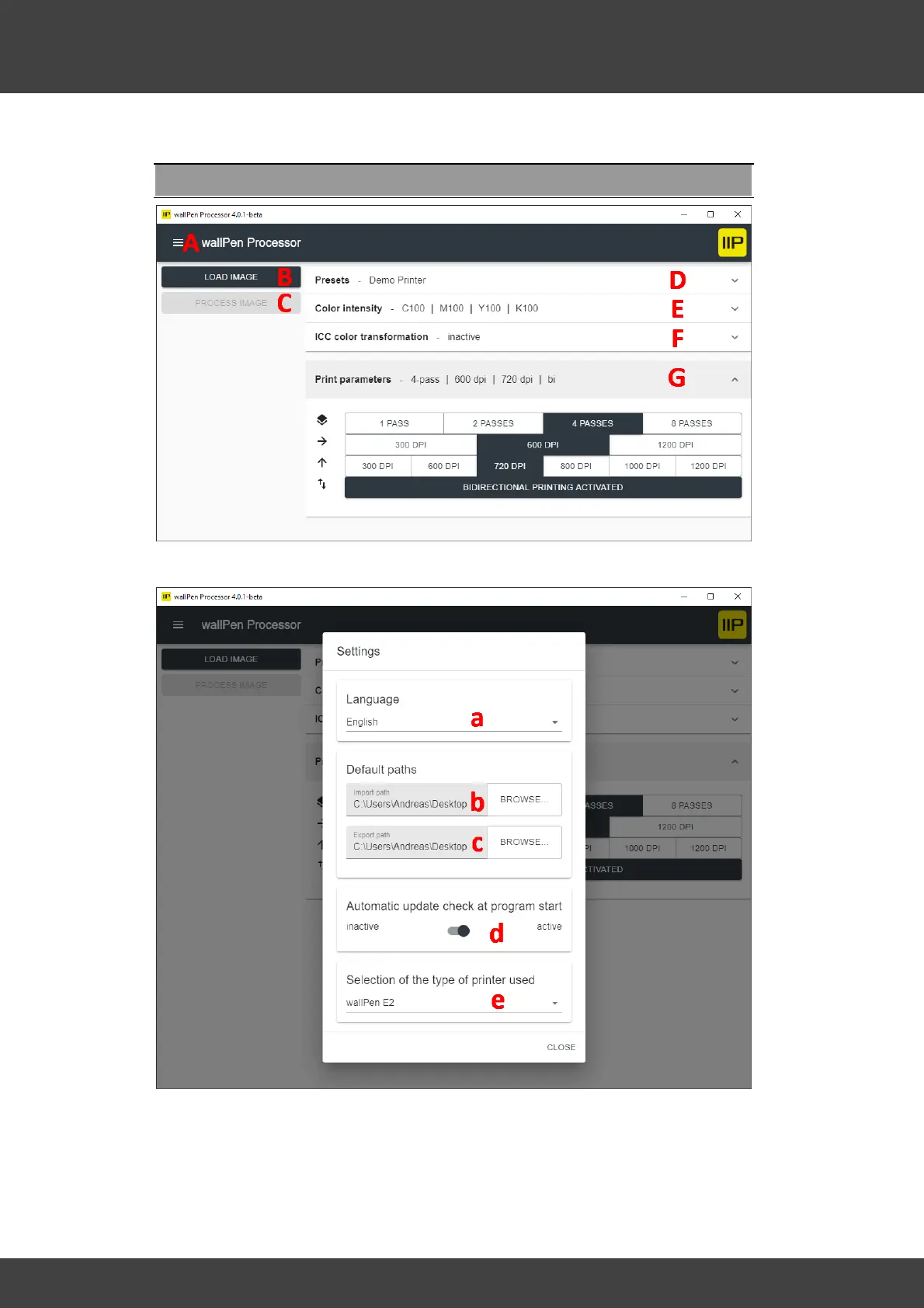
A - Settings
a - Select the desired language of the user interface. Currently the following languages
are supported: Bulgarian, Dutch, English, French, German, Greek, Italian, Norwegian,
Polish, Portuguese, Russian, Slovak, Spanish, Swedish and Turkish. If your language is
not yet available and you would like to help, please contact us directly or via your



 To Next Page