RGB are colors of light, the perception
of color comes from the mixing of
light. This is why we speak here of an
"additive color model". The more color
is used, the brighter the image
becomes. If all three basic colors are
used 100 %, the result is white.
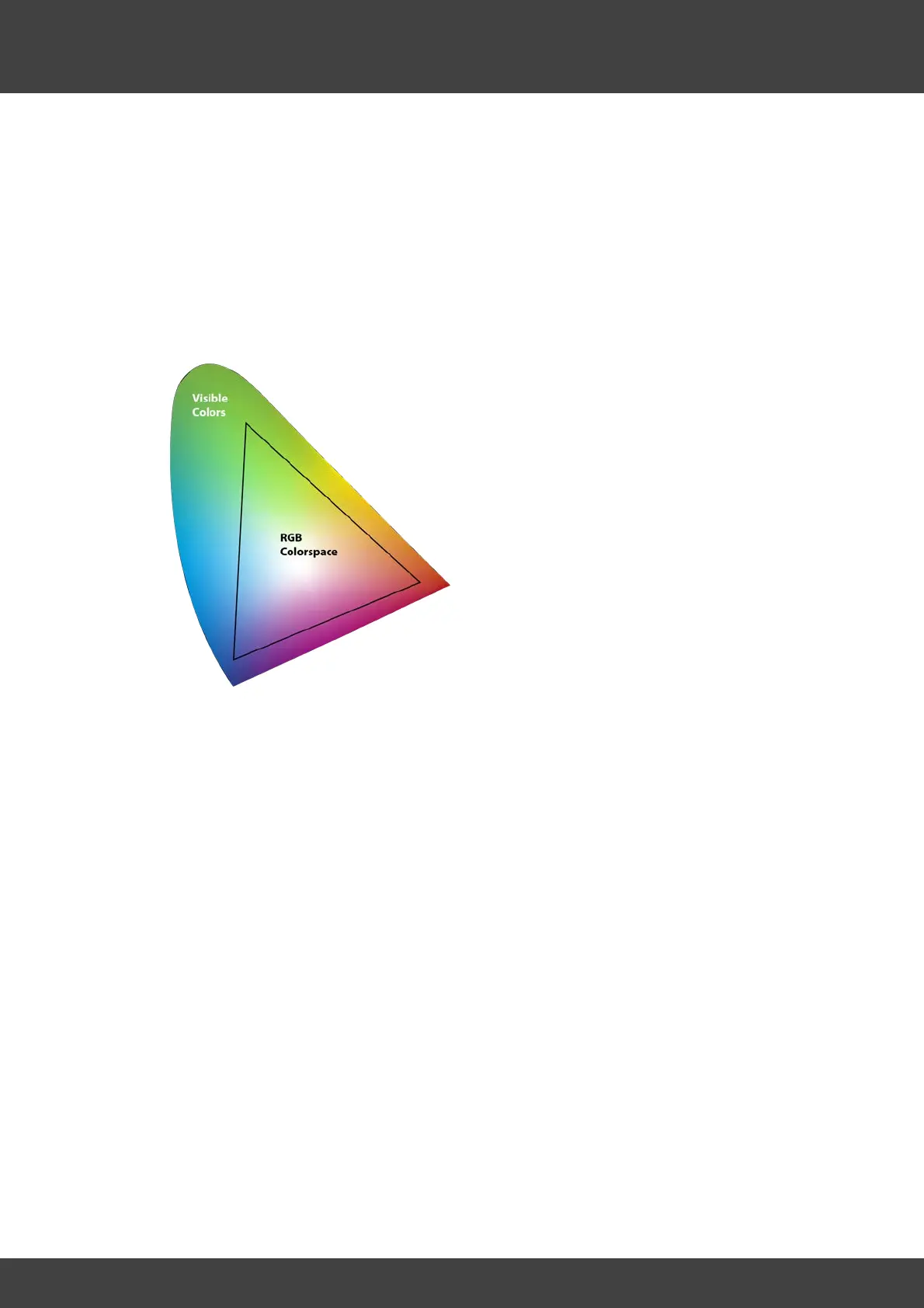
So if we take a look at the RGB color
space, all colors within the black
triangle can be displayed, all colors
outside not. So it is to be recognized
clearly that the possibilities for the
representation of colors get limited.
Not all colors can be displayed on a
computer monitor as they occur in
nature, and every photo inevitably
becomes a kind of compromise. If a
hue (for example a certain shade of
green) lies outside the triangle, it is
"shifted" in such a way that it is at least
represented by a similar shade of
green that comes as close as possible
to the desired green. However, in
practice many color tones that are
displayed are only be close to the
target and the image becomes a
compromise!



 To Next Page